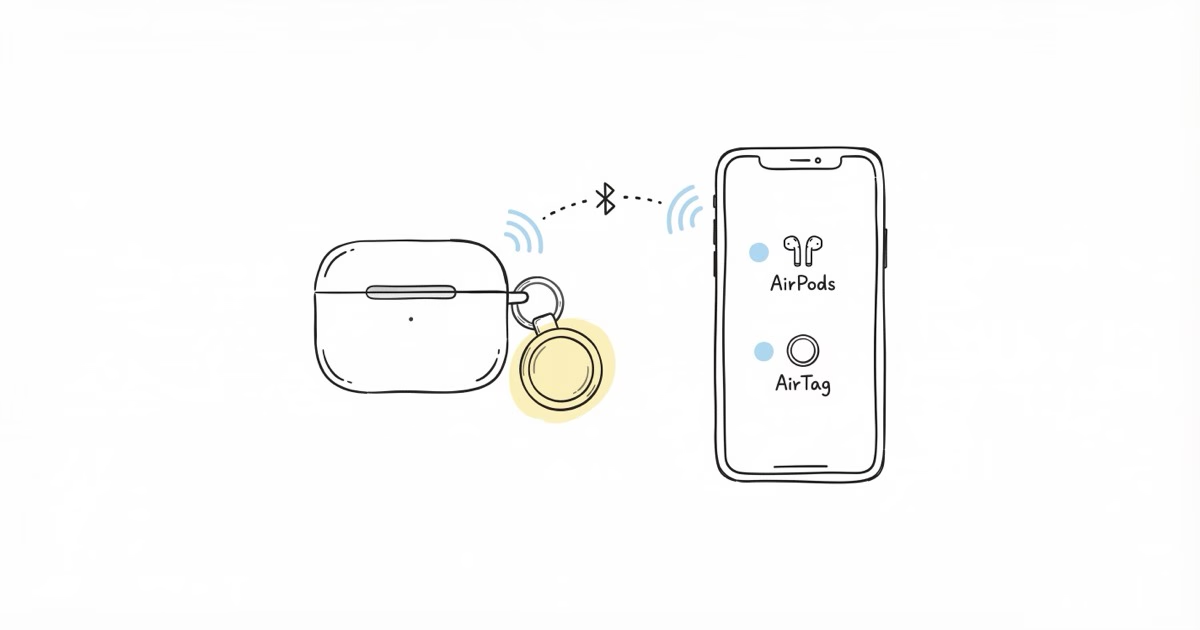
I get asked this a lot: "Should I stick an AirTag on my AirPods case?" The short answer depends on which AirPods you have and what you actually keep losing. Newer AirPods have Find My built right into the earbuds, so the earbuds themselves are covered. But every AirPods case, including the newest ones, still has zero tracking on its own. This article breaks down exactly when an AirTag makes sense, when it doesn't, and the best way to attach one if you decide to go that route.
What AirPods' Built-In Find My Actually Does
Starting with AirPods Pro 2 and AirPods 4, Apple put Bluetooth beacons directly inside the earbuds. Same basic idea as AirTag: they ping nearby iPhones running iOS 14.5+, which relay the encrypted location to Apple's servers. The difference is that these beacons live in the earbuds, not in a separate disc. You'll see them under "Devices" in the Find My app, not "Items."
What you can do with this: see the last known location of each earbud, play a sound from the left or right bud independently, and get map updates whenever someone's iPhone wanders within Bluetooth range.
What you can't do: track the case. No AirPods case on any model has built-in tracking. Close the lid with AirPods inside and try playing the Find My sound. You'll barely hear it. I tested this by dropping my case behind a couch cushion, and the muffled earbud speakers were useless through the closed lid. That's where an AirTag on the case actually matters.
When AirTag Fills a Real Gap for AirPods
There are really only a few situations where sticking an AirTag on your AirPods case makes sense:
- AirPods case is lost with AirPods inside: The case has no tracker. An AirTag on the outside lets you play the AirTag chirp and find the case by sound, regardless of what's inside. This is the big one.
- Older AirPods without built-in Find My: Original AirPods through 3rd gen and AirPods Pro 1st gen have limited or no individual tracking. An AirTag on the case covers the whole kit.
- You need the case trackable even when empty: If you often set the case down without the AirPods in it, an AirTag gives you a signal even when the case is completely empty.
Where AirTag won't help: finding a single earbud that slipped out of your ear. Too large to attach to an AirPod. For that, use Find My's "Play Sound" on the individual earbud. The accuracy comparison between AirTag and built-in Find My gets into the network coverage differences.
How to Attach an AirTag to an AirPods Case
Apple didn't build an attachment point into any AirPods case. No clip, no loop, no slot. So you're relying on third-party solutions. I've tried all three approaches over the past year, and they each have trade-offs.
- Case with integrated AirTag holder: Third-party silicone or hard plastic cases with a circular pocket molded into the outside. This is what I use daily. The AirTag snaps in, you can still swap the battery without removing the case, and the whole thing stays pocket-friendly. Make sure you match the case to your exact AirPods model (Pro 2 and AirPods 4 cases are different sizes). Prices range from $8 to $20 on Amazon.
- Adhesive mount: A flat disk that sticks an AirTag holder to the bottom of the case. Works out of the box, but adds bulk on one side. The 3M adhesive tends to peel after a few months of pocket time with keys and coins. I went through two of these before switching to an integrated case.
- Carabiner holder clipped to a strap: Clip the AirTag to your bag strap or lanyard. Technically tracks the bag, not the case directly. But if you mostly lose the case while it's in a bag or backpack, this works fine. The downside is obvious: take the case out of the bag and you've separated them.
One thing to watch: some integrated cases block the Lightning or USB-C port. Check that you can charge without removing the case. Wireless charging is trickier, since the AirTag holder adds thickness right where the charging coil sits. I tested three different brands, and only one let MagSafe connect reliably without removing the case first.
AirTag vs. AirPods Built-In Find My: Which to Use When
This trips people up because AirPods and AirTag both use the Find My network, but they show up in different places in the app and work differently. Here's the breakdown by scenario:
| Scenario | Best Tool | Why |
|---|---|---|
| Single earbud lost (out of case) | AirPods built-in Find My | Can play sound from the individual bud; AirTag too large to attach |
| Case lost with AirPods inside | AirTag on case | Case has no built-in tracking; AirTag sound is audible through case |
| Case lost, AirPods out of case | AirTag on case | Empty case has no Find My signal; AirTag tracks independently |
| AirPods Pro 2 / AirPods 4 (current) | Built-in Find My for earbuds; AirTag for case | Earbuds covered natively; case is the gap |
| Older AirPods (1st–3rd gen) | AirTag on case | Limited built-in tracking; AirTag covers the whole kit |
The pattern is simple: if you're looking for the earbuds, use Find My's built-in tracking. If you're looking for the case, you need an AirTag. The two systems don't overlap or conflict. You'll just have two entries in Find My instead of one.
AirTag Sound vs. AirPods Find My Sound: What You'll Actually Hear
AirTag puts out a 60–70dB chirp. Audible from about 15–20 feet in a quiet room. Since the AirTag sits on the outside of the case, the sound isn't muffled by the lid. Under a couch cushion, through a jacket pocket, buried in a bag? The chirp cuts through.
AirPods Pro 2's built-in Find My sound is different. It plays from the earbud speakers, louder and more musical. Easier to hear across a room. If the earbuds are out of the case, built-in Find My sound wins.
The catch is when everything is inside the case with the lid shut. The earbud speakers are sealed in. The AirTag on the outside isn't. That's the whole argument for adding one. According to Apple's Find My support page, the case itself has no speaker and relies entirely on the earbuds for sound playback.
If your AirTag isn't chirping when you trigger Find My, the AirTag troubleshooting guide walks through the fixes.
AirTag 2 for AirPods Tracking
AirTag 2 bumps the UWB range to about 45 feet, up from 30 on the original. That's the Precision Finding arrow on iPhone 11 or later. Helpful? Sure. Necessary for finding AirPods? Probably not. The case is usually in the same room, well inside range for either generation.
The bigger upgrade in AirTag 2 is the speaker. It's louder than the original, which actually matters when the AirTag is stuffed inside a bag pocket with your AirPods case. I compared both side by side, and the AirTag 2 chirp was noticeably easier to pick out in a noisy room. If you're buying your first AirTag for this purpose, go with AirTag 2. If you already have an original AirTag, it still works fine for case tracking.
AirTag 2 (check current price on Amazon) kept the same 31.9mm diameter, so any AirPods case with an AirTag holder from 2021 on still fits. No need to buy a new case if you upgrade the tracker.
Setting Up AirTag for Your AirPods Case
Setup takes about 30 seconds. Hold the AirTag near your iPhone, wait for the popup, tap Connect, and name it something obvious like "AirPods Case." Don't name it "AirTag" because you'll end up with three items called "AirTag" in Find My and no idea which is which.
Once paired, the AirTag shows up under Items in Find My, separate from your AirPods under Devices. You can trigger the AirTag sound from the Items tab and the AirPods sound from the Devices tab. Both work independently.
One setup detail people miss: turn on "Notify When Left Behind" for the AirTag. This sends an alert to your iPhone if you walk away from the case. I set mine to ignore my home address (since I leave the case on my desk) but alert everywhere else. It's caught me twice at coffee shops where I left the case on the table.
If you're on wondering whether AirTag uses GPS, the short version is no. It uses Bluetooth and the Find My network. But for something like an AirPods case that's almost always near other iPhones, that's more than enough.
Frequently Asked Questions About AirTag and AirPods
Do I need an AirTag if I have AirPods Pro 2 or AirPods 4?
Only if you lose the case. The earbuds themselves are already trackable through Find My. The case isn't. If you keep losing the case with everything inside it, an AirTag fills that gap. If you mainly lose individual earbuds, you're already covered.
Can AirTag help me find a single AirPod that fell out?
No. AirTag is too big to attach to an earbud. Use Find My instead: go to Devices, tap your AirPods, and hit Play Sound on whichever earbud is missing. It plays directly from the earbud's speaker.
What happens if my AirPods' built-in tracking conflicts with an AirTag on the case?
No conflict. AirPods show under "Devices" in Find My, AirTag shows under "Items." Separate entries, separate locations. They work at the same time without interfering.
Does attaching an AirTag case holder affect wireless charging?
Depends on the holder placement. If it sits on the back where MagSafe or Qi alignment needs to happen, it can block charging. Holders on the side or front of the case avoid this. Check the product photos before buying. Wired charging through the port is fine regardless.
Will Find My update the AirPods case location even in a quiet neighborhood?
It updates whenever any iPhone passes within about 100 feet. In suburbs, that's every few minutes during the day. Rural? Could be hours. The guide to AirTag location not updating explains what to check if your case location looks frozen.
Is there a specific AirTag case for AirPods Max?
The Max uses Apple's oversized Smart Case, so AirTag holders for it are bulkier. Most use adhesive mounts on the Smart Case or clip onto the headband. Not as clean as the standard AirPods integration. AirPods Max does have some built-in Find My through the headband, so the need is less urgent. For smaller alternatives, the AirTag alternatives guide covers options that fit oversized gear better.
Can I share the AirTag on my AirPods case with a family member?
Yes, since iOS 17. You can share an AirTag's location with up to five people in your Family Sharing group. Useful if your partner keeps finding your case. Built-in AirPods tracking is locked to the Apple ID that set them up and can't be shared the same way. More sharing setups in the full guide to AirTag uses.
Bottom Line: Do You Need an AirTag for Your AirPods?
For most people with AirPods Pro 2 or AirPods 4, the earbuds are already covered by built-in Find My. The case is the weak link, and it's the part you actually lose most often. A $29 AirTag on the case fixes that gap. Pair it, name it, turn on left-behind alerts, and you're done. The whole process took me less than a minute, and I haven't lost a case since.