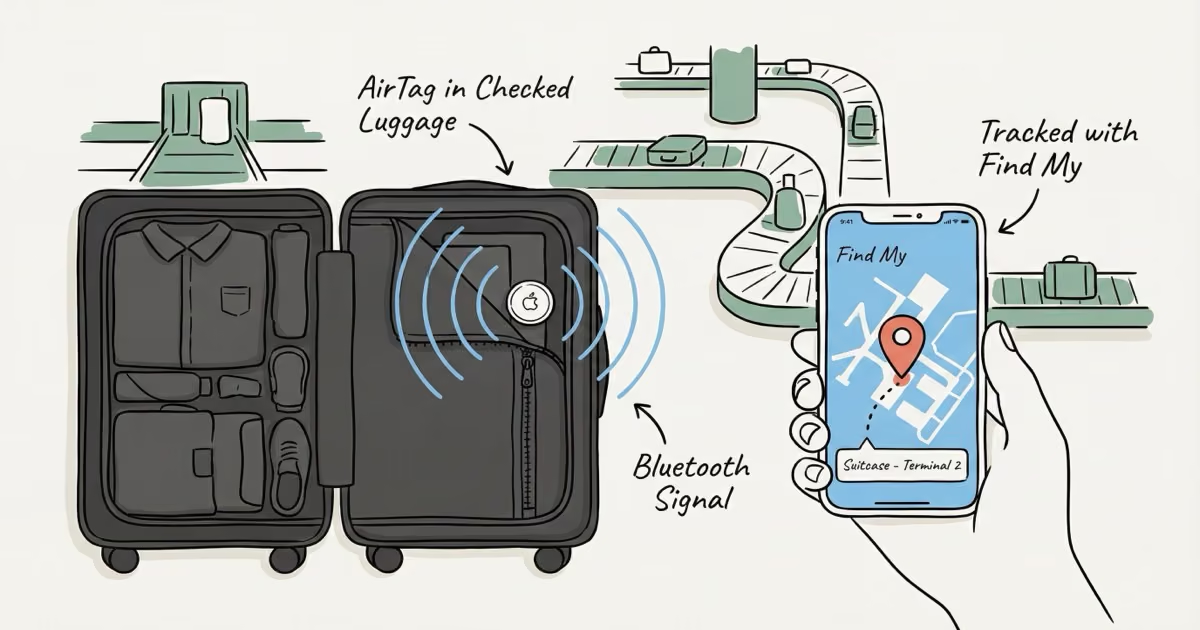
Yes, you can use an AirTag in checked luggage. TSA allows it, the FAA resolved the battery confusion in December 2022, and every major U.S. carrier permits them in 2026. The limitation isn't the rules. It's that AirTag shows only a last-known location, not a live feed. That single data point is still enormously useful when the airline pretends they have no idea where your bag went.
Lost bags are back. U.S. airlines mishandled roughly 4 million bags in 2024, delayed, damaged, or outright lost. AirTag has become the default answer for nervous travelers, but the rules around checked luggage have generated a lot of misinformation since that Lufthansa scare in late 2022. I've traveled with an AirTag in every checked bag for the past two years, and I've used that location data twice to point a baggage agent at the right city before they'd even started looking. This piece cuts through all of it.
- AirTag is fully permitted in checked luggage under TSA and FAA rules; the FAA's December 2022 ruling explicitly exempted lithium coin cell batteries installed in consumer devices.
- U.S. airlines mishandled roughly 4 million bags in 2024 — AirTag provides a last-known location that airlines can't independently give you.
- Delta and United have integrated Apple's Share Item Location API into their baggage recovery systems; sharing your tracking link when filing a claim accelerates resolution significantly.
- AirTag shows no real-time data mid-flight — updates resume only when bags are near iPhones on the jetway or tarmac after landing.
- AirTag 2 (2025) extended detection range to 60 meters and raised the speaker to 60dB, making it meaningfully better than the original for airport tracking.
TSA and FAA Rules: What They Actually Say
AirTag is allowed in checked luggage under current TSA and FAA rules. Full stop. Both agencies have confirmed this, and there's been no regulatory backsliding since.
TSA Policy
TSA treats AirTag as standard consumer electronics. No special declaration required, no restrictions on placement in carry-on or checked bags. Screeners occasionally move items during bag inspection, but they won't confiscate an AirTag. It's not on any prohibited list. If you're worried about drawing attention, tuck it inside the bag rather than in an external mesh pocket.
The 2022 FAA Battery Scare and Why It's Over
In October 2022, the FAA proposed banning lithium coin cell batteries in checked luggage unless the battery compartment required a tool to open. That proposal would have effectively banned AirTags from checked bags, since the CR2032 slot pops open with a fingernail. Airlines, particularly Lufthansa, briefly jumped ahead of the proposal and started confiscating AirTags, which caused genuine chaos for travelers.
The FAA reversed course in December 2022. The FAA's final lithium battery guidance explicitly exempted lithium coin cell batteries installed in consumer devices. AirTag's CR2032 contains roughly 0.1 grams of lithium and 0.7 watt-hours of energy, comfortably below any safety threshold. The rule has stood unchanged since.
EASA (the EU equivalent) left the decision to individual airlines rather than issuing a blanket EU policy. That's why Lufthansa had a moment of confusion, but they've since reversed course entirely. Lufthansa, SWISS, Austrian Airlines, Brussels Airlines, and Eurowings all now actively integrate Apple's AirTag location-sharing API into their baggage tracing systems.
| Authority | AirTag in Checked Bag? | Notes |
|---|---|---|
| TSA (U.S.) | ✓ Allowed | No restrictions on Bluetooth/UWB trackers |
| FAA | ✓ Allowed | Dec 2022 reversal exempts installed coin cells |
| EASA (EU) | ✓ Airline's discretion | No bloc-wide ban; major EU carriers permit it |
| Most major airlines | ✓ Allowed | See airline section below |
Which Airlines Allow AirTag in Checked Bags in 2026
Every major U.S. carrier permits AirTag in checked luggage. What's changed in 2025-2026 is that several airlines went beyond tolerating AirTags. They're now actively using them to help recover lost bags faster.
Apple's Share Item Location feature, launched in late 2024, lets you generate a tracking link directly from the Find My app and share it with an airline's baggage team. Delta and United were among the first to integrate this into their baggage claim workflows. According to Skift's November 2025 report, Delta integrated Apple's API directly into their back-end system, so the location data flows to agents automatically once you share the link.
| Airline | AirTag in Checked Bag? | AirTag Integration? |
|---|---|---|
| Delta Air Lines | ✓ Allowed | Yes: Share Item Location API integrated |
| United Airlines | ✓ Allowed | Yes: Share Item Location integrated |
| American Airlines | ✓ Allowed | Permitted, no active integration announced |
| Southwest Airlines | ✓ Allowed | Permitted |
| Air Canada | ✓ Allowed | Share Item Location supported |
| Lufthansa Group | ✓ Allowed | Yes: integrated across all 5 group airlines |
| Singapore Airlines | ✓ Allowed | Share Item Location supported |
| Qantas | ✓ Allowed | Permitted |
| Japan Airlines (JAL) | ✓ Allowed | Permitted |
The practical lesson: if you're flying Delta or United and your bag goes missing, don't just file the claim form. Share your AirTag tracking link when you talk to baggage services. It gives agents real location data instead of making them rely on the airline's own scanning system, which often has significant gaps.
Always confirm with your specific carrier before an international trip. Some smaller regional carriers have their own policies, and they can change.
What Find My Actually Shows When Your Bag Is in Transit
This is the part that matters most, and most travelers figure it out the wrong way. They're standing at baggage claim, wondering why the app hasn't updated in two hours.
AirTag has no GPS chip. It doesn't transmit to satellites. Instead, it broadcasts a short-range Bluetooth signal that any nearby iPhone (running iOS 14.5 or later) picks up silently and forwards to Apple's servers. You then see that device's GPS location as your AirTag's position. This is brilliant when there are thousands of iPhones around you at SFO. It's less useful in an isolated baggage warehouse in Bozeman.
Here's what the timeline actually looks like:
- Before check-in: Find My shows your current location.
- Baggage handling: if airline staff or passengers nearby have iPhones, you may see the AirTag move toward the gate or sorting area.
- Mid-flight: nothing. Zero updates. The AirTag is in the cargo hold with no iPhones nearby.
- Landing: once bags are on the jetway or tarmac, updates resume as airport staff and passengers get close.
- If the bag is lost: you'll see a frozen location, the last place an iPhone was near your AirTag. That could be at your departure airport, at a hub, or at the destination.
That frozen location is more useful than it sounds. I've seen documented cases on r/travel where travelers showed the baggage agent a Find My screenshot pinpointing the bag at a specific terminal in a different city, and the airline recovered it same day. Without that screenshot, the airline would have spent 48 hours "searching the system." The data point is what matters, even if it's not real-time.
For a deeper look at how the relay network works and what the update frequency means, our guide to AirTag accuracy covers the specifics.
AirTag 2 vs. Original AirTag for Checked Luggage
Buy the AirTag 2. The original still works fine, but the 2025 model has two upgrades that directly matter for baggage tracking.
The detection range went from 40 meters to 60 meters, which means more iPhones can pick up your AirTag's signal from further away in a crowded terminal. In practice, this translates to more frequent location updates in large airports. The speaker also got louder, from roughly 55dB to 60dB, so when you're doing a Precision Finding walk through a baggage claim area, you'll actually hear the chirp through the suitcase fabric and surrounding noise.
Both generations use the same CR2032 battery (about 12 months of life), both have IP67 water resistance for ramp exposure, and both are fully TSA/FAA compliant. But if you're spending money on a tracker for a bag that costs several hundred dollars to replace, spend the extra $5 and get the one that does the job better.
Apple AirTag 2 (2025)
Best tracker for checked luggage: longer range, louder speaker
Pros
- 60m detection range (vs 40m): more location updates in busy airports
- 60dB speaker: audible through luggage at baggage claim
- UWB Precision Finding walks you right to the bag within ~10 meters
- IP67 water resistance for outdoor ramp and carousel exposure
- ~12-month battery on a standard CR2032
- Share Item Location for Delta, United, Air Canada, Lufthansa Group
Cons
- No real-time tracking mid-flight
- iOS ecosystem only: Android users get anti-stalking alerts but no tracking
- No location history: only current last-known position
- Precision Finding only works when you're physically nearby
For a full breakdown of specs and performance in different scenarios, see our AirTag 2 review.
Where to Put It in Your Bag
Placement affects both tracking performance and whether TSA notices it during inspection. I've tried a few spots across multiple trips and the interior zippered pocket has consistently given the most reliable updates.
Good Spots
- Inside a rolled sock or shoe: cushioned, invisible, stays put
- Zippered interior pocket: secure and close to the center of mass
- Toiletry bag: blends naturally, no one questions it
- AirTag luggage tag sleeve: purpose-built holder that attaches to the handle or zipper pull, with easy battery access
Spots to Avoid
Don't put it in an external mesh pocket where screeners can see it easily. Not because it's prohibited, but because it invites unnecessary handling. Don't leave it loose in the main compartment either; it tends to settle to the bottom under heavy clothes, which makes Precision Finding less precise when you're trying to identify which carousel your bag ended up at. Attached to the outside handle is the worst option: too easy to grab, too easy to lose when the bag gets thrown around on the ramp.
The tracker doesn't need to be near the top or a specific orientation. Bluetooth signals pass through fabric and clothing without any meaningful attenuation.
What to Do When Your Bag Is Actually Missing
AirTag is most valuable when you know exactly how to use it under pressure. Most people don't figure this out until they're standing at an empty carousel at 11 PM.
- Before check-in: Open Find My and confirm the AirTag is active and showing your current location. Check the battery indicator. A trip with a dead AirTag is a trip with no tracker.
- Before leaving the gate: Glance at Find My while you're still on the plane. If the bag location is still at your departure city, it missed the connection. You know this before baggage claim does.
- At baggage claim: If the carousel is empty after 20 minutes, open Find My. If your AirTag shows nearby, use Precision Finding. It may have been offloaded at a different carousel or into a separate oversize area. See our page on AirTag location not updating if the position looks frozen or wrong.
- Filing a claim: Screenshot the Find My map with the timestamp visible. Show this to the baggage agent. The specific last-known location, especially if it names a facility in a different city, dramatically accelerates their search. If you're on Delta or United, use Share Item Location so they can track it in their own system.
- If the bag is routed to another city: Your AirTag evidence plus the airline's own scanning records should align. If they don't, escalate. Bag recovered by a passenger using AirTag evidence is a documented phenomenon at this point.
When AirTag Won't Help
I want to be honest about the limitations, because overpromising on this is how you end up frustrated at the airport.
AirTag won't update if there are no iPhones nearby. A bag sitting in an isolated storage room, a tarmac area with no passengers, or a facility in a region with low iPhone penetration will show a frozen location for hours or even days. Eastern Europe, Latin America, and parts of Southeast Asia have lower iOS adoption rates, which means the Find My network is thinner there. Your AirTag may only ping once every several hours instead of continuously.
If someone steals the bag and they don't have an iPhone, you're stuck. The last known location will tell you where the bag was taken from, not where it went. And if the battery is dead (it lasts about 12 months, but only if you replaced it before the trip), you get nothing at all. Check the battery in Find My before you travel.
For international trips to Android-heavy regions, some travelers carry both an AirTag and a Tile Mate in the same bag. Tile's crowd-sourced network works with Android phones, so the two systems cover each other's blind spots. Not elegant, but practical.
One more edge case: if the AirTag is showing a location but it looks wrong or hasn't updated in an unusually long time even in a busy airport, there are a few specific causes beyond iPhone density. The most common are a drained battery or a device pairing issue, both of which show up before you leave if you check Find My.
The Bottom Line
Put an AirTag 2 in every bag you check. The rules are clear, the cost is low, and the single data point it provides when a bag goes missing has been worth it for a lot of travelers. It won't give you a live feed of your suitcase moving through the airport. But it will tell you which city your bag ended up in, and that's the piece of information the airline often can't give you on their own.
If you're on Android, AirTag isn't your answer. Look at the best luggage trackers for Android instead. Tile or Samsung SmartTag both work on the same crowd-sourced principle with Android phones.
For the AirTag 2 specifically: the best uses for AirTag piece has a quick section on luggage vs. keys vs. backpacks if you're deciding where to deploy a 4-pack.
Frequently Asked Questions
Is it legal to put an AirTag in checked luggage?
Yes. AirTag is legal in checked luggage under TSA and FAA rules in the U.S. The FAA's December 2022 ruling explicitly exempted lithium coin cell batteries installed in consumer devices from checked-baggage restrictions. Most international carriers also permit it. Check your specific airline's policy before flying internationally on smaller regional carriers.
Will TSA remove my AirTag from my checked bag?
No. TSA doesn't confiscate AirTags. They're permitted consumer electronics. If a screener opens your bag for inspection, they may move items around, but they won't remove an AirTag. Tucking it inside the bag rather than an external pocket avoids any unnecessary handling during screening.
Does AirTag work on the plane?
Not mid-flight. AirTag needs a nearby iPhone to relay its location. There are no iPhones in the cargo hold, so the location freezes until the plane lands. Once bags are on the jetway or tarmac near passengers and staff, updates resume.
Can I put an AirTag in my carry-on instead?
Yes, carry-on is fine, but carry-on bags rarely go missing. The whole point of tracking is for checked bags. Many travelers use one in a checked suitcase and one in a backpack they carry on, giving them coverage on both sides.
How long does the AirTag battery last in a suitcase?
About 12 months on a CR2032 battery. Being inside a bag doesn't drain it faster. AirTag only activates when a nearby iPhone pings it. Check the battery indicator in Find My before a long trip: tap Items, tap the AirTag, and look for the battery level.
What if my AirTag shows my bag at a different airport?
Screenshot it immediately: map view with the timestamp visible. Take that to the baggage services desk. Airlines respond much faster to a specific pinned location than to a vague claim that your bag is missing. On Delta and United, use Share Item Location to send them a direct tracking link they can monitor in their own system.
Do I need to declare the AirTag at customs or security?
No. It's treated like any other small electronic device. No declaration required at TSA checkpoints or customs in any country where AirTags are commercially available.
Should I use a 4-pack if I have multiple bags?
One AirTag per bag is the right approach. Multiple AirTags in the same bag are redundant; they'll both show the same location and you can't tell them apart during Precision Finding. A 4-pack makes sense if you check multiple bags regularly, or if you want to track other items like a backpack, keys, or a camera bag on the same trip.