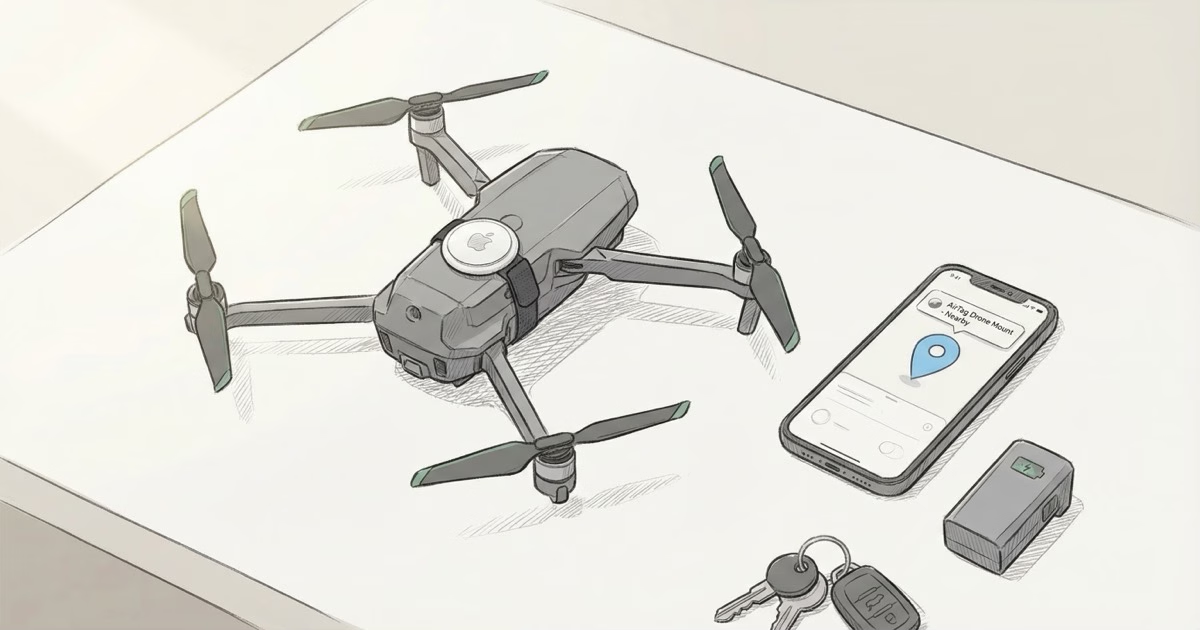
Losing a drone is expensive and frustrating. A $1,800 Mavic 3 disappears over a treeline and suddenly you're hiking through brush trying to find it by ear. Adding an AirTag won't give you live tracking in the air, but it can help you find the thing after it lands. Below is how to mount one, what to expect, and when it's actually worth doing.
How to Mount an AirTag on a Drone
Drones weren't designed to carry trackers, so mounting an AirTag 2 takes a bit of improvisation. Weight is the main concern. The AirTag 2 weighs 11g, and on a small drone that matters more than you'd expect.
- Velcro + 3M adhesive tape: The most common approach. Stick a hook-and-loop strip to the AirTag's flat white side and a matching strip to the underside of the drone body. Reversible and doesn't add a permanent attachment. The AirTag's smooth back makes it easy to add adhesive.
- 3D-printed AirTag mount: Several creators on Thingiverse and Printables have published custom AirTag holders for specific DJI models (Mavic 3, Mini 4 Pro, Air 3). These snap-fit to battery compartment lips or arm landing legs. Search "[your drone model] AirTag mount" on Thingiverse.
- Rubber band + silicone case: For quick attachment without 3D printing, a thin silicone AirTag holder with a loop attached can be secured with a rubber band around a drone arm. Not elegant, but it works well enough for testing your setup before committing to adhesive.
- Under the belly, near center of gravity: Mounting below the center reduces interference with the drone's weight balance. Avoid mounting over propellers or near the camera gimbal.
Keep the AirTag away from the compass sensor. The stainless steel back has a slight magnetic field from the battery contacts, and compass interference can cause drift or wobbly flight on sensitive models. On DJI Mavic models, the compass sits in the rear arm tips. On the Mini series, it's typically in the front legs. Either way, the belly center is your safest bet. Do a hover test before you take it anywhere risky.
People ask whether AirTags are magnetic enough to stick on their own. They aren't. The field is far too weak for self-adhesion, so you'll need Velcro, adhesive tape, or a printed mount. The Elevation Lab TagVault Surface uses 3M VHB adhesive and adds only 5g. It was built for car interiors, but the low-profile base sticks well to the flat belly plates on most DJI drones.
Weight and Flight Performance Impact
How much 11g matters depends entirely on the drone:
| Drone Class | Typical Max Payload | AirTag Impact |
|---|---|---|
| DJI Mini 4 Pro / Mini 3 | ~0g additional (249g class) | Pushes above 249g threshold, may affect registration |
| DJI Mavic 3 / Air 3 | No rated payload, handles 20-30g easily | Negligible flight impact; minor battery life reduction |
| DJI FPV / Avata 2 | No payload design, 11g tolerable | Aerodynamics more sensitive; mount underneath frame only |
| FIMI X8 Pro / Autel EVO | Generally >600g total weight | 11g barely noticeable; no flight impact |
| DJI Inspire / Agras (professional) | Kg-class payload capacity | Completely negligible |
The 249g threshold is the big concern for Mini-class drones. In the US, EU, and UK, drones under 249g fall into lighter regulatory categories with fewer requirements. Adding 11g pushes a 248g drone into the next weight class, which in the EU means mandatory registration and Remote ID. Check your local aviation authority's rules before mounting anything on a Mini 2, Mini 3, or Mini 4 Pro.
For Mavic 3 and Air 3 owners, this is a non-issue. Those drones already weigh 895g and 720g. An extra 11g changes nothing about how they fly or where they're registered. Anything above the Mini class and the AirTag is rounding error.
The Real Limitation: AirTag Doesn't Work in the Air
Here's the thing most people miss. The AirTag doesn't use GPS or cellular. It sends Bluetooth pings to nearby iPhones, which relay its position through the Find My network. At 50 meters altitude, there are zero iPhones in Bluetooth range (roughly 30-100m under ideal conditions). At 400 feet AGL, the AirTag is yelling into empty sky.
The AirTag only becomes useful after the drone lands or crashes. If it comes down in an area with iPhones nearby (a park, a neighborhood, a sports field), the Find My network picks up its location. If it goes down in dense forest, a remote field, or a mountain trail with no foot traffic, the AirTag may give no updates for hours or days.
I've seen this play out with a friend's Mavic 3 flyaway in rural Oregon. The AirTag didn't ping for almost 36 hours until a hiker passed close enough on a nearby trail. He got the drone back, but only because the crash site happened to be within half a mile of a popular trailhead. A couple miles deeper into the woods and that AirTag would still be sitting there, silent.
If you see "AirTag Not Reachable" in Find My after a drone incident, it means no iPhone has passed near the AirTag since it last connected. Don't panic yet. In rural areas this is normal. Give it time, especially if the crash site is near any road or trail that gets even occasional foot traffic.
When AirTag Makes Sense on a Drone
That said, AirTag is still worth mounting in certain situations:
- Flyaway events in suburban/urban areas: When a drone flies beyond visual line of sight from a compass error or signal loss, it usually descends somewhere with iPhone coverage. AirTag can locate it on rooftops, in yards, or on public land once it stops moving.
- Crash in accessible terrain near trails: If you go down in a park or near hiking trails with iPhone traffic, Lost Mode will generate location updates as people walk past. Enable Lost Mode as soon as you lose the drone. You don't need to be present for it to work.
- Theft deterrent: Like bike theft scenarios, a hidden AirTag inside a drone case or battery bag gives you a way to track stolen equipment. Drone gear left in cars at flying spots is a target, and an AirTag in the case is cheap insurance.
- Backup to DJI's Find My Drone: DJI's Find My Drone needs the remote controller to be within range of the drone's last GPS fix. AirTag works independently, anywhere with iPhone coverage, no controller required.
AirTag vs. Dedicated Drone Trackers
If you fly regularly in remote areas, a dedicated cellular GPS tracker will outperform AirTag. Trackimo, Marco Polo, and SPOT trackers use cellular or satellite networks and give real-time location even where no iPhones exist. You pay for it, though: $5-15/month in subscriptions, 20-40g of extra weight, and another device to charge.
Over two years, a cellular tracker runs roughly $150-400 with hardware and service included. An AirTag is $29, once. The year-long battery life means you mount it and forget about it until the CR2032 needs swapping. For weekend pilots flying over neighborhoods and parks, AirTag's Find My coverage is more than adequate. For commercial operators running regular flights over farmland, forest, or backcountry, a cellular tracker earns its monthly fee.
You can also just run both. Mount the AirTag as a passive always-on backup and carry a cellular tracker for flights where you're pushing range or flying over dead zones. Together they weigh under 50g. A Mavic 3 won't even notice.
Frequently Asked Questions
Can AirTag help find a lost drone?
Yes, once the drone is on the ground and iPhones are nearby. AirTag doesn't provide real-time in-flight tracking because it relies on Bluetooth signals from nearby iPhones. At altitude, there are none. After a crash or flyaway, if the drone lands somewhere with iPhone traffic (neighborhood, park, trail), the Find My network will eventually relay its location to you. Enable Lost Mode immediately after losing the drone to get notified as soon as any iPhone passes near it.
Where should I mount an AirTag on my DJI drone?
Underneath the body, near the center of gravity. Stay away from the compass sensor (usually in the nose or arm tips) because the AirTag's stainless steel back can cause minor magnetic interference. Velcro or a 3D-printed snap mount both work well. Always do a hover test in a safe area before flying anywhere risky.
Does mounting an AirTag void my drone warranty?
Using non-DJI accessories doesn't automatically void warranty coverage in most regions. Warranty coverage applies to manufacturer defects, not external accessories. However, if a crash is attributed to payload imbalance caused by the AirTag, DJI could decline a repair claim. Keep the AirTag mount reversible and document that it was within weight and balance specs. This isn't a legal risk, just a practical one for warranty claims.
Will the AirTag interfere with my drone's compass or sensors?
The battery contacts create a very minor magnetic field, but at 10cm or more from the compass, no measurable interference shows up on mid-range DJI models. The real risk is mounting too close to the IMU or compass housing, which sits in different spots depending on the model. Do a compass calibration and hover test after attaching anything new to your drone.
Can I track my drone in real time with AirTag?
No. AirTag gives you location snapshots through the Find My network, not a live feed. In flight, it sends nothing because there are no iPhones at altitude. If you want real-time drone tracking, you need a cellular GPS device with its own data connection. AirTag is a recovery tool for after the drone is already on the ground.
Does AirTag work in rural or wilderness areas?
Poorly. AirTag depends on iPhones passing nearby, and in wilderness areas with few hikers or vehicles, updates can be hours apart or never arrive at all. If you regularly fly over remote terrain, a tracker with cellular or satellite coverage (like Garmin inReach Mini or SPOT) is far more reliable. AirTag works best in suburbs, parks, and populated areas where there are enough iPhones to form a usable network.
Is there a lighter alternative to AirTag for drone tracking?
At 11g and 31.9mm diameter, the AirTag 2 is already one of the lighter options. Some drone-specific trackers like the Trackimo EDGE weigh 11-15g and offer cellular GPS. For 249g-class drones where every gram counts, a bare AirTag without a case is the lightest viable choice. On anything heavier, the 11g doesn't matter, and a cellular tracker's reliability may be worth the extra weight and subscription.
Is It Worth It?
For $29 and 11g, an AirTag is the cheapest recovery insurance you can add to a drone. It won't track your flight in real time and it's useless in deep wilderness, but for the most common loss scenario (flyaway over a neighborhood or crash near a trail), it does exactly what you need. Stick one on, enable Lost Mode if anything goes wrong, and give the Find My network time to work. Most drone pilots who've actually recovered a lost drone with an AirTag will tell you the same thing: they didn't think they'd need it until they did.