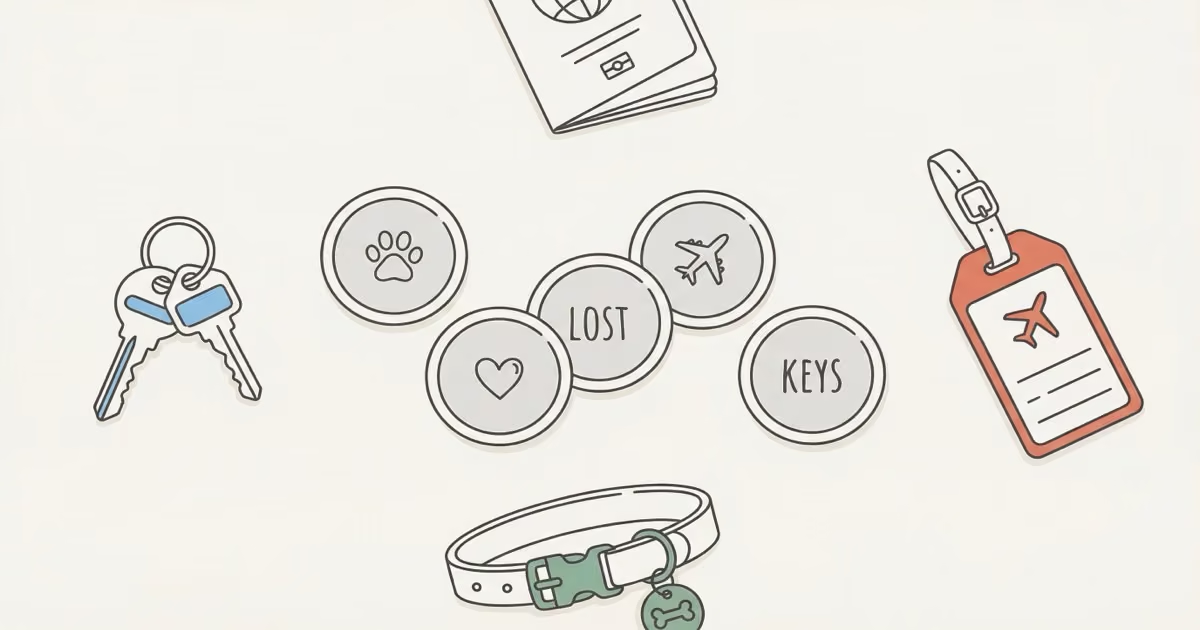
Four characters. That's what Apple gives you. It sounds almost insultingly small, but once you start thinking about it, the constraint is half the fun. This guide covers the best AirTag engraving ideas by category (pets, travel, couples, kids, humor) plus the rules you need to know before you commit to something permanent.
- Apple engraving is free and limited to exactly 4 characters (letters, numbers, emojis, and spaces all count toward the limit) — only available at checkout on Apple.com, not at third-party retailers.
- All text appears in grey all-caps on the stainless steel back; color emojis render as grey silhouettes, so choose shapes that stay readable without color.
- Item-specific emojis (🔑 for keys, 🐾 for pets, ✈️ for luggage) are the most practical choice — they identify the object at a glance without reading any text.
- The engraving is permanent and non-refundable through Apple; use the live preview in checkout before confirming, since what looks clever on screen sometimes looks cramped at 31.9mm scale.
- If you missed the checkout window, third-party laser engraving services can do it post-purchase for $5-15 per tag, though the font won't match Apple's style.
The Rules: What You Can (and Can't) Engrave
Apple's engraving system is tighter than most people expect. 4 characters max, and that limit includes spaces. Text automatically appears in all-caps regardless of how you type it. Emojis engrave in grey, not color, which matters more than it sounds: two emojis that look totally different on your screen (like ❤️ and 💙) become nearly identical grey shapes on steel.
Here's everything you need to know before clicking "Add Engraving":
| Rule | What it means |
|---|---|
| Character limit | 4 max — letters, numbers, emojis, spaces all count |
| Cost | Free — Apple.com or Apple Store app only |
| Appearance | Grey laser etch on stainless steel back, all-caps |
| Emoji color | Grey only — color doesn't carry over |
| Delivery delay | 3–5 extra business days |
| After purchase | Third-party laser engraving: ~$5–15/tag |
| Restrictions | No profanity, trademarks, or offensive combos |
One thing to know about Apple's emoji filter: it's inconsistently enforced. Some four-letter expletives get blocked while obvious workarounds slip through. Some emoji combinations get flagged for no obvious reason. The live preview on Apple's site is your best guide. If it shows, it'll engrave.
Forgot to engrave at checkout? Third-party laser engraving services can do it post-purchase for around $5–15 per tag. The font won't match Apple's rounded style, but the result is still clean. Etsy has decent options if you go that route. Apple's custom engraving page shows the full list of supported emoji before you order.
Both the original AirTag and the AirTag 2 support the same free engraving service with identical limits. Nothing changed there with the 2025 refresh.
AirTag Engraving Ideas for Pets
This is where most people start, and honestly, pet engravings are some of the best. The paw print emoji (🐾) engraves cleanly in grey and reads instantly, which matters when the tag is spinning around on a collar. Short pet names fit perfectly: MAX, LUNA, MILO, COCO, BEAR all land within 4 characters.
For dogs and cats with longer names, here's how people make it work:
- 🐾MX (paw + initials for "Maxwell")
- 🐶BT (dog face + initials for "Bentley")
- 🐱LN (cat + initials for "Luna")
- BFLY (nickname for "Butterfly")
- WOOF or MEOW (playful, obviously identifies a pet)
- HOME (a reminder that the animal belongs somewhere)
The emoji-plus-initials approach is probably the most practical system for longer names: one character for species, two for the name. 🐾MX reads instantly. Straight emoji-only choices like 🐾🦴 or 🐶❤️ are popular too, especially if the AirTag goes inside an AirTag holder where nobody will see the back of the disc anyway.
Worth knowing: grey engraved emojis on steel can look nearly identical in dim light. If you're relying on the engraving to tell your cat's tag from your dog's at 3am, initials may actually read faster than emojis will. I tested this myself after engraving 🐶 and 🐱 on two different tags — at arm's length in a dark hallway they were nearly indistinguishable; switching to MAX and ZOE fixed it immediately.
AirTag Engraving Ideas for Luggage and Travel
Travel is probably the second-most popular engraving use case, and for good reason. Airlines mishandle roughly 7.6 bags per 1,000 passengers, according to the Bureau of Transportation Statistics. A clearly identified bag is easier to track when you're monitoring Find My dots across a busy airport terminal.
The most practical systems for travelers:
- ✈️ (airplane alone — instantly signals "travel item")
- BAG1, BAG2 (numbered system for multi-bag trips)
- JK✈️ (initials + airplane for personal luggage)
- CRRY (carry-on abbreviation)
- 🧳 (suitcase emoji)
- 🌍 (globe, good for international travelers)
The numbered system wins for families. If you and your partner both have identical black rolling suitcases (and you probably do, because everyone does), BAG1/BAG2 keeps them sorted in Find My without second-guessing. You can also rename them with longer custom names in the app itself, but having the physical engraving as a fallback ID costs nothing extra.
If you're attaching a tracker to your car, our guide on AirTags for cars covers the best hiding spots. For broader tracking ideas, best uses for AirTag has the full rundown.
Funny AirTag Engraving Ideas
The 4-character limit forces brevity, and brevity makes humor land harder. LOST engraved on a device designed to prevent losing things is exactly the right kind of deadpan. People get it immediately.
Some favorites:
- LOST (obvious irony)
- HELP (the dramatic plea from your keys)
- NOPE
- OOPS
- MINE
- BYE
- RUN!
- LMAO
- 😂 or 💀
HELP is underrated. It works across every item type, and when someone finds your keys they'll either be confused or charmed. Either outcome is fine. The 💀 skull in grey-on-steel actually looks better than it does in full color. The simplified silhouette is clean at that size, and you don't need yellow to make it read. My own keys are engraved LOST — every time someone spots them they do a double take, which has actually helped me retrieve them twice when strangers noticed them on a table.
Romantic AirTag Engraving Ideas for Couples
Matching AirTags make a solid gift. The key is picking something that doesn't feel awkward to look at in two years. Anniversary dates work well (four digits, MMDD format). So do complementary pairs that only make sense together.
Good matching pairs:
- HIS + HERS
- MR + MRS
- 🌙 + ☀️ (moon on one, sun on the other)
- 👑 + 👸 (king + queen)
- Each person's initials on the other's tag (JK on hers, SM on his)
For single romantic engravings on one tag: XOXO, LVU, 💕, or a simple anniversary date like 0714. The date approach is nice because it's private. Strangers won't know what 0318 means, but you will.
One thing I'd skip: engraving your full name or phone number for sentimental reasons. Those characters are better used elsewhere, and that kind of personal information lives in the Find My contact card anyway. You don't need it on the steel disc too.
AirTag Engraving Ideas for Kids and Family
Kids' backpacks, lunchboxes, jackets: these things end up in lost-and-found bins constantly. A name engraving makes retrieval faster, especially if the teacher or staff can quickly identify the item.
Names that fit in 4 characters without abbreviation: EMMA, JACK, ZOE, NOAH, MIA, LIAM, AVA, OWEN, ELLA, LUKE. The name alone is often the best choice. Clean, direct, no ambiguity.
For families tracking multiple kids or shared items:
- KID1, KID2, KID3
- MOM, DAD, SIS, BRO
- 🎒 (backpack emoji for school bags)
- ⚽ or 🏀 (sport-specific for gear)
- 🏠 (house emoji — "this belongs at home")
- FAM (short for "family")
The KID1/KID2 approach is practical when siblings have identical-looking backpacks or jackets, which is most siblings. You can also combine it with family AirTag sharing so multiple Apple IDs can track the same tag. The engraving tells you which physical object it's on; the sharing tells everyone where it is.
Practical AirTag Engraving Ideas by Item Type
Item-specific engravings are the most functional approach, especially if you're managing 4+ AirTags across different objects. When "🔑" pops up in Find My, you know immediately without reading any text. Faster than any custom name you typed in the app.
| Item | Best engraving | Why it works |
|---|---|---|
| Keys | 🔑 or KEYS | The key emoji engraves cleanly, reads at a glance |
| Wallet | 💰 or WALL | Goes well inside a slim AirTag wallet |
| Luggage | ✈️ or BAG1 | Numbered system for multiple bags |
| Bike | 🚲 or BIKE | Theft deterrent value from visible identification |
| Backpack | 🎒 or BKPK | School/work bag identification |
| Car keys | 🚗 or CAR | Distinct from house keys if you carry both |
| Work bag | 💼 or WORK | Keeps work and personal bags separate in Find My |
| Camera gear | 📷 or CAM | High-value item worth clear identification |
| Headphones | 🎧 or PHNS | Easily left on planes/trains |
| TV remote | 📺 or RMTE | One of the most commonly lost household items |
Initials, Numbers, Emoji Combos, and Business Use
Initials and Monograms
Classic initial combinations are the most versatile approach: they work across any item type without any loss of meaning. Most people go with two or three letters: JK (John Kim), SMR (Sarah M. Robinson). No punctuation needed. The font handles it cleanly.
The traditional monogram format (last initial in the middle, first and middle flanking) doesn't really work at 3–4 characters without spaces, which cost you a slot. Keep it simple: first initial + last initial, or first + middle + last if you want three letters.
Dates and Numbers
Four-digit dates are a natural fit: 0714 (July 14th anniversary), 1225 (December 25th birthday), 1985 (birth year). Jersey numbers work too: 23, 10, 99. Angel numbers like 1111 or 444 are popular with a certain crowd. Area codes (415 for San Francisco, 212 for NYC) make for a nice hometown flex if you're into that.
Don't engrave anything that looks like the beginning of a phone number or a PIN. It's not a security risk per se, but it's unnecessary.
Two and Three Emoji Combos
This is where the real creativity lives. Two emojis can tell a complete story:
- 🎸🎵 (musician)
- ☕📖 (coffee reader)
- 🏔️⛷️ (ski trips)
- ✈️🌴 (tropical travel)
- 🐾❤️ (pet lover)
- 🏃♂️💪 (fitness gear)
- 📷🌍 (travel photographer)
Remember the grey-in-steel limitation. Pick emojis with distinct shapes that stay recognizable without color. 🎸 is fine. ❤️ and 💙 become identical. 🌙 and ☀️ are different enough that they work as a matched pair.
Business and Asset Tracking
Companies ordering AirTags in bulk can use the engraving system for basic asset management. Company acronym (ACME, IBM), department codes (IT, HR, MKT), or serial-style numbering (A101, B202) all work. Consistent formatting across a fleet makes audits faster. It won't replace a proper asset management system, but for small teams tracking shared gear it's a simple, free layer of identification.
Tips for Getting It Right the First Time
The engraving is permanent. There's no revision, no undo, no "I'll fix it later." Apple won't swap it out. So a few things worth knowing before you confirm the order:
Use the live preview. Apple's checkout shows exactly how the engraving will look on the disc. Spend 30 seconds there before clicking confirm. What looks clever in your head sometimes looks cramped or strange at actual scale. The AirTag disc is 31.9mm in diameter, which is smaller than a US quarter.
Emojis render differently than you expect. Your bright yellow 😂 becomes a flat grey circle-with-lines on steel. The skull 💀 actually looks great. The simplified silhouette is clean at small size. The tree 🌲 is hard to distinguish from a general blob. Test it in the preview.
Don't waste a slot on a space unless readability actually requires it. KEYS reads fine. K EYS doesn't add anything. Every character matters when you only have four.
And if you're buying an AirTag 2 4-pack, think through all four engravings before you start. It's easy to get to the third one and realize your naming convention doesn't work anymore. Sketch it out first: what four items are these going on, and what's the consistent logic across all four?
For battery replacement when the time comes, our AirTag battery replacement guide walks through it in under two minutes. If you're still deciding whether AirTags are worth buying in the first place, the full AirTag 2 review has the honest take.
The Bottom Line
The best AirTag engraving is the one that tells you what item you're looking at in under one second. For most people, that's a relevant emoji (🔑, 🐾, ✈️) or a short name. Humor works if it's your thing. LOST and HELP still make me smile. But don't trade clarity for a joke that gets old. Use the live preview before confirming. Four characters is not much room for error, and there's no going back.
If you haven't picked up an AirTag yet, the AirTag 2 single pack is the current model worth buying. It adds precision finding improvements over the original. For families or anyone tracking multiple items, the AirTag 2 4-pack is the better value. Either way, decide what you want engraved before you hit checkout — the option only shows up once.
Frequently Asked Questions About AirTag Engraving
What should I engrave on my AirTag?
The best choice depends on the item. For keys, 🔑 or KEYS. For pets, 🐾 or your pet's name if it's 4 letters or fewer. For luggage, ✈️ or a numbered code like BAG1. Humor works too: LOST, HELP, and MINE are perennial favorites. The rule of thumb: pick something that tells you what the item is in under one second.
How many characters can you engrave on an AirTag?
4 characters maximum. Letters, numbers, emojis, and spaces all count toward that limit. Text automatically appears in all-caps. You can fit 4 letters, 4 numbers, 3–4 emojis (depending on size), or any mix of the above.
Is AirTag engraving free?
Yes. Apple includes engraving at no extra charge when you order through Apple.com or the Apple Store app. It's not available at third-party retailers like Amazon or Best Buy. Only directly from Apple.
Can you engrave an AirTag after purchase?
Not through Apple. The engraving option only appears during checkout on Apple's site. After purchase, third-party laser engraving services can do it for around $5–15 per tag. The font won't match Apple's style, but the result is usable.
Does AirTag 2 support engraving?
Yes — same free engraving service, same 4-character limit, same emoji options. The 2025 AirTag 2 refresh didn't change anything about the engraving system.
Can you put emojis on an AirTag?
Yes. Apple supports a curated set of around 250 emoji for engraving. They appear in grey on the stainless steel back, not in color. Pick emojis with distinct shapes; color-dependent emojis like different colored hearts become nearly identical when engraved.
Does engraving affect AirTag tracking?
No. It's purely cosmetic. An engraved AirTag performs identically to a blank one through the Find My network.
Can you return an engraved AirTag?
Apple's standard 14-day return policy applies to engraved AirTags. Return eligibility varies by region, so check Apple's current return policy for your location before purchasing.