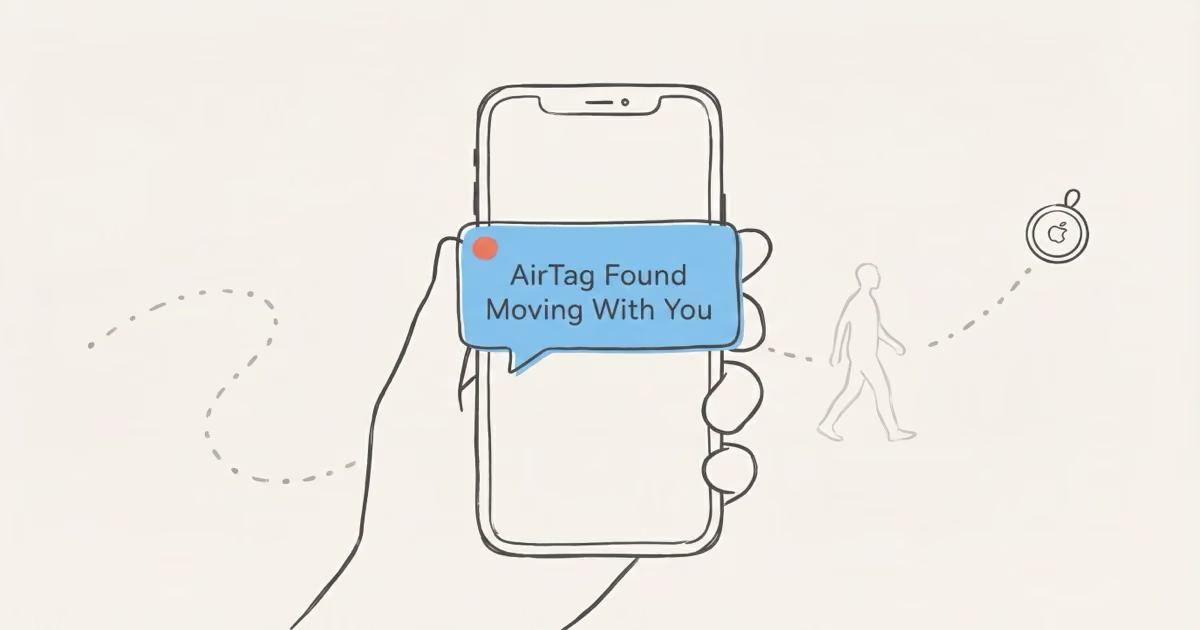
An "AirTag Found Moving With You" alert means an AirTag not registered to your Apple ID has been traveling with you long enough to trigger Apple's anti-stalking system. Tap the notification, then tap "Play Sound" to make the tag beep so you can find it. Once you locate it, either disable it through your iPhone or pop out the battery. Most alerts have an innocent explanation (borrowed cars and loaned bags are the top two causes), but the steps below apply regardless.
Getting this alert can feel unsettling. Apple designed it specifically to combat stalking, and that framing sticks in your head even when the reality is a friend's anti-theft sticker left in a jacket you borrowed. I'll walk through what's actually happening, how to find the tag, and how to tell whether you've got a mundane false alarm or something worth taking seriously.
- The alert fires after roughly 8-24 hours of an AirTag separated from its registered owner traveling with you — it's designed to catch sustained co-travel, not brief proximity on a subway or at a cafe.
- Most alerts are false positives: borrowed vehicles with owner-installed trackers and loaned bags are the two most common innocent triggers.
- To find the tag, tap the notification, hit "Play Sound," and use Precision Finding (iPhone 11+) — AirTag 2's 60-meter UWB range means you can locate a tag on a car exterior from across a parking lot.
- Turning off Bluetooth or Location Services on your phone does nothing to stop the AirTag — it pings other iPhones in the Find My network, not yours. Only battery removal or the in-app disable process works.
- If you suspect real stalking: scan the NFC chip to get the serial number, contact law enforcement, and let police submit a legal request to Apple — do not confront the owner yourself.
What the Alert Actually Means
Apple's Find My network runs a continuous background check: if an AirTag separated from its owner keeps moving with you over time, your iPhone flags it. The alert is the result of that check firing.
Apple doesn't publish exact trigger thresholds, and intentionally keeps them dynamic so bad actors can't time around them. Independent research and Apple's own prior disclosures suggest the window is somewhere between 8 and 24 hours of separation from the registered owner combined with sustained movement. It's calibrated to skip brief proximity (you're next to someone on a subway) and catch genuine extended co-travel. Apple's servers do the math, not your device.
Once the alert fires, the AirTag owner can see the tag's location, which reflects your location since you're the one moving with it. That's the core privacy issue Apple's system is designed to expose and address. The Apple Support page on unwanted tracker alerts walks through the official response steps if you want to cross-reference anything here.
Step-by-Step: What to Do Right Now
Step 1 — Tap the notification. This opens the alert in your browser or the Find My app. Tap "Continue."
Step 2 — Play Sound. Tap "Play Sound." The AirTag beeps in a repeating pattern, roughly three chirps per second, for a few seconds at a time. Check every jacket pocket, bag compartment, and hidden seam. It can be muffled if the tag is inside a bag lining or tucked under a car seat. Tap "Play Sound" as many times as you need. There's no limit. When I ran through this process after borrowing a friend's car and triggering the alert, I found his AirTag zip-tied under the seat in under two minutes using this exact sequence.
Step 3 — Use Precision Finding. On iPhone 11 or newer, tap "Find Nearby." Your phone's Ultra-Wideband chip gives you a live distance readout and directional arrow that updates as you move. With AirTag 2, Precision Finding now works from up to roughly 60 meters (200 feet), about three times the range of the original AirTag. Walk slowly in different directions. The arrow will swing toward the tag. This is the fastest way to narrow down a hidden tag in a car or large bag.
Step 4 — Scan the NFC chip. Once you find the physical tag, hold the white dome side near the top of any NFC-capable smartphone (iPhone or Android). A webpage loads automatically showing the AirTag's serial number and the last four digits of the registered phone number. Write these down. You'll need them if you contact law enforcement.
Step 5 — Decide what to do. If you recognize the AirTag (a family member's bag, a rental car's anti-theft setup, borrowed equipment), tap "Disable Safety Alerts for 1 Day" or "Disable Item Safety Alerts" in the app. If the tag is unrecognized and you have no innocent explanation, disable it. See the next section.
How to Disable an AirTag You Don't Recognize
Two methods. Pick one based on your situation.
Software disable (leaves a record): From the alert screen, tap "Instructions to Disable AirTag." Your iPhone guides you through the process and notifies the tag's owner that it's been disabled. This creates a timestamped record in Apple's system, which matters if you later need to show law enforcement there was a pattern of contact.
Physical battery removal (preserves evidence): Press down on the stainless steel back. Twist it counterclockwise about a quarter turn until it pops off. Lift out the CR2032 battery. The AirTag is now completely inert: no signal, no location updates, nothing. Keep the tag and the battery together in a zip-lock bag if you might hand them over as evidence.
One thing worth knowing: turning off Bluetooth or Location Services on your phone does nothing to stop the AirTag. It transmits its location through other iPhones in the Find My network, not through yours. The only interventions that work are the two above.
If you're considering whether to upgrade your own tracking gear, the AirTag 2 review covers whether the new model's louder speaker (50% louder than gen 1) and extended Precision Finding range are worth upgrading for.
Common Innocent Explanations (Most Alerts Are These)
False positives are more common than actual stalking attempts. Before assuming the worst, run through this list.
You're driving a vehicle with an anti-theft AirTag. Rental cars, borrowed vehicles, taxis, and rideshares regularly have owner-installed trackers. The AirTag separates from its registered owner (who's home) while you drive. This is the single most frequent trigger for this alert. If you think this is the cause, check under seats, in glove compartments, and in door pockets. Our guide on finding an AirTag hidden in your car has a full search checklist.
You borrowed a bag or jacket. The owner uses an AirTag for anti-theft and didn't think to mention it. Check every pocket, including interior zip pockets and outer corners. A quick text to whoever lent you the item will usually confirm it within minutes.
Family Sharing is another common source of confusion. If your partner, parent, or kid has an AirTag-tracked item in your shared bag or car, your iPhone sees that AirTag as belonging to a different Apple ID, and can flag it. You can suppress alerts for items owned by people in your Family Sharing group through the Find My app settings. I set this up for my household after my wife's bag tag repeatedly triggered alerts on my phone during road trips — took about 90 seconds in the Find My settings to fix permanently.
A long commute in close quarters (train, bus, carpool) occasionally triggers the alert too, though Apple's thresholds are calibrated to filter most of these out. Dense urban areas mean more iPhones in the Find My network, which increases how often any nearby tag gets pinged.
Signs This Might Be Actual Unwanted Tracking
Most people who get this alert have an innocent explanation. But some don't, and it's worth knowing the red flags.
Repeated alerts across multiple days or different locations. One alert is almost certainly benign. Multiple alerts, especially in places you don't associate with borrowed items or vehicles, suggests the tag is moving with you intentionally.
You can't find the tag despite a thorough Precision Finding search. If Precision Finding shows a signal but you've searched your bag, car, and clothing exhaustively and turned up nothing, the tag may be attached to your vehicle's exterior. Check wheel wells, under bumpers, inside the hitch receiver, and behind license plates. Those are common hiding spots in documented stalking cases.
You have a specific reason to believe someone might want to monitor your location. Take that context seriously.
If any of these apply: don't confront anyone. Go somewhere safe and public. Contact local law enforcement and give them the serial number from the NFC scan. Police can submit a legal request to Apple, and Apple cooperates with law enforcement requests to identify the registered owner from a serial number. Bring the physical tag if you can do so safely. It's evidence.
The red "last seen" indicator in Find My can tell you how recently the tag was active, which is useful context for law enforcement.
What AirTag 2 Changed for Unwanted Tracking Alerts
Apple released AirTag 2 in January 2026 with two upgrades that directly affect how this alert works in practice.
The speaker is 50% louder than the original. That sounds like a minor spec bump, but in a real search scenario (muffled inside a car door pocket or a bag lining), the difference between hearing and not hearing the chirp is significant. You can now locate an audible AirTag from roughly twice the distance. The new model also has a distinctive chime that's different from the original, so if you're familiar with the old beep, don't assume it's the same sound.
Precision Finding range expanded dramatically. The second-gen UWB chip extends reliable close-tracking distance from around 15 meters (50 feet) to roughly 60 meters (200 feet). For practical purposes: if an alert fires while you're parked in a lot and the AirTag is on your car's exterior, you can now get directional guidance from across the parking lot rather than needing to be right next to it.
Neither change affects the alert trigger threshold or the disable process. Those remain identical to AirTag 1. If you're shopping for your own tags, a single AirTag 2 is $29 (buy on Amazon); the 4-pack is $99 (buy on Amazon).
Android Users: What You Get and What You Don't
Android phones don't receive Apple's native "AirTag Found Moving With You" alert. Full stop. Apple's background detection runs inside iOS.
What Android does get: since iOS 17.5 and a parallel Google update, Apple and Google jointly implemented a cross-platform "Unknown Tracker Alerts" standard, which Apple describes in their May 2024 newsroom post. Android phones with Google Play Services can now detect AirTags and other compatible Bluetooth trackers that have been separated from their owner. It's a different experience; Android's detection is less continuous and lacks Precision Finding, but it's real protection. Enable it via Settings → Safety & Emergency → Unknown Tracker Alerts.
Any NFC-enabled Android phone can also manually scan an AirTag without an app. Hold the white dome near the phone's NFC reader. The same serial number and owner information page loads. This works on any Android, even without the tracker alert feature enabled. See Apple's guidance on the Detect Unwanted Trackers feature for the full list of supported platforms.
What Happens if Your Own AirTag Triggers This on Someone Else
Your AirTag can trigger this alert on someone else's iPhone if the tag stays with them while you're separated from it. This isn't a malfunction. It's the system working as designed.
Common scenarios: you leave an AirTag in a car you lent to a friend, or you pack a tracker in luggage that a family member then carries around without you. The other person gets the alert. They're supposed to. The fix is to tell people when they're carrying one of your tagged items. If the situation is ongoing, consider whether disabling the speaker makes sense for items that are always with another trusted person.
If your AirTag is stuck at an unexpected location for an extended period, this guide on AirTag location not updating explains why that happens and what to do.
The Bottom Line
Most "AirTag Found Moving With You" alerts are false positives. Borrowed vehicles and loaned bags account for the majority. Follow the five steps: tap, play sound, use Precision Finding, scan the NFC chip, then decide. If you can't find the tag and the alerts keep repeating, take it seriously. Get the serial number and contact law enforcement. Apple cooperates with legal requests, and police have successfully identified stalkers through AirTag serial numbers in documented cases. Don't try to handle a real stalking situation alone.
FAQ
Is the "AirTag Found Moving With You" alert always a sign of stalking?
No. False positives are common, and innocent explanations cover the majority of cases. Borrowed vehicles, loaned bags, Family Sharing members' items, and long shared commutes are the most frequent triggers. The alert is a prompt to investigate, not confirmation of a threat. Treat it that way: search your belongings, check whether you borrowed anything recently, and work through the steps above before assuming the worst.
What are the exact time thresholds that trigger this alert?
Apple hasn't published exact numbers and keeps the thresholds dynamic to prevent bad actors from gaming the timing. Based on Apple's prior disclosures and independent research, the system generally triggers after 8 to 24 hours of an AirTag being separated from its owner while continuously moving with another person. Both time and distance feed into the calculation, which runs on Apple's servers, not on your device. Brief coincidental proximity to someone else's AirTag won't trigger it.
Can I stop an AirTag from tracking me without disabling it?
No passive option works. Turning off Bluetooth or Location Services on your phone doesn't stop the AirTag. It broadcasts through other iPhones in Apple's Find My network, not through yours. The only effective options are software disable (done through the alert flow, which notifies the owner) or physical battery removal (pops the CR2032 out by pressing and twisting the steel back). If you want to preserve the tag as evidence for police, remove the battery without handling the tag further and keep it in a sealed bag.
What information can the AirTag owner see about me?
The owner sees the tag's current and historical location, which is effectively your location since you're carrying it. They can't see your name, phone number, Apple ID, or any personal information. Location data is encrypted end-to-end; even Apple can't read it. Only the registered owner can see where the tag has been. Law enforcement needs to go through Apple's legal process to obtain the owner's registration details from a serial number.
How do I report an AirTag used to stalk me?
Contact local law enforcement and give them the AirTag's serial number (from the NFC scan in Step 4). Police can submit a legal request to Apple, which maintains a dedicated law enforcement process for AirTag investigations. Apple can link the serial number to the registered owner's Apple ID and associated account information. Bring the physical tag if you can do so safely; it can be fingerprinted. Don't try to confront the owner yourself.
Why does my iPhone show an AirTag alert but I can't find the tag?
A few explanations: the tag may be attached to your vehicle's exterior rather than inside your bag (check wheel wells, under bumpers, hitch receivers); it may be in a pocket you've missed; or it may have separated from you since the alert triggered. The notification reflects when the AirTag was last detected, not necessarily where it is right now. If you've searched thoroughly and Precision Finding still shows a signal but you can't locate the tag, that's a reason to contact law enforcement rather than keep searching alone. Our guide on whether AirTags can be stolen covers how quickly tags can be removed from objects.
Does this alert work on Android phones?
Not natively. Apple's automatic background detection is an iOS-only feature. Android users can opt into Google's "Unknown Tracker Alerts" (Settings → Safety & Emergency), which uses the cross-platform standard Apple and Google developed together in 2024. It covers AirTags and other compatible Bluetooth trackers, though the detection isn't as continuous as iPhone's. Any NFC-enabled Android phone can also manually scan an AirTag by holding the white dome side near the phone. No app needed; just tap and the information page loads automatically.
What's different about AirTag 2 for stalking detection?
The alert trigger thresholds and disable process are identical to AirTag 1. What changed: the speaker is 50% louder, so you're more likely to actually hear it when you tap "Play Sound," especially if it's hidden inside a car door or deep in a bag. Precision Finding range also expanded from roughly 15 meters to 60 meters, meaning you can get directional guidance from farther away during a search. These are meaningful improvements if you're actively trying to find a hidden tag. For everything else about how the alert works, it's the same system.