Disclosure: HotAirTag is reader-supported. We may earn a commission when you buy through links on this page, at no extra cost to you. Learn more.
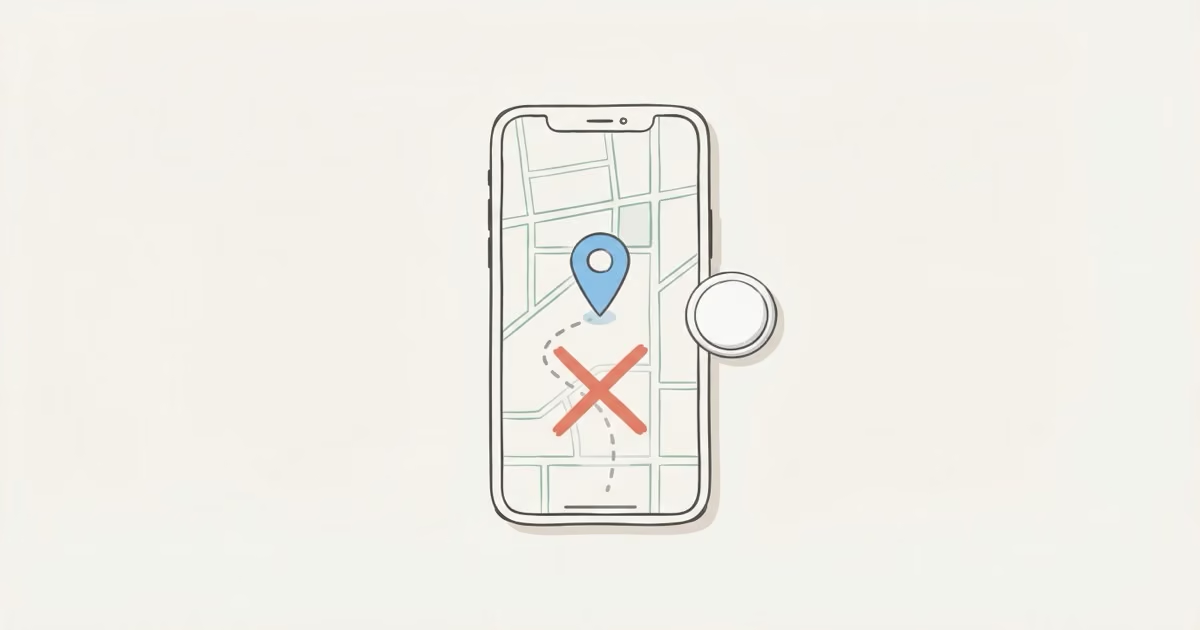
AirTag has no location history. The Find My app shows one thing: the last known location, a single pin with a timestamp. No trail, no route, no movement log. Apple built it this way on purpose, for privacy reasons, and there's nothing to unlock. If you need route playback or a full history of where something has been, AirTag is the wrong tool and a GPS tracker is the right one.
It's one of the most common questions after a theft or a delayed bag: can I see where my AirTag has been? The expectation makes sense, since it's called a tracker. But the answer is no, and not in a "they'll add it later" way. AirTag location history simply doesn't exist, and understanding why matters a lot if you're deciding whether to buy one or trying to figure out what to do after something goes wrong. Let's go through what Find My actually shows, why Apple designed it this way, and what your real options are.
- AirTag stores no location history — Find My shows only the most recent location pin with a single timestamp. Once replaced by a new ping, the previous location is gone permanently.
- Apple's privacy architecture is structural, not policy-based: even Apple's own servers cannot retrieve historical locations, and law enforcement subpoenas cannot change this.
- The Tag Timelines app ($4.99/month) is the only real workaround — it logs AirTag positions going forward, but cannot recover any data from before installation.
- GPS trackers like Bouncie ($8/month) and LandAirSea 54 ($9.95/month) store full route history via 4G LTE — the right tool if route data or vehicle tracking is the actual need.
- AirTag 2's extended detection range means more frequent "last seen" updates in sparse areas, but this is not location history — it is just a more current single pin.
What Find My Actually Shows for AirTag Location History
Open Find My, tap your AirTag, and you'll see exactly one location: the last known position. One pin. One timestamp. That's the complete picture.
Specifically, Find My shows:
- A single map pin — where an Apple device last detected your AirTag's Bluetooth signal
- A timestamp — "Last seen: 14 minutes ago" or "Last seen: Yesterday at 3:42 PM"
- An approximate address — the closest street address or place name
- Precision Finding (within ~60m on AirTag 2) — directional arrows and distance when you're physically nearby
What it does not show:
- A route or trail between locations
- A list of previous positions
- Any timestamps beyond the most recent one
- Speed, direction, or distance traveled
- Historical records of any kind
This isn't a gap Apple might fill in the next iOS update. It's a choice. And it's baked deep into how the system works.
Why There's No AirTag Location History: The Privacy Design
AirTag has no GPS chip. It doesn't connect to satellites or cellular towers. It broadcasts a short Bluetooth signal, and when any nearby iPhone (or iPad, or Mac) running iOS 14.5+ picks that signal up, it silently encrypts the AirTag's location and forwards it to Apple's servers. Only you, the registered owner, can decrypt it.
Apple's Find My privacy page is explicit about this: not even Apple can see where your AirTag is or was. Someone else's iPhone relays the signal anonymously. The location data is encrypted before it ever leaves that phone. There's no server-side record linking your AirTag's position at 9am to its position at 3pm. Each location update is a one-off event. Once a new one comes in, the old one is gone.
That's not a limitation of storage or processing power. It's the point. Apple built Find My this way so it couldn't be used for covert long-term surveillance. The system has structural privacy protections, not just policy promises. The trade-off is that owners can't reconstruct movement history either. There's nothing to retrieve because nothing was stored.
For most AirTag use cases, finding lost keys or locating a misplaced bag, this works fine. You just need to know where it is now. The mismatch only shows up when people expect something AirTag was never designed to do.
What "Last Seen" Actually Means (and Why It Can Mislead You)
The "Last seen X minutes ago" label does a lot of work and doesn't always mean what you'd hope.
A location update happens when any Apple device passes within Bluetooth range of your AirTag, roughly 100 to 120 meters under normal conditions. In dense urban areas (offices, airports, city streets), iPhones are everywhere and updates can come in every few minutes. In rural areas, or anywhere Apple device traffic is sparse, updates might come hours apart. Or not at all for a day.
Here's the situation that frustrates people most: someone takes your bag and drives out of a populated area. Your AirTag might not get a fresh ping for hours. That "last seen" pin could be showing you exactly where the theft happened, not where the bag currently is. I've had this happen with a bag left at a rural trailhead — the pin showed the parking lot the whole time, not because the bag hadn't moved, but because no iPhones passed for four hours. It's the single most common complaint about AirTag. Not a bug, just a fundamental limitation of how the network works. See why AirTag location isn't updating for a full breakdown of what's happening when the timestamp goes stale.
Two visual states worth knowing. If the timestamp turns red in Find My, the last detection is older than roughly 24 hours. AirTag Last Seen in red explains that threshold and what to do next. If Find My shows "Searching..." with no pin at all, that's a different problem entirely; AirTag searching for signal covers the distinction.
AirTag 2 (2026): Does the New Model Add Location History?
Apple released AirTag 2 in early 2026 with the biggest hardware upgrade since the original: a second-generation Ultra Wideband chip that extends Precision Finding range to about 50% farther than the original AirTag. Close-range accuracy is down to 20–30 centimeters. It's also IP67 water resistant, louder for audio finding, and requires iOS 26 or later.
None of that adds location history. The underlying architecture hasn't changed. Find My still shows last known location only, and the privacy design that makes history impossible is unchanged. AirTag 2 is a better Bluetooth tracker. It's not a GPS tracker.
There is one indirect benefit: the extended detection range means AirTag 2 is more likely to pick up a relay from a passing iPhone in low-traffic areas, so the "last seen" timestamp tends to be more current. More frequent updates is actually useful. It's just not the same thing as having a timeline of locations.
Can You See AirTag Location History Any Other Way?
A few workarounds have been tried. Here's an honest look at each.
Tag Timelines: The Only Real Workaround
Tag Timelines is an iOS app built specifically around this gap. It runs in the background and periodically polls your AirTag's current location through Find My, then logs each reading to build a timeline over time. It shows routes, stop history, and timestamps: essentially the history Apple doesn't provide. I installed it on my own setup and the route logs are genuinely useful for daily-carry items, though the gaps widen overnight in quiet neighborhoods.
The catch is that it only works going forward from when you install it. It can't recover past locations that Apple never stored. And its update frequency depends on you leaving the app running and your AirTag getting regular pings from the Find My network. In dense areas it works reasonably well. In rural or low-traffic zones, the gaps between readings can be hours wide. Premium tier is $4.99/month for up to 2 tags. It's a legitimate solution, just not a perfect one.
iOS Shortcuts Automation
Some technically inclined users set up a Shortcuts automation that reads the current AirTag location from Find My at set intervals and logs it to a spreadsheet or Notes. It's the same concept as Tag Timelines but manual to build and less reliable. Shortcuts background tasks don't run as consistently as an actual app. Worth trying if you're comfortable with Shortcuts, but it's not plug-and-play.
Manual Screenshot Log
Screenshot the Find My map every hour. That's it. Tedious, not useful in emergencies, but it costs nothing and requires zero setup.
Requesting Data from Apple
Apple can't produce history that doesn't exist. Their privacy architecture means location data isn't retained server-side. Apple's 2022 AirTag privacy update makes clear that law enforcement subpoenas can't change what data is available. Only the most recently detected location might be accessible under a valid legal order, and there's no historical record to request.
The Bottom Line on Workarounds
Tag Timelines is worth installing if you want location history going forward. Everything else is a patch on a system not designed to support it. For reliable route history (vehicle tracking, theft recovery, fleet monitoring), you need a GPS tracker, not a workaround.
When You Need Location History: GPS Trackers That Actually Record Routes
GPS trackers use 4G LTE to push coordinates every few seconds to a cloud server. That server stores every update. You get a full route you can replay with timestamps at every stop: consistent, independent of nearby iPhones, and available for anything from a car tracked across the state to a package tracked across the country.
That's a fundamentally different product from AirTag. It does cost money to run: a monthly subscription, typically $8–30/month.
Bouncie — Best for Vehicles
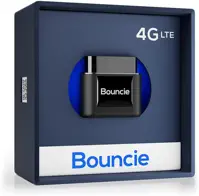
Bouncie plugs into the OBD-II port under your dashboard in about 30 seconds and costs $8/month — the lowest subscription price in this category by a solid margin. Every trip is logged automatically: full route, speed, hard-braking events, trip start and end times. You can replay any drive in the app. Geofence alerts fire when the car leaves a zone you define.
It's always powered by the car, so there's no battery to manage. The downside is that OBD-II limits it to cars and trucks; it won't work on equipment, trailers, or anything without that port. For vehicles, though, it's the obvious choice.
- Full route history — replay every trip
- Real-time location every 60 seconds
- Speed, hard-braking, and geofence alerts
- Lowest GPS subscription: $8/month
- Always powered by the car (no charging)
- OBD-II port required — cars and trucks only
- Monthly subscription ($96/year)
- Visible port plug could be spotted
LandAirSea 54 — Best for Assets and Non-Vehicle Use
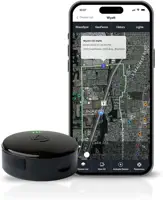
No OBD-II port? The LandAirSea 54 attaches with a strong built-in magnet to any metal surface — trailers, equipment, boats, cargo containers. It provides full route history and geofence alerts in 200+ countries. Battery runs 1–2 weeks per charge; an optional hardwire kit makes it permanently powered. At $9.95/month it's a dollar fifty more than Bouncie, but the flexibility to place it anywhere makes it the better pick for anything that isn't a passenger vehicle.
- Full route history and stop log
- No OBD-II port needed — magnetic, attaches anywhere
- IP67 waterproof for outdoor use
- Works globally in 200+ countries
- Geofence alerts with instant notifications
- Battery lasts 1–2 weeks (needs regular charging)
- Monthly subscription required (~$9.95/month)
- Slightly bulkier than AirTag
For a full breakdown of when AirTag makes sense versus when GPS wins, see the AirTag vs GPS tracker comparison. The short version: AirTag is great for everyday items where you just need a current location. GPS trackers are for anything where the route matters: vehicles, fleet assets, theft recovery where a path is actual evidence.
AirTag vs GPS Tracker: Location History Side-by-Side
| Feature | Apple AirTag 2 | GPS Tracker (Bouncie / LandAirSea 54) |
|---|---|---|
| Location History | ✗ None — last known location only | ✓ Full route log — every position stored |
| Route Playback | ✗ No | ✓ Yes — replay any trip |
| Real-Time Tracking | ✗ No — crowd-sourced, sporadic updates | ✓ Yes — every 5–60 seconds |
| Update Frequency | ⚠ Varies — depends on nearby iPhones | ✓ Consistent — cellular, independent |
| Speed / Trip Data | ✗ No | ✓ Yes — speed, braking, distance |
| Geofence Alerts | ⚠ Limited — Separation Alert only | ✓ Custom zones with instant notification |
| Works Without Nearby iPhones | ✗ No — requires Apple device to relay | ✓ Yes — cellular, works anywhere |
| Device Cost | $29 (1-pack) | $29–$79 |
| Monthly Fee | $0 — no subscription ever | $8–$10/month (required) |
| 2-Year Total Cost | $29 | $221–$275 |
The $0/month thing is real and it matters. For keys, wallets, bags, and luggage, AirTag is hard to beat at that price with no subscription. The best uses for AirTag guide breaks down 15 scenarios where it works well and three where it consistently falls short. Location-history-dependent use cases are firmly in that second group.
One other thing: even when AirTag does report a location, it's a crowd-sourced Bluetooth estimate, not a GPS coordinate. How accurate are AirTags breaks down what precision actually looks like in urban, suburban, and rural settings. The accuracy gap between dense and rural environments is bigger than most people expect.
Common Scenarios: What AirTag Can and Can't Do
Theft Recovery: Will AirTag Show Where My Stolen Item Went?
Maybe. AirTag can tell you where your item currently is (or was, recently) if the thief is moving through an area with iPhone traffic. That can be enough for police to recover something. What it can't do is show the route, so it's not useful as evidence of movement. It's just a current location to act on.
For vehicle theft specifically, police investigators want route data, timing, and potentially speed evidence. AirTag can't provide any of that. A hardwired GPS tracker under the dashboard can. Also worth noting: a thief who knows about AirTag can sweep for it. The AirTag moving with you alert exists precisely for unwanted-tracking detection. See the guide to finding a hidden AirTag in your car for both sides of that topic.
Teen or Fleet Monitoring: Can I Use AirTag to Track Driving?
No. You'd see occasional location pins, but no route, no speed, no timing data. Bouncie is purpose-built for exactly this use case. For anyone serious about monitoring a vehicle's movements, the comparison in the AirTag vs GPS tracker guide makes the differences concrete.
Lost Luggage: Does AirTag Work at Airports?
Pretty well, actually. Airports are iPhone-dense environments, so updates come in frequently, usually every few minutes once your bag is on the ground. You'll see where it is now, which is usually enough to track down a misdirected bag. What you won't get is a replay of where it went in the baggage system. That's fine for most situations.
The Bottom Line
AirTag location history doesn't exist. Not in Find My, not on Apple's servers, not anywhere. That's a privacy decision, not a feature gap, and it's not going to change. For everyday items (keys, bags, luggage), AirTag is still one of the best trackers you can buy: no subscription, works in 185+ countries, and the Precision Finding on AirTag 2 is impressive. For anything where the route matters, vehicle tracking, theft investigation, fleet monitoring, you need a GPS tracker. Tag Timelines is worth installing if you want forward-looking history from your existing AirTag, but it's a workaround, not a fix. Buy the right tool for the job.
Frequently Asked Questions
Does AirTag save location history?
No. Find My shows one location: the last known position with a timestamp. Apple's privacy architecture means no historical data is ever stored on their servers, on the AirTag itself, or anywhere else. There's nothing to retrieve, and no setting that changes this.
Can I see where my AirTag has been in the last 24 hours?
No. There's no 24-hour timeline, no movement log, no history of any kind. The moment a new location event is detected, the previous one is gone. The only partial workaround is the Tag Timelines app, which logs locations going forward once you install it. It can't recover anything from before.
Will Apple add location history in a future update?
Don't count on it. Adding persistent location history would require rebuilding the privacy architecture from the ground up. It directly contradicts what Apple has publicly committed to. The 2022 AirTag privacy overhaul doubled down on the no-history design. There's been no signal from Apple that this will change.
Can police access AirTag location history?
No. The history doesn't exist on Apple's servers, so there's nothing to hand over. Under a valid legal order, Apple might be able to provide the most recently detected location, but nothing historical. This is structural, not policy: even if Apple wanted to help, the data isn't there.
How do I check when my AirTag last updated?
Open Find My, tap Items, tap your AirTag. The "Last seen" label under the map pin shows when an Apple device last detected it. If that timestamp is hours or days old, it means no Apple device has passed near your AirTag since then. If the location is refreshing but the pin looks wrong, that's a different problem. AirTag location not updating covers the most common causes.
Is there any way to make AirTag update location more often?
Not directly. Location updates are passive and depend entirely on Apple device owners passing within ~120 meters of your AirTag. You can't trigger one manually. AirTag 2's extended detection range helps in sparse areas (more likely to catch a passing iPhone), but the core dependency on nearby devices doesn't change. In cities you'll see updates every few minutes. In rural areas, you might wait hours.
Can AirTag track a car's route?
No. AirTag shows where your car is right now (or was, recently). It shows nothing about the route taken, speed, or timing. For actual vehicle route tracking, you need a GPS tracker like Bouncie. The AirTag vs GPS tracker comparison lays out exactly what each does and when GPS is the better call.
Information accurate as of March 2026. AirTag 2 features based on 2026 release with iOS 26. GPS tracker subscription pricing may vary; verify current rates with each provider before purchase.