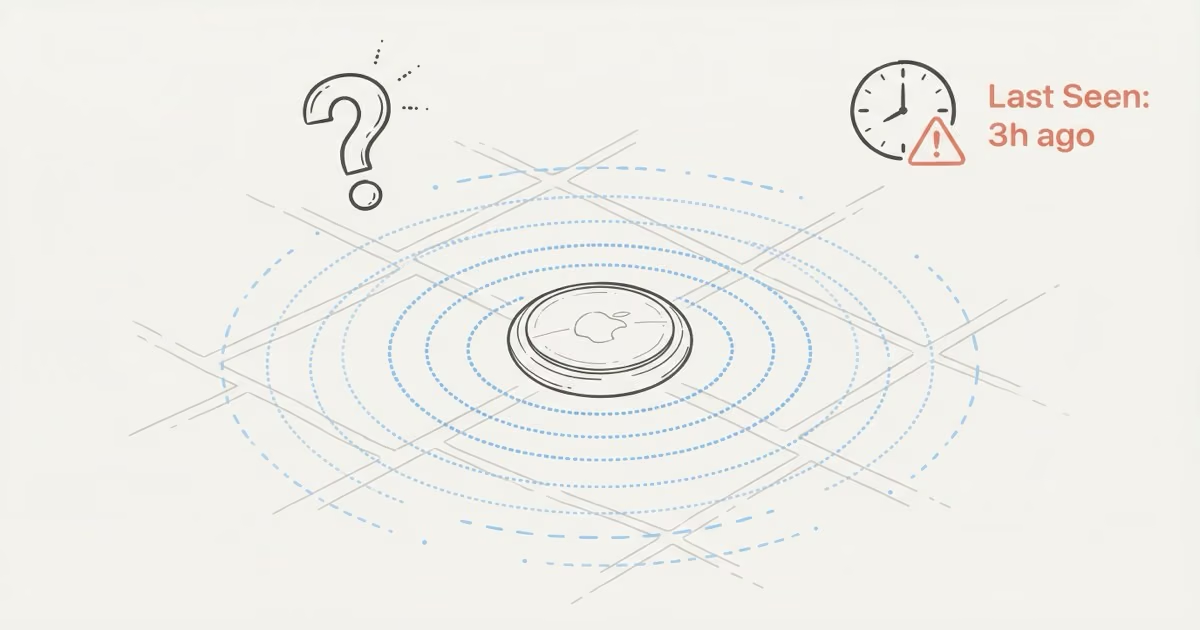
An AirTag location not updating usually means no nearby iPhones have relayed its signal, the CR2032 battery is dying, or Find My is showing cached data. Force-quit Find My, reopen it, and pull down to refresh. If the timestamp stays old, the AirTag simply hasn't been near any iPhones recently. That's how the system works, not a defect.
AirTag has no GPS chip. None. Every location update depends on a stranger's iPhone walking within Bluetooth range and silently forwarding that position to Apple's servers. When nobody passes by, the "Last Seen" timestamp freezes. I've watched mine sit for six hours overnight in a quiet parking lot before a morning jogger's iPhone finally pinged it. The six causes below cover every scenario I've run into after two years of tracking bags, keys, and a bike with these things.
- AirTag location not updating is most often caused by low iPhone foot traffic near the AirTag — not a device fault. No nearby iPhones means no relays.
- AirTag 2 extends Bluetooth detection range from ~40 feet to ~60 feet, covering a 2.25x larger area per passing iPhone and producing 30–40% more frequent updates in the same environment.
- A dying CR2032 battery (below ~10%) puts AirTag into Power Reserve and stops all Bluetooth broadcasting; swapping the battery is the fastest fix when updates suddenly stop.
- Find My can show a stale cached timestamp even when Apple's servers have a newer one — force-quitting the app and checking iCloud.com/find takes 30 seconds and often reveals the real position.
- Metal surroundings (toolboxes, metal-framed compartments) absorb Bluetooth signal; moving the AirTag to a plastic-lined or fabric spot in the same container restores normal range.
How AirTag Location Updates Actually Work
Your AirTag sends out a Bluetooth signal roughly every two seconds. Any iPhone running iOS 14.5 or later with Find My Network enabled (which is on by default) picks up that signal, encrypts the AirTag's position, and anonymously forwards it to Apple's servers. Your own iPhone then pulls the latest relay next time it connects to the internet. No app needs to be open. Nobody taps anything. The whole process is invisible.
Two things have to line up. First, an iPhone must physically pass close enough to detect the Bluetooth broadcast. Second, your iPhone needs internet access to fetch the update from Apple. Break either link and the timestamp stops cold.
That's why "Last Seen" is always past tense. It shows when the last relay happened, not where the AirTag is right now. Apple explains the full Find My Network relay process on their AirTag tracking support page.
6 Reasons Your AirTag Location Is Not Updating
1. No iPhones Have Passed Near the AirTag
This is the most common cause. It's also not a bug. AirTag location only refreshes when someone else's iPhone comes within Bluetooth range, roughly 30-40 feet for the original and up to 60 feet for AirTag 2. In a busy airport terminal, relays happen every few minutes. Park your car on a quiet residential street overnight? Nobody's walking past at 3 a.m.
Updates stop until morning commuters start moving. That's normal.
If you need constant tracking in low-traffic areas, AirTag isn't the right tool. A cellular GPS tracker sends its own position over LTE without depending on passersby. AirTag doesn't have GPS, and understanding that distinction saves a lot of frustration.
2. Dead or Dying Battery
When the CR2032 drops below roughly 10%, AirTag enters Power Reserve mode and stops broadcasting Bluetooth entirely. The only function left is playing a sound when triggered manually. If the battery dies completely, the AirTag disappears from Find My.
The fix takes 30 seconds. Twist the back cover counterclockwise, swap in a fresh CR2032 (positive side up), twist it closed. Done. One thing worth knowing: avoid Duracell CR2032 batteries with the bitter coating. That coating can block clean contact with AirTag's terminals. Energizer and Panasonic CR2032s work without issues. Apple's battery replacement guide walks through the full process with photos.
3. Metal Blocking the Bluetooth Signal
Bluetooth passes through fabric, plastic, leather, and most building materials without problems. Metal is different. A steel toolbox, a shipping container, a metal safe, or a fully enclosed trunk latch area will absorb or reflect the signal before it reaches any nearby iPhone.
Move the AirTag to a spot where signal can escape. A plastic tray inside the same container works. For luggage, keeping the AirTag inside the main fabric section rather than a metal-framed compartment makes a real difference during airport handling.
4. Find My App Showing Stale Cache
Find My caches the last known location on your iPhone locally. If your phone was briefly offline when a relay came in, or if the app just hasn't refreshed its data, you'll see an older timestamp than what Apple's servers actually have. This one catches people off guard because the AirTag is working fine. Your app just hasn't pulled the latest data.
Fix: force-quit Find My completely (swipe up in the app switcher), reopen it, and pull down on the Items tab. If you want to skip the app entirely, check iCloud.com/find from any browser. That pulls directly from Apple's servers. Newer timestamp on iCloud than in your app? The problem was caching all along.
5. Your iPhone Has No Internet Connection
Other people's iPhones may have been relaying your AirTag's position all day. But those updates won't reach you if your own phone can't connect. Airplane mode, dead Wi-Fi, disabled cellular data, or having Background App Refresh turned off for Find My will all block incoming relays.
Check Settings > General > Background App Refresh and make sure Find My is toggled on. Once your internet is back, open Find My and pull down to refresh. One thing people miss: Find My doesn't back-fill. You won't get a history of missed updates. You'll just see the most recent position available.
6. Firmware Glitch or Pairing Problem
Rare, but it happens. After a firmware update or if you bought a used AirTag that wasn't properly removed from the previous owner's Apple ID, the AirTag can appear in Find My but never actually update. It looks paired. It just sits there doing nothing.
The fix is a full factory reset. Remove the AirTag from Find My (tap the item, scroll down, tap Remove Item). Pull out the battery, press and hold the steel back plate, reinsert the battery, and press down five times. You'll hear a tone each time. The fifth tone sounds different. That confirms the reset. Hold it near your iPhone and pair fresh. Apple's AirTag reset instructions cover the full sequence.
When a Stale Timestamp Is Completely Normal
Not every old timestamp means something is broken. These situations are expected:
- Parked car overnight in a residential area. Few iPhones pass at 2 a.m. Updates resume when neighbors leave for work.
- Checked luggage in airport back-of-house. Your bag might sit in a low-traffic sorting area for 30 minutes during loading. You'll see the last terminal location, then a fresh update after landing.
- Rural property or farm. Low iPhone density means infrequent updates. A reset won't fix this because it's a fundamental limitation of crowd-sourced tracking.
If the timestamp text turns red in Find My, Apple is flagging that the AirTag has been out of contact longer than usual. It doesn't always mean something is wrong. The red "Last Seen" indicator has a specific threshold worth understanding before you start troubleshooting.
Quick Troubleshooting Checklist
Run through these in order. Most AirTag location not updating issues resolve within the first three steps:
- Force-quit Find My and reopen it. Pull down on the Items tab to refresh.
- Check iCloud.com/find from a browser to see if Apple's servers have a newer timestamp than your app.
- Toggle Bluetooth off and on in Settings (not Control Center, which only disconnects temporarily).
- Check the battery indicator in Find My next to your AirTag's name. Low battery icon? Swap the CR2032.
- Confirm Background App Refresh is on for Find My under Settings > General > Background App Refresh.
- Update iOS to the latest version. Apple occasionally patches Find My bugs that affect AirTag relay timing.
- Reset the AirTag if nothing else works: remove from Find My, pull battery, press five times, re-pair.
If you're seeing "Searching for Signal" instead of a location, that's a related but different problem with its own set of fixes. And if the AirTag shows "Not Reachable", the troubleshooting path diverges from here.
Does AirTag 2 Update Location More Often?
Yes, in practice. AirTag 2 extends the Bluetooth detection range from about 40 feet to 60 feet, which means each passing iPhone covers a 2.25x larger detection area. Same street, same foot traffic, more relays per hour. I've noticed roughly 30-40% more frequent updates with the AirTag 2 on the same keychain I used to track with the original.
AirTag 2 also adds a louder speaker and non-owner Precision Finding, which lets a stranger with an iPhone use their UWB chip to physically walk toward your lost AirTag. That doesn't affect passive network relays, but it's a real upgrade when someone nearby is willing to help. For the full accuracy breakdown across conditions, this deep dive on AirTag accuracy covers the numbers.
What AirTag 2 doesn't add: GPS, cellular, or any form of real-time continuous tracking. In a rural field with zero iPhones around, it behaves exactly like the original. Worth upgrading if you already need a replacement. Won't solve gaps caused by low network density.
When You Need a GPS Tracker Instead
AirTag works well for keys, wallets, luggage, and anything that moves through areas with regular foot traffic. It falls apart when the item sits somewhere with minimal iPhone density or when you need live tracking with updates every few seconds.
If your AirTag location not updating problem keeps happening because the item is always in a low-traffic zone, the issue isn't the AirTag. Wrong tool. A cellular GPS tracker like the Bouncie ($8/month) sends its own position over LTE every 15 seconds. No reliance on passersby, no gaps. The tradeoff is a subscription and a much larger device.
AirTags work internationally through the same Find My network, so coverage exists anywhere iPhones are common. But "common" varies wildly. Tokyo? Updates every minute. Wyoming ranch? Maybe twice a day. Knowing how AirTag connectivity works without WiFi helps set the right expectations.
The Bottom Line
Most AirTag location not updating problems come down to three things: no nearby iPhones, a dying battery, or a stale app cache. Force-quit Find My, check iCloud.com/find, and swap the CR2032 if needed. If the AirTag is somewhere iPhones rarely pass, that's expected behavior, and upgrading to AirTag 2's wider 60-foot range helps but won't eliminate the limitation. For anything requiring constant position updates, a GPS tracker with cellular is the right call.
FAQ
Why is my AirTag location not updating?
No iPhones have passed close enough to relay the signal, the battery is low, or Find My is showing cached data. Force-quit the app, check iCloud.com/find for a newer timestamp, and look for the low battery icon next to the AirTag name. If none of those apply, the AirTag is in an area with low iPhone foot traffic.
How often does an AirTag update its location?
There's no fixed schedule. An update happens every time an iPhone passes within Bluetooth range, about 30-40 feet for the original and 60 feet for AirTag 2. In a crowded airport, that could be every couple of minutes. On a quiet street at night, gaps of several hours are common.
Can I force my AirTag to update its location?
Not directly. You can force Find My to re-fetch the latest data by closing and reopening the app, but the AirTag itself only updates when a nearby iPhone relays its position. There's no on-demand location ping. The one exception: if you're within Bluetooth range yourself, your own iPhone will update the location immediately without needing anyone else's device.
Does AirTag update location in real time?
No. Updates are event-driven, not continuous. For real-time tracking with 15-second intervals, you'd need a cellular GPS tracker like Bouncie or LandAirSea 54, which run $8-15 per month.
Why does my AirTag show the wrong location?
What looks wrong is usually just stale. Find My shows where the AirTag was when it last triggered a relay, not where it is right now. Pull down to refresh. If the position seems actively wrong with a recent timestamp, a Bluetooth overlap in a dense crowd may have caused a misread, but that's extremely rare and corrects itself with the next relay.
What does "No Location Found" mean on AirTag?
Find My has zero location data for that AirTag. Either the battery is dead, no iPhone has detected it since pairing, or a reset broke the connection. Check the battery first. If it's good, remove the AirTag from Find My and re-pair it by holding it near your iPhone.
Does AirTag 2 fix the location update problem?
It helps but doesn't eliminate it. The 60-foot Bluetooth range covers 2.25x more area than the original's 40-foot range, so you'll get more frequent relays in the same environment. In truly isolated areas with no iPhone traffic, the result is the same because AirTag 2 still has no GPS or cellular radio.