You left your bag somewhere. Or your suitcase didn't show up on the carousel. Or someone walked off with your bike. The AirTag is still attached, but you're staring at a map that says "last seen 3 hours ago" and wondering what happens next.
Lost Mode is what happens next.
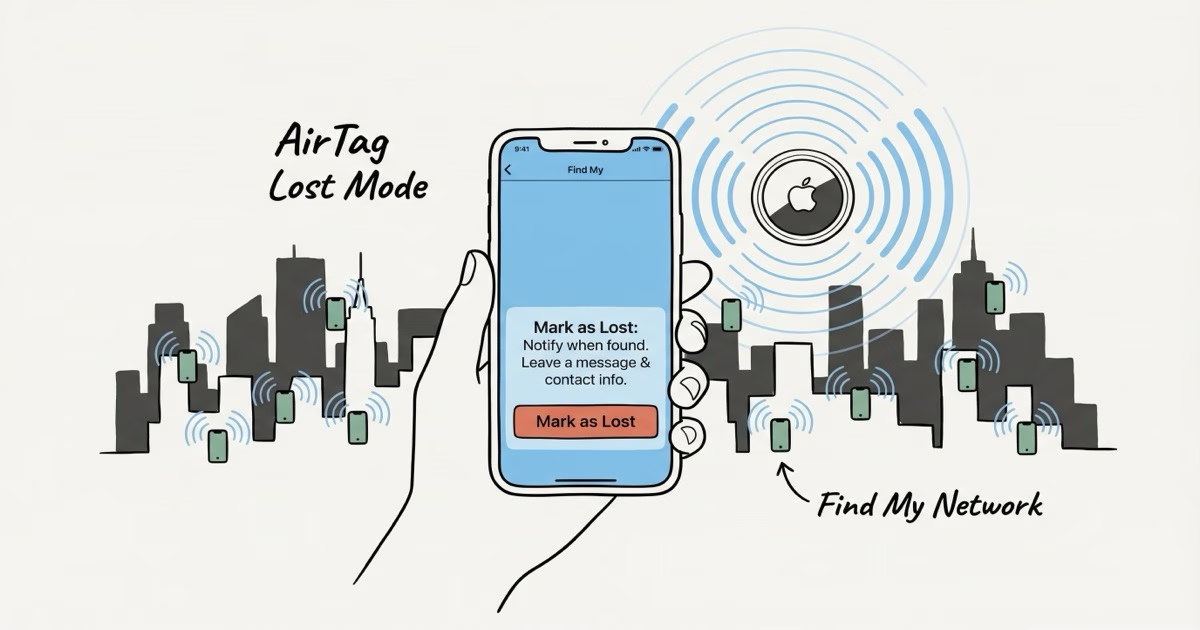
It's Apple's way of turning the entire Find My network into an active search for your specific item. This isn't real-time GPS tracking. The AirTag doesn't have GPS. Instead, it broadcasts a Bluetooth signal that any passing iPhone picks up, encrypts, and relays back to you as a location ping. Lost Mode cranks up that broadcast and tells Apple's servers to push you a notification the second a hit comes in.
How to Enable Lost Mode
It takes about 60 seconds. Here's the exact sequence on your iPhone:
- Open the Find My app
- Tap the Items tab at the bottom
- Select the AirTag that's missing
- Scroll down and tap Mark as Lost, then tap Enable
- Enter a phone number or email where finders can reach you
- Add a message if you want, something like "Lost bag, reward if found, call this number"
- Tap Activate
That's it. The AirTag is now in Lost Mode. You'll see a badge on the item card in Find My confirming it's active. From this point, every iPhone, iPad, and Mac that wanders within Bluetooth range of your AirTag will silently relay its location to you.
One thing that trips people up: you can't enable Lost Mode from iCloud.com. The Items tab only exists in the native Find My app on iPhone, iPad, Mac, or Apple Watch. If your iPhone is also lost, you'll need to borrow someone else's Apple device and sign in with your Apple ID. A Windows PC or Android phone won't work for this step.
What Lost Mode Actually Does
Three things change when you flip Lost Mode on:
- Network alerts activate. Any iPhone that passes within Bluetooth range (~10 meters for AirTag 1, roughly 60 meters for AirTag 2) triggers an encrypted location relay. You get a push notification with a map pin. This happens silently. The passing iPhone's owner has no idea their phone just helped you.
- NFC contact card goes live. Anyone who holds your AirTag against the top of their phone sees a web page (found.apple.com) with your phone number, email, and custom message. This works on both iPhone and Android. No app needed.
- Activation Lock engages. The AirTag can't be paired to a different Apple ID while your Lost Mode is active. If someone tries to set it up as their own, they'll hit an error.
What It Doesn't Do
Lost Mode won't make the AirTag beep on its own. You can trigger a sound manually through Find My's "Play Sound" button, but there's no automatic alarm. It also doesn't provide real-time GPS coordinates. You get location pings only when iPhones pass by. In a busy city, that can mean updates every few minutes. In a quiet rural area, you might wait hours or days.
And here's the hard truth for theft situations: anyone can pop the battery out. The AirTag has no physical lock. AirTag 2 made the speaker harder to disable (it's glued in now), but the battery compartment still twists open. If a thief knows what an AirTag is, they can kill it in seconds.
Lost Mode vs. Notify When Found vs. Separation Alerts
Apple has three different notification systems for AirTags, and people mix them up constantly. Here's the difference:
| Feature | When It Fires | What It Does |
|---|---|---|
| Separation Alerts | You walk away from the AirTag | Pings your iPhone before you leave the item behind. Preventive. |
| Notify When Found | Any iPhone detects your AirTag | Sends you a location update. No contact info shared with finders. |
| Lost Mode | Any iPhone detects your AirTag | Location update + NFC contact card + Activation Lock. Full recovery mode. |
Separation Alerts are preventive. They buzz your phone when you leave your bag at a coffee shop. You can set trusted locations (home, office) where alerts stay quiet. The unwanted tracking guide covers how these alerts work from the other side, when someone else's AirTag is traveling with you.
Notify When Found can run independently without Lost Mode. It just sends location pings. Lost Mode adds the contact card and the lock. If you've lost something, turn on full Lost Mode. There's no reason not to.
What Happens When Someone Finds Your AirTag
The finder doesn't need an Apple device or any app. They hold the AirTag (white side up) against the top of their phone. NFC does the rest.
On iPhone
A notification pops up instantly. Tapping it opens found.apple.com in Safari, showing your phone number, email, custom message, and the AirTag's serial number. The finder can call or text you directly from that page.
On Android
Same thing. The phone's NFC reader triggers the browser to open found.apple.com with identical information. No app install, no Apple ID required. Any NFC-enabled Android phone made in the last several years will work.
Without Lost Mode enabled, tapping the AirTag only shows the serial number and the last four digits of the owner's phone number. That's usually not enough for a finder to reach you. This is the main reason to turn on Lost Mode immediately when something goes missing. It's the difference between "I found a tracker" and "I found your bag, here's your number."
Lost Mode for Stolen Items
Enable it immediately after a theft. Every location ping becomes evidence. Police departments have started taking AirTag data seriously, and some have built entire programs around it.
Denver launched its DenverTrack program in March 2025, handing out 450 free AirTags to car owners. Auto thefts in the program area dropped 33% year-over-year. Arvada, New York City, and Washington D.C. ran similar programs.
Individual cases pile up too. A Virginia carpenter hid AirTags in his power tools after repeated break-ins. The third time they were stolen, he tracked them to a storage unit. Police got a warrant and recovered $15,000 worth of stolen equipment, not just his. In August 2025, a traveler at LAX tracked stolen luggage to a boarded-up building where police found one suspect wearing the victim's clothes.
That said, manage your expectations. Police need a filed theft report before acting on AirTag data, and response times vary wildly by jurisdiction. Don't confront anyone yourself. Collect the location pings, screenshot the history, file the report, and let officers handle the rest. For a full walkthrough, the best uses guide covers theft recovery as a use case.
AirTag 2 Lost Mode Improvements
Lost Mode itself works identically on both generations. But AirTag 2 hardware changes make recovery more likely:
- Precision Finding range jumped from ~15m to ~60m, nearly four times farther. When you're physically searching, this is the difference between "somewhere in this building" and "that room, second shelf."
- Speaker is 50% louder. Play Sound actually works in a noisy environment now. The speaker is also glued to the housing, making it harder (though not impossible) for thieves to disable.
- Precision Finding works on Apple Watch (Series 9+, Ultra 2+). Useful when you're searching with your wrist instead of pulling out your phone.
The AirTag 2 costs the same $29 as the original. If you're buying new, the improved range alone makes it worth choosing the newer model for anything you're worried about losing.
Battery Impact and Practical Tips
Lost Mode increases the Bluetooth broadcast frequency, which uses more power than normal standby. Apple doesn't publish exact numbers, but the difference isn't dramatic. The AirTag is still a low-energy Bluetooth device even at the higher broadcast rate. You're not going to drain a fresh CR2032 in a week.
A few things worth knowing:
- Apple rates AirTag battery life at "more than a year" in normal use. Real-world testing puts it at 6-18 months depending on the battery brand. The battery life guide has specific brand comparisons.
- Lost Mode doesn't affect the AirTag's sound behavior. The anti-stalking chirp still fires on its normal schedule (8-24 hours after separation from the owner's iPhone).
- If your AirTag shows "Not Reachable" in Find My, it just means no iPhone has detected it recently. Lost Mode is still active on Apple's servers. The moment an iPhone gets within range, you'll get the notification. The "Not Reachable" guide explains what's happening behind the scenes.
How to Turn Off Lost Mode
Once you have the item back: open Find My, tap Items, select the AirTag, and tap Turn Off Mark as Lost. The AirTag goes back to normal tracking.
Keep Lost Mode on until you physically have the item in your hands. If a finder shipped it to you, leave it active during transit. You'll keep getting location updates as it moves through the mail system. Every post office with an iPhone nearby becomes a tracking checkpoint.
Frequently Asked Questions
How do I turn on AirTag Lost Mode?
Open Find My on your iPhone, tap Items, select the missing AirTag, scroll to Mark as Lost, and tap Enable. Add your phone number and an optional message. Tap Activate. You'll get push notifications whenever any iPhone detects the AirTag.
Does Lost Mode drain the AirTag battery?
It uses slightly more power because the Bluetooth broadcast frequency increases. But the difference is modest. The AirTag is still a low-energy device. A fresh CR2032 battery will last months in Lost Mode under normal conditions. You won't need to worry about it dying before you find it.
Can I enable Lost Mode from a computer?
Not from iCloud.com. The Items tab only exists in the native Find My app on Apple devices. You need an iPhone, iPad, Mac, or Apple Watch. If your iPhone is also missing, borrow an Apple device and sign in with your Apple ID.
What does a finder see when they tap my AirTag?
A web page opens at found.apple.com showing your phone number, email address, custom message, and the AirTag's serial number. This works on both iPhone and Android, no app required. Without Lost Mode enabled, the page only shows the serial number and last four digits of your phone.
Can a thief disable Lost Mode?
They can't change the software setting. That's tied to your Apple ID. But they can remove the CR2032 battery, which stops the AirTag from broadcasting entirely. AirTag 2 made the speaker harder to tamper with, but the battery compartment still opens with a twist. Activation Lock prevents re-pairing to a new account.
How quickly will I get a Lost Mode notification?
Depends entirely on foot traffic. In a busy airport or city street, updates can arrive within minutes. In a quiet suburb, it might take hours. In a remote area with few iPhones, it could take days. There's no way to speed this up other than going to search the area yourself.
Does Lost Mode work in other countries?
Yes. The Find My network is global, with over a billion Apple devices across every continent. An AirTag in Lost Mode in Tokyo, Berlin, or Sydney triggers notifications the same way it does at home. This makes it particularly useful for international luggage tracking.
The Bottom Line
Lost Mode is the AirTag's most important feature, and most people don't think about it until they need it. Turn it on immediately when something goes missing. Add a phone number so finders can actually reach you. Then wait. The billion-device Find My network is quietly working in the background, and the notification will come the moment an iPhone walks past your stuff. It won't replace calling the airline, filing a police report, or retracing your steps. But it gives you something those actions alone can't: a map pin showing exactly where your item is right now.