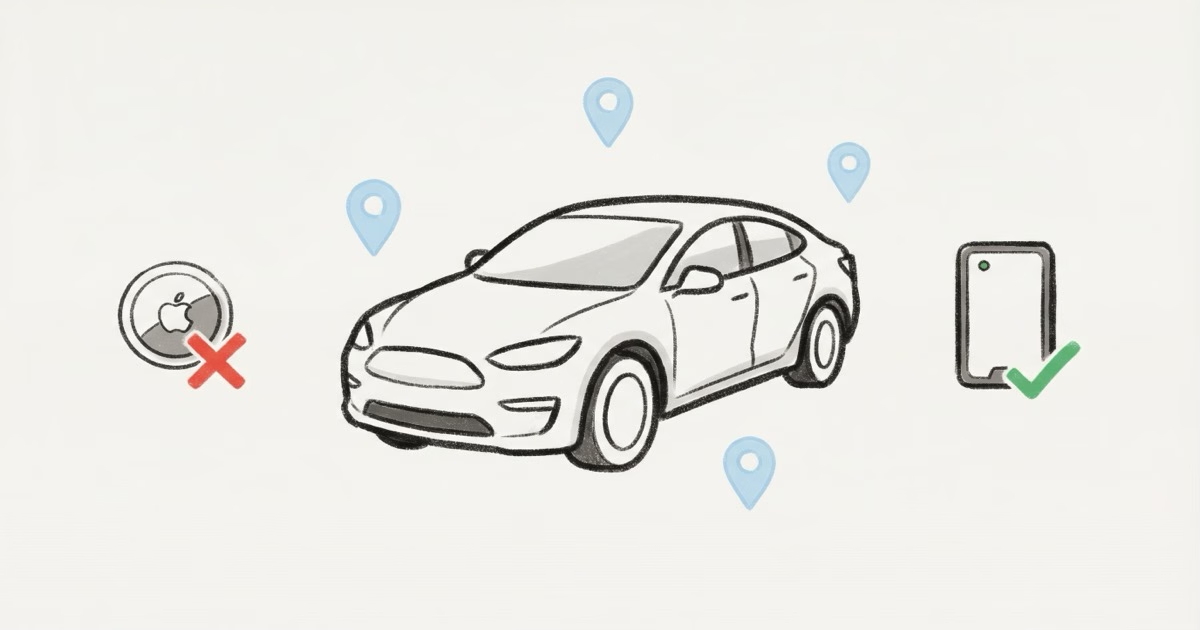
Turo banned AirTags from all vehicles on January 31, 2025. Hosts must now use dedicated GPS trackers like PassTime, Bouncie, or other Turo-approved devices. If you still have an AirTag in your Turo car, you're violating their updated policy and risk account suspension. The ban doesn't make AirTags illegal in your own car, just against Turo's terms of service.
For years, Turo hosts used AirTags as a cheap insurance policy. A $29 tracker in the spare tire well gave you a location ping if someone disappeared with your car. It worked. Not perfectly, but well enough that most experienced hosts had at least one hidden somewhere.
That's over now.
Turo officially banned AirTags and similar Bluetooth trackers from all listed vehicles in early 2025, replacing them with a GPS-only tracking policy. The change caught a lot of hosts off guard, and the reaction in host communities was not positive. But the policy is live, it's being enforced, and if you're still hosting on Turo, you need to know what replaces the AirTag in your workflow.
Why Turo Banned AirTags From Rental Cars
Turo's official explanation: AirTags "create a negative guest experience and are unreliable as GPS trackers." Both points have some truth to them.
The guest experience problem is real. Apple's anti-stalking system sends an "AirTag Found Moving With You" notification to every iPhone user who travels with an unknown AirTag for 8 to 24 hours. Turo guests would get this alert, panic, and contact Turo support. Even with disclosure in the listing, the alert still fires. Hosts couldn't turn it off without sharing the AirTag with the guest's Apple ID, which most weren't willing to do.
The reliability issue matters too. AirTag doesn't have GPS or cellular. It relies on nearby iPhones to relay its location through Apple's Find My network. In a dense city, updates come every few minutes. Park a car in a rural lot overnight? You might get zero updates until morning. For a platform that needs to track thousands of vehicles reliably, Bluetooth trackers aren't dependable enough.
There's a third reason Turo doesn't say out loud: liability. As tracking-related lawsuits have increased, Turo likely wanted to distance itself from a device that Apple itself markets for finding keys and wallets, not cars. A Florida law signed in October 2025 added harsher penalties for using Bluetooth trackers in crimes, and several other states introduced similar legislation. Turo moving to GPS-only tracking keeps them on the safer side of this trend.
What Turo's Current Tracking Policy Actually Says
Turo still allows tracking devices. They just have to be GPS-based, not Bluetooth-based. Here's what the updated Turo Host Tracking Policy permits:
- GPS trackers (cellular, real-time)
- OEM telematics (built-in systems like OnStar, Tesla connectivity)
- Aftermarket vehicle tracking technology
- Telematics devices approved by Turo's insurance partners
What's banned: AirTags, Tile trackers, Samsung SmartTags, and any Bluetooth-only device. The policy also bans placing trackers on keychains or key fobs.
The disclosure rule still applies. Hosts must tell guests through Turo messaging before the trip that a tracking device is installed. Hiding a GPS tracker without disclosure can get your account suspended. Audio and video recording requires separate written consent through Turo's messaging system.
Turo-Approved GPS Trackers for Hosts
Turo partnered with PassTime as their preferred GPS provider. But they aren't the only option. Here are the trackers that meet Turo's current policy requirements.
PassTime TRAX and Encore
PassTime is Turo's official partner, and the deal is solid: the TRAX and Encore devices include 3 years of service with no monthly fees. That's the headline number that makes this worth considering. The TRAX also has starter-interrupt technology, meaning you can remotely disable the vehicle's starter through the PassTime app if a guest goes dark with your car. For hosts managing 5+ vehicles, that feature alone justifies the upfront cost.
Installation varies by model. The Encore plugs into a standard OBD-II port and takes under a minute. The TRAX hardwires into the vehicle's electrical system, which means a professional install running $100-200 depending on your market. Hardwired is better for Turo because guests can't accidentally unplug it, and there's no visible device near the steering column to raise questions. Both models report location through a cellular connection with updates as frequent as every 30 seconds when the vehicle is moving. The app shows trip history, speed alerts, and geofence notifications. The downside is limited public pricing. You need to go through PassTime's Turo-specific signup page to get the discounted rate.
Bouncie
The Bouncie GPS Tracker plugs into your OBD-II port and costs around $8/month after the initial hardware purchase. It updates location every 15 seconds when the car is moving, which is a massive upgrade over AirTag's crowd-sourced pings. Bouncie is also on Turo's approved list for off-trip insurance through Tint. The trade-off: the OBD-II port location makes it easy for anyone to unplug.
Other Approved Options
Tint's approved GPS list also includes StandardFleet, Teslemetry, Qarhami, Zubie, MooveTrax, and OneStepGPS. Most of these target fleet operators, so pricing and features vary. For a single-car host, Bouncie or PassTime will cover you. For someone running 10+ cars on Turo, StandardFleet or OneStepGPS might make more sense due to fleet dashboards and bulk pricing. For a broader look at options without recurring costs, the GPS tracker no monthly fee guide covers devices outside the Turo ecosystem too.
AirTag vs. GPS Tracker for Turo: Side-by-Side
Even though Turo banned AirTags, some hosts still wonder whether to keep one hidden "just in case" alongside a compliant GPS device. Here's how they actually compare for the Turo use case.
| Feature | Apple AirTag 2 | GPS Tracker (Bouncie / PassTime) |
|---|---|---|
| Upfront Cost | $29 | $67–$150 |
| Monthly Fee | ✓ $0 | ⚠ $0–$8/mo |
| Real-time Tracking | ✗ No (crowd-sourced) | ✓ Yes (15–60 sec updates) |
| Works in Rural Areas | ✗ Unreliable | ✓ Cellular coverage |
| Turo Policy Compliant | ✗ Banned (Jan 2025) | ✓ Approved |
| Triggers Guest Phone Alerts | ✗ Yes (anti-stalking) | ✓ No alerts |
| Starter Interrupt | ✗ No | ⚠ Some models (PassTime TRAX) |
| Battery Life | ✓ 1+ year (CR2032) | ✓ Vehicle-powered (OBD-II) |
For Turo specifically, GPS wins on every metric that matters: compliance, reliability, real-time data. The only advantage AirTag held was price, and PassTime's 3-year bundled service narrows that gap considerably.
Do Hosts Still Use AirTags on Turo Anyway?
Yes. Browse any Turo host forum and you'll find plenty of hosts who kept their AirTags hidden even after the ban. The logic is simple: a $29 backup tracker that Turo doesn't know about feels like cheap insurance on top of a compliant GPS device.
The risks are real though. If a guest finds the AirTag (likely, since iPhones will alert them), they can report it to Turo. That report can trigger an account review. Turo's enforcement has been inconsistent so far, but the policy is clear: AirTags in listed vehicles violate the terms, and repeat violations lead to suspension.
My take: if you own the car, putting an AirTag in it isn't illegal. It's your property. But doing it on a Turo-listed vehicle means you're accepting the risk of a policy violation. Use a compliant GPS tracker as your primary device. If you want an AirTag as a personal backup for non-Turo situations, that's between you and your car. For more on general car tracking with AirTags outside of Turo, the AirTag for car theft recovery guide covers what works and what doesn't.
Where Hosts Used to Hide AirTags in Turo Cars
Before the ban, these were the go-to spots. They still apply if you use AirTags in your own non-Turo car.
- Spare tire well: under the floor mat in the trunk. Good signal, hard to find during a casual search.
- Under the rear seat: tucked into the seat foam or rail. Requires pulling the seat cushion up, which renters won't do.
- Behind the OBD-II port cover: the plastic panel near the driver's knee. Small space, but fits an AirTag with an adhesive mount.
- Inside a door panel: requires removing a trim piece with a panel tool. Deeply hidden, but Bluetooth signal drops 20-30% through the panel.
- Engine bay: surprisingly effective. Lots of hiding spots, and the metal doesn't block Bluetooth as much as you'd expect if the AirTag is near a plastic component.
The best places to hide an AirTag in a car guide ranks these by signal quality and concealment. For Turo cars specifically, the spare tire well and under-seat positions were the most popular because hosts could access them quickly between rentals without tools.
What Guests Should Know About Trackers in Turo Cars
If you're a Turo guest, expect tracking. Every serious host uses some form of GPS monitoring. It's in Turo's terms, and it's disclosed before your trip.
What a GPS tracker does: it shows the vehicle's location. That's it. The host can see where the car is parked and where it's driven. They can't record your conversations, access your phone, or see who's in the car.
If your iPhone sends an "AirTag Found Moving With You" alert during a Turo rental, that means the host has a Bluetooth tracker that violates Turo's current policy. You can report it through Turo's app. In practice, most guests ignore it since they know it's the host's tracker, not a stranger stalking them. But you're within your rights to flag it.
Want to check whether a rental car has hidden Bluetooth trackers? The guide to finding a hidden AirTag in your car explains iPhone detection alerts and Android scanning apps.
The Legal Side: Tracking Your Own Rental Car
This gets murky, and it depends on your state.
The general rule across most U.S. states: you can track a vehicle you own. If your name is on the title, putting a GPS tracker or AirTag inside is legal. The complication arises when someone else is driving it.
Most states require that the driver be informed about tracking devices. California, Texas, Florida, and New York all have laws that restrict placing electronic trackers on vehicles driven by others without consent. The specific penalties vary. In Texas, unauthorized tracking is a Class A misdemeanor under Penal Code Section 16.06. Florida's 2025 law added enhanced penalties when Bluetooth trackers are used in connection with criminal activity.
For Turo hosts, disclosure through the listing and pre-trip messaging satisfies the consent requirement in most jurisdictions. That said, this isn't legal advice. If you're operating in a state with strict electronic surveillance laws, check with a local attorney. The AirTag vs GPS tracker comparison also covers the legal differences between Bluetooth and cellular tracking devices.
How to Set Up a Compliant Tracking System on Your Turo Vehicle
Here's a practical setup that keeps you compliant and protected.
Step 1: Install a Turo-approved GPS tracker. Bouncie ($67 + $8/mo) or PassTime TRAX (contact for Turo pricing, includes 3 years of service). Plug-and-play OBD-II installation takes 30 seconds. Hardwired options exist but require professional install.
Step 2: Disclose in your listing description. Something like: "This vehicle is equipped with a GPS tracking device for security purposes." Keep it simple. Don't say what brand or where it's installed.
Step 3: Send a pre-trip message. Turo's policy requires disclosure through their messaging system before the trip starts. Copy-paste a standard message: "Hi! Just a heads-up, this vehicle has a GPS tracker installed for security per Turo policy. Have a great trip!"
Step 4: Test your tracker before each rental. Confirm it's reporting location. OBD-II devices can get knocked loose, especially if your car's port is in a spot where a guest's knee bumps it. A 10-second check in the app saves you from discovering the tracker was offline when you actually need it.
For hosts comparing the full cost of different tracking approaches, the cheapest ways to GPS track a car breaks down the math across subscription and no-subscription options.
Real Recovery Stories: AirTags and GPS Trackers on Turo
Before the ban, AirTag recovery stories were common in Turo host groups. One widely shared case involved a host in Las Vegas whose Chevy Tahoe was reported stolen by the renter — but the host's hidden AirTag showed the vehicle still moving. He tracked it himself, documented the location, and worked with police to recover it. The Mary Sue reported on the incident, noting the host's frustration with Turo's slow response time.
That's the scenario where personal trackers matter most. Turo's internal systems can take 24-48 hours to initiate a vehicle location request. A host with their own tracker (GPS or AirTag) can see the car's position immediately and give police actionable coordinates.
Post-ban, the same principle applies with GPS trackers. PassTime's TRAX even adds the option to disable the starter remotely, which means a stolen car can be immobilized before police arrive. That's something AirTag could never do.
Should You Still Buy AirTags if You Host on Turo?
For your Turo fleet? No. Buy a compliant GPS tracker.
For your personal vehicles, travel, keys, luggage? Absolutely. The AirTag 2 is still the best Bluetooth tracker on the market for everyday item tracking. The Turo ban doesn't change that. It just means AirTag isn't the right tool for commercial car-sharing anymore.
If you run a mixed fleet, some cars on Turo and others for personal use, keep your AirTags on the personal cars and put GPS devices on the Turo vehicles. The AirTag 2 4-Pack covers four personal vehicles for under $100 with zero monthly cost.
Frequently Asked Questions
Are AirTags still allowed on Turo?
No. Turo banned AirTags and all Bluetooth-only trackers effective January 31, 2025. The policy now requires GPS-based tracking devices only. Hosts found with AirTags in listed vehicles risk account suspension.
Why did Turo ban AirTags specifically?
Two reasons: Apple's anti-stalking alerts kept triggering guest complaints, and Bluetooth-based location is too unreliable for Turo's vehicle recovery needs. A rural parking lot with no nearby iPhones means zero location updates. GPS trackers work everywhere with cell coverage, which is what Turo's insurance partners require.
What's the cheapest GPS tracker that works with Turo?
Bouncie at ~$67 upfront and $8/month. PassTime might be cheaper long-term since their Turo deal bundles 3 years of service, but you have to contact them for exact pricing. Both are on Turo's approved list.
Can a Turo guest remove a GPS tracker from my car?
They shouldn't, and doing so likely violates the rental agreement. OBD-II plug-in trackers are easy to unplug, though. Hardwired GPS installs are more tamper-resistant but cost $100-200 for professional installation. If a guest removes a disclosed tracker, document it through screenshots and file a claim with Turo.
Will I get kicked off Turo if I keep an AirTag in my car?
It depends on whether a guest reports it. Enforcement so far has been complaint-driven. Turo isn't physically inspecting vehicles. But if a guest gets an iPhone alert and reports the AirTag, you'll face a policy review. Multiple violations lead to suspension. The risk-reward math doesn't favor keeping one.
Does Turo's ban affect other car-sharing platforms?
Getaround and other platforms have their own tracking policies, but most haven't explicitly banned Bluetooth trackers yet. Turo was the first major platform to make this change. If you host on multiple platforms, check each one's current terms since they may follow Turo's lead.
Can I use an AirTag in my personal car that isn't listed on Turo?
Yes. The ban only applies to vehicles listed on Turo's platform. Putting an AirTag in your own car for personal theft recovery is legal in all 50 states as long as you own the vehicle. It's still one of the cheapest anti-theft tools you can buy at $29 with no subscription. Apple's AirTag safety documentation covers what the device can and can't do.