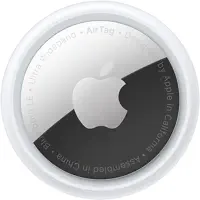
AirTag does one thing that no other tracker does as well: it guides you to within 20 centimetres of a lost item using the Find My network and Ultra-Wideband. That specific capability shapes where it excels and where it doesn't. Here's a practical breakdown of the best uses for AirTag, based on how the technology actually works, not just what looks good in a promo video.
How AirTag Works — What This Means for Its Best Uses
AirTag has no GPS and no cellular radio. When your item is out of Bluetooth range, its location is reported by any iPhone that passes within ~60m (AirTag 2) and anonymously relays the signal to Apple's servers. In cities and airports where iPhones are everywhere, this works well. In rural areas or metal-shielded locations, updates can be hours apart.
That single constraint (crowd-sourced location, not real-time GPS) defines which uses are ideal and which fall short. The best uses for AirTag are scenarios where:
- The item is in an area with regular iPhone traffic (urban, suburban, transit hubs)
- You need to find something you've lost nearby, not track something in real time
- Zero ongoing cost matters (AirTag has no monthly subscription)
The 15 Best Uses for AirTag in 2026
1. Keys
The original AirTag use case. Keys go missing at home: behind cushions, in pockets, under furniture. Within Bluetooth range, Play Sound locates them in seconds. With AirTag 2's 60m Precision Finding, you can lock on from across a floor before you've even stood up. A key ring loop or a slim TagVault keychain keeps it attached without bulk. This is the strongest single use case for AirTag.
2. Checked Luggage
Airlines mishandled over 4 million bags in the US in 2024. An AirTag in your checked bag gives you concrete, timestamped evidence to show the airline's baggage desk when your bag doesn't appear at the carousel. Airports have dense iPhone traffic, so location updates come in frequently. For the full guide including TSA rules and best placement, see AirTag in checked luggage.
3. Backpacks and Daypacks
A backpack left at a café, forgotten on a bus, or set down at a trailhead. An AirTag tucked into an interior pocket gives you a last-known location. In urban environments this is typically accurate to within a building. Tuck it in a zipped interior pocket, not an exterior one where it can fall out or be spotted.
4. Wallets
Wallets are tight on space, and AirTag at 8mm thick can add noticeable bulk. The TagVault Wallet Sleeve ($9) holds an AirTag in 3mm of added depth. If thickness is a concern, the Chipolo Card Spot (2.4mm) is slimmer at 2.4mm, though it uses Find My separately from AirTag. For dedicated wallet options, see our AirTag wallet guide.
5. Dog Collars
AirTag on a dog collar works well in residential neighbourhoods where iPhones are common. If your dog escapes and runs through streets, the Find My network updates location as other people's iPhones pass by. It's not a real-time tracker. If your dog is in a field with no nearby iPhones, you'll see nothing. For the right collars and mount options, see best AirTag dog collars. For GPS-level live tracking, look at Fi Series 3 or Tractive.
6. Bicycles
A bike stolen in any city will pass dozens of iPhones in the thief's travels, triggering location updates. The key is hiding the AirTag somewhere it won't be found: inside the handlebars, under the seat, or behind the head badge. AirTag 2's louder speaker is a minor downside here (a found AirTag beeps), but the extended detection range helps with urban recovery. See best AirTag bike mounts for hidden installation options.
7. Ski and Snowboard Equipment
Skis, boards, and helmets get lost, borrowed, and mixed up at busy resorts. AirTag 2's IP67 water resistance handles snow and cold reliably. Purpose-built mounts let you embed one inside a ski boot toe box or bind it under a board. See AirTag ski mount options for the best attachment methods.
8. Motorcycles
A stolen motorcycle in a city will update its location through the Find My network as it moves. The OBD-II port workaround doesn't apply to most motorcycles, but magnetic mounts on the frame or under the seat work well. AirTag 2's improved Bluetooth range means it's detected from farther away even when the bike is parked inside a garage. For full placement details and legal context, see AirTag for motorcycle theft.
9. TV Remotes and Small Electronics
TV remotes, gaming controllers, and headphones. Any small object that regularly hides between cushions. For objects that stay indoors, the Find My network isn't needed at all. You'll find these with Play Sound alone. AirTag 2's louder speaker makes this faster even in noisy rooms.
10. Child Backpacks (School)
Slipping an AirTag into a child's school backpack gives parents a last-known location between school pickup and home. Important: AirTag is not a real-time child safety tracker. For that, a dedicated kids GPS device is more appropriate. AirTag's strength here is the zero monthly cost and the ability to find a forgotten or misplaced bag quickly.
11. Carry-On Luggage
Carry-ons rarely get lost, but overhead bins at busy hubs can mix up similar black roller bags. AirTag's Precision Finding walks you directly to your specific bag from across the jetway. Particularly useful when bags are moved to different bins during boarding and deplaning.
12. Golf Bags
Golf bags are expensive and get moved around courses, pro shops, and cart storage areas. An AirTag attached inside the bag means you can locate it at any club or cart facility where other golfers carry iPhones, which covers almost every course. Note: AirTag does not work for finding individual golf balls mid-round.
13. Camera Bags and Equipment Cases
Photographers who shoot on location, rent gear, or attend events benefit from AirTags in camera bags and equipment cases. A bag left at a venue or loaded onto the wrong vehicle shows up in Find My as soon as anyone with an iPhone passes nearby.
14. Loaned or Rental Items
If you regularly lend tools, books, or equipment that don't come back, an AirTag provides a passive location trail. Note the legal requirement: the person borrowing the item needs to be informed. Covert tracking of people without consent is illegal in most jurisdictions.
15. Mobility Aids and Wheelchairs
An AirTag attached to a wheelchair, walker, or scooter helps caregivers and families locate mobility equipment in hospitals, care facilities, or at events. The passive crowd-sourced location is reliable in environments like hospitals where iPhones are common. For a broader overview of AirTag for elderly care, see our guide on AirTags for elderly.
3 Uses Where AirTag Falls Short
These use cases come up often, but AirTag is the wrong tool for all three. A cellular GPS tracker is the right answer in each scenario.
Real-Time Vehicle Tracking
AirTag updates only when an iPhone passes within Bluetooth range. A moving car on a highway can travel miles between updates. If you want to see a car's live position for fleet management, teen driving, or theft response, you need a dedicated GPS tracker like Bouncie (OBD-II, $8/month) or LandAirSea 54 (magnetic, $9.95/month). See the full AirTag vs GPS tracker comparison.
Rural Livestock and Farm Equipment
In rural areas with few Apple devices nearby, AirTag can go hours with no update. A cow in a remote pasture, farm equipment in a barn, or tools in an outbuilding will show the same stale location indefinitely. Cellular GPS trackers operate independently and don't need nearby iPhones to report.
High-Value Asset Theft Response (as the Only Tracker)
For a $60,000 car or $5,000 piece of equipment, AirTag alone isn't sufficient. Professional thieves know to sweep for AirTags. Use AirTag as a secondary tracker (because it's cheap and hard to find), but pair it with a hardwired GPS tracker for the primary recovery signal. AirTag stores no route history. It only shows the last-known position. For what it does and doesn't record, see AirTag location history explained.
How AirTag 2 Changes These Use Cases
The January 2026 AirTag 2 makes three changes that affect everyday use:
| Feature | Original AirTag | AirTag 2 | Practical Impact |
|---|---|---|---|
| Precision Finding range | ~15m | 60m | Find bags across a hotel lobby, bikes at the far end of a rack |
| Non-owner Precision Finding | Not available | ✅ Yes | A stranger can help you locate a lost bag without you being present |
| Speaker volume | Baseline | ~50% louder | Easier to locate by ear in noisy places (airports, gyms) |
| Water resistance | IP67 | IP67 | No change — both handle rain and submersion |
For most use cases on this list, the non-owner Precision Finding is the most meaningful upgrade. It means that if you lost a bag in an airport and can't get back there, you can ask a staff member to help locate it. Their iPhone will guide them directly to the AirTag, without them needing to know your Apple ID.
 Top Pick
 Budget
Frequently Asked Questions
What are the best uses for AirTag?
The best uses for AirTag are keys, checked luggage, backpacks, wallets, bikes, dogs, and motorcycles. These are everyday items in urban environments where the Find My network (2 billion+ Apple devices) can detect and relay the AirTag's location. AirTag 2 (2026) extends Precision Finding to 60m and adds non-owner location assistance, making it even more effective for these scenarios.
Can AirTag be used to track a car?
AirTag can be used for passive car tracking in urban areas. If your car is stolen, AirTag will update its location as the car passes other iPhones. However, it cannot provide real-time live tracking, and it won't update at all in rural areas or if the thief sweeps for trackers. For real-time vehicle monitoring, a dedicated GPS tracker like Bouncie is more appropriate.
Can you use AirTag to track a person?
Tracking a person with an AirTag without their knowledge or consent is illegal under stalking laws in most jurisdictions. Apple has multiple anti-stalking safeguards built in: iPhones alert users if an unknown AirTag has been travelling with them, and the AirTag will play a sound after being separated from its owner for 8–24 hours. AirTag is designed for tracking items, not people.
How many AirTags can you have?
Each Apple ID can register up to 16 AirTags. This is enough for most households: keys, bags, a bike, and more. A 4-pack is the most cost-effective way to start, at roughly $24–25 per tag versus $29 individually.
Is AirTag 2 worth it for these use cases?
Yes, for the same price as the original. AirTag 2 costs $29 (the same as the original), and the 60m Precision Finding range plus non-owner location assistance are meaningful improvements for all the use cases above. If you're buying new, get AirTag 2. If you have the original, there's no urgent reason to upgrade unless you've experienced limitations with Precision Finding range.
Does AirTag work for pets?
AirTag works well for dogs in residential areas. If a dog escapes and roams nearby streets, the Find My network provides location updates as iPhones pass by. It's less effective for cats (who may hide in signal-blocking spots) and not suitable for livestock in rural areas with few Apple devices. For live pet tracking with a GPS signal, Tractive or Fi Series 3 are purpose-built alternatives with monthly subscriptions.
What is the range of AirTag?
AirTag 2 has two range contexts. Precision Finding (active UWB tracking) works up to 60m. You get a directional arrow and distance readout. Bluetooth detection (for the Find My network) extends roughly 40–50m, meaning other iPhones within that radius will passively relay the tag's location. When the item is lost entirely, it relies on whoever's iPhone happens to pass by, with no fixed range limit, but frequency of updates depends entirely on how many iPhones are in the area.
Can you share an AirTag location with family?
Yes. iOS 17.5 introduced Share Item Location, which lets you share an AirTag's real-time location with another person via a link. They don't need an Apple ID or iPhone. The link works in any browser for up to 24 hours or until you revoke it. This is useful for shared luggage, family trips, or letting someone else monitor a specific item temporarily.
What should I not use AirTag for?
Don't use AirTag for: real-time vehicle tracking (needs GPS), tracking people without their consent (illegal), livestock in rural areas (no nearby iPhones), or as your only anti-theft device on a high-value asset (professional thieves know to remove them). AirTag stores no route history; once the last-known location is overwritten, the previous position is gone permanently.
Information accurate as of March 2026. AirTag 2 released January 2026. Product specifications and prices may change; verify current details on Amazon or Apple.com before purchasing.
comment lines (caused double-match in checker) ============================================================ —>