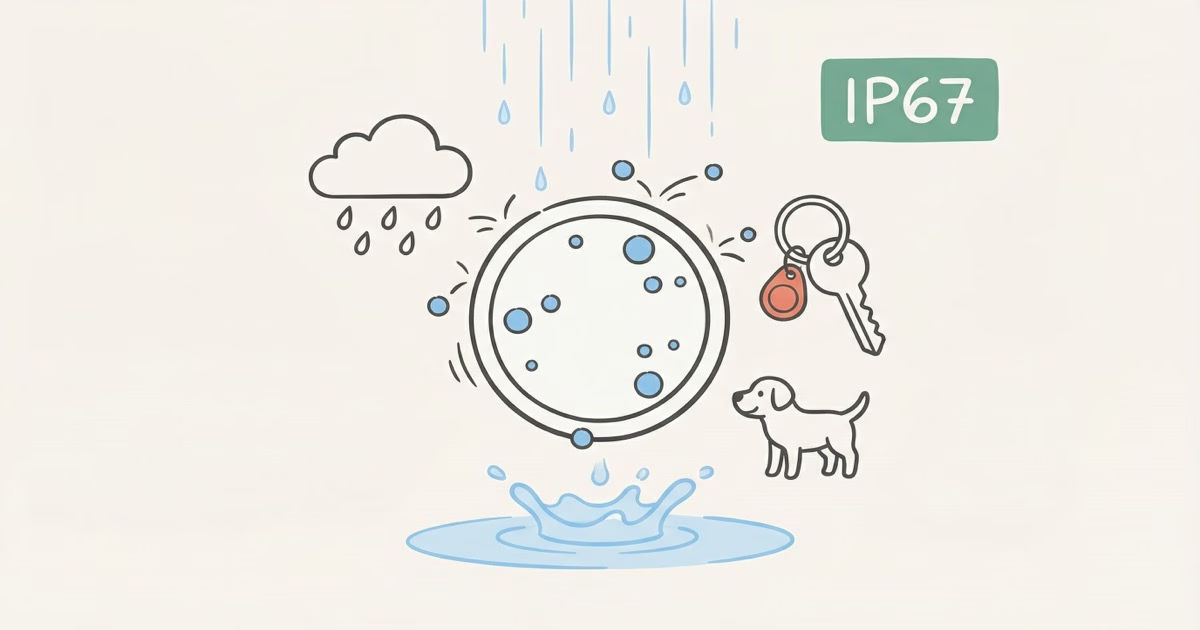
Yes, AirTags can get wet. They carry an IP67 water resistance rating, meaning they handle rain, sweat, spills, and even brief submersion in up to 1 meter of water for 30 minutes. Your AirTag on a dog collar in a rainstorm or clipped to gym keys after a sweaty workout will be fine. The real risks are washing machines, saltwater, hot tubs, and anything that keeps the AirTag submerged beyond those 30 minutes.
Nobody asking "can AirTags get wet" cares about lab specs. You left your keys in the rain, your dog ran through a creek, or you just fished an AirTag out of the washing machine and need to know if it still works. Below: every common wet scenario, what actually causes water damage, and how to dry out an AirTag when things go sideways.
AirTags and Rain: Not Even Close to a Problem
Rain is the worry that comes up most, and it's the easiest to knock down. Apple's AirTag 2 tech specs page lists an IP67 rating tested under IEC standard 60529. That "7" means submersion in 1 meter of fresh water for 30 minutes. Raindrops on a surface? Not even in the same ballpark.
Keys left on the patio table during a thunderstorm? Fine. Three-hour downpour with an AirTag clipped to your backpack? Still fine.
Here's what most people miss: water resistance degrades over time. Apple says so directly on the specs page. The seals around the battery cover wear down with repeated opening, drops, and everyday abuse. A brand-new AirTag handles moisture better than one that's been bouncing on a keychain for two years and had its battery swapped three or four times. Rain still won't kill a well-used AirTag in decent shape, but the safety margins shrink with age. Our AirTag waterproof guide breaks down the full IP67 rating system if you want the details.
Sweat, Gym Bags, and Body Moisture
Sweat is mostly water with salt and trace acids. For an AirTag, it's a non-issue.
People clip AirTags to gym bags, tuck them into running belt pockets, and attach them to shoe inserts for marathons. Moisture from sweat sits far below what IP67 covers. You'd need to literally submerge the AirTag in a pool of sweat for 30+ minutes to approach the rating's limits. That doesn't happen.
The catch with repeated sweat exposure is salt content. Over months of daily gym use, salt residue builds up around the battery cover seam. Won't cause immediate failure. But it speeds up seal degradation, and a quick rinse under tap water every few weeks stops it from accumulating. Ten seconds under a faucet. That's it.
AirTag on a Dog Collar in Rain
This question comes up all the time. Yes, your dog's AirTag will survive rain. Dogs wearing AirTag dog collars get rained on, roll in wet grass, splash through puddles, and wade through creeks. All well within IP67 limits.
Apple Community forum users report AirTags lasting years on outdoor dog collars with zero water-related failures. One poster described their cat wearing an AirTag through two full years of Pacific Northwest rain. No malfunction. The bigger concern for pet use isn't water. It's the collar holder breaking or the AirTag popping off during rough play.
If your dog swims daily and spends 20 minutes in a lake every morning, grab a waterproof holder like the Elevation Lab TagVault Pet. For rain and puddles alone, the bare AirTag needs nothing extra.
Spills, Puddles, and Dropped in a Drink
Knocked your coffee onto a table with an AirTag sitting on it? Dropped your keys in a sidewalk puddle? No damage. IP67 was designed for exactly this.
Dropping an AirTag into a glass of water or a bowl of soup is also fine, as long as you fish it out within 30 minutes. You will, because nobody leaves keys sitting in soup. What matters isn't liquid contact by itself. It's the duration and what's dissolved in the liquid.
Coffee, beer, juice, soda: all slightly acidic or sugary, but brief contact won't get past IP67 seals. Rinse the AirTag with clean tap water afterward so sticky residue doesn't build up around the battery cover. Don't let dried coffee sit in that seam for weeks.
Washing Machines: The Most Common Accident
Washing machines are the number one accidental submersion scenario for AirTags, mostly because people forget to check pockets before tossing clothes in. The good news: most AirTags survive a trip through the wash.
Intego's durability testing ran AirTags through a full washing machine cycle and found them working perfectly afterward, with Precision Finding and speaker both functioning normally. Apple Community threads back this up across dozens of posts.
But "most" isn't "all." A washing machine pushes several IP67 limits at once:
- Hot water cycles (60C+) exceed the room-temperature conditions used in IP67 testing
- Mechanical agitation stresses the battery cover seal in ways passive submersion doesn't
- Detergent chemicals degrade rubber seals faster than plain water
- Total cycle time often exceeds 30 minutes when you count wash, rinse, and spin
If your AirTag just went through the wash, don't panic. Odds are in your favor. But don't make it a habit. One accidental cycle? Survivable. Running it through monthly because you keep forgetting to check pockets? That'll compromise the seal permanently.
What About the Dryer?
The dryer is worse than the washer. Heat is the real enemy here. A standard dryer hits 57-65C on medium and over 80C on high. That heat directly degrades the adhesive and rubber seals around the battery compartment. If your AirTag survived the wash, pull it out before the dryer cycle starts. Most people miss this step, and it matters more than the wash itself. Our AirTag heat resistance guide covers temperature limits in detail.
Saltwater, Pools, and Hot Tubs
For these, the IP67 rating matters less than what's actually dissolved in the water.
Ocean and Saltwater
A wave splashing your AirTag at the beach? No problem. Dropping it in shallow ocean water and grabbing it right away? Probably fine. But salt accelerates corrosion on metal contacts and eats through rubber seals faster than fresh water does.
If your AirTag touches saltwater, rinse it with fresh water as soon as you can. Don't let salt crystals dry in the battery cover seam. A 10-second rinse under a tap prevents long-term seal damage entirely.
Beach vacation with an AirTag on a travel bag? Casual salt spray over a week won't cause problems. Daily surfing or sailing with an unprotected AirTag is a different story. The salt gradually eats at the rubber seal ring with each exposure, and within a few months you'll notice the consequences.
Pools and Chlorinated Water
Chlorine is a mild bleach. One accidental dip in a pool won't hurt your AirTag. Repeated chlorine exposure across a whole swim season will gradually eat at the seals, though, the same way it fades swimsuit fabric. Keep the AirTag in a dry interior pocket of your pool bag, not clipped to the outside catching splash after splash.
Hot Tubs and Steam Rooms
Don't. Hot water (38-42C), high-pressure jets, and chemical treatment make the worst possible combination for water resistance. Heat alone pushes past IP67 test conditions, and jets force water against seals harder than passive submersion ever would. Leave AirTag-tagged items outside the hot tub area.
How to Dry Out a Wet AirTag
Rained on or briefly splashed? Wipe it off with a dry cloth and move on. Nothing else needed.
If it was submerged for more than a quick dip (washing machine, dropped in a lake, fell in the toilet), here's what to do:
- Pat the exterior dry with a lint-free cloth
- Open the battery cover by pressing down and twisting counterclockwise
- Remove the CR2032 battery and check for visible moisture inside
- Wipe any moisture you see on the battery contacts or interior surfaces
- Leave it open and disassembled in a dry, well-ventilated room for 4-6 hours
- Reassemble, then test in Find My by tapping "Play Sound"
Two myths to kill here. Don't use rice. Apple explicitly warns against the rice method for water-exposed devices. Rice dust and starch particles get into openings and gum up electrical contacts, making things worse than the water did. Also skip the hair dryer and compressed air. Forced air pushes moisture deeper into the internals instead of letting it evaporate.
Silica gel packets speed things up if you've got some lying around. Otherwise, open air in a dry room works fine on its own.
When to Replace the Battery vs. Replace the Whole AirTag
If your AirTag doesn't respond after drying, try a fresh CR2032 battery first. Water on the battery contacts is the most common cause of "dead" AirTags after water exposure. A new battery fixes this more often than you'd expect. Check our AirTag 2 review for battery life expectations under normal conditions.
Still nothing after a new battery and a full 24 hours of air drying? The internal circuit board probably has water damage at that point. At $29 for a replacement, buying a new AirTag is cheaper and faster than trying to repair the old one. Apple doesn't offer AirTag repair service, and their warranty explicitly doesn't cover liquid damage.
When Does Water Actually Damage an AirTag?
Less often than most people assume. Actual water damage needs one or more of these conditions to be present:
| Scenario | Risk Level | Why |
|---|---|---|
| Rain, splashes, spills | Low | Well within IP67 limits |
| Sweat, humidity | Low | Moisture levels far below submersion |
| Brief fresh water submersion (<30 min) | Low | Exactly what IP67 is rated for |
| Washing machine (single cycle) | Medium | Heat + agitation + chemicals + duration |
| Saltwater submersion | Medium | Salt corrodes contacts and seals |
| Dryer cycle | High | Heat degrades adhesive seals |
| Hot tub / steam room | High | Heat + pressure + chemicals combined |
| Prolonged submersion (>30 min) | High | Exceeds IP67 certified duration |
Look at the table and the pattern is obvious: temperature and duration are the two factors that actually kill AirTags. Not water contact by itself. Room-temperature water for short periods is perfectly safe. Hot water, chemicals, or extended time underwater is where real failures happen.
If you've had your AirTag for over a year and it's been through multiple battery changes, the seals are weaker than they were on day one. It won't fail in rain. But a washing machine cycle carries more risk for an older, well-used AirTag than for one fresh out of the box.
The Bottom Line
Rain, sweat, spills, puddles, accidental dunks: your AirTag can handle all of it. Stop worrying about normal wet conditions. The only scenarios that matter are washing machines (check pockets before running a load), saltwater (rinse with fresh water afterward), and hot tubs (leave AirTag-tagged items outside). If your AirTag does get soaked, open it up, dry it out, try a fresh battery. It'll probably work. If not, $29 gets you a new one.
Frequently Asked Questions
Can AirTags get wet in the rain?
Complete non-issue. IP67 covers submersion in 1 meter of water for 30 minutes, and rain doesn't come close to that threshold. You can leave an AirTag outdoors in a storm without a second thought. Very old AirTags with worn seals might eventually let trace moisture in through the battery cover gap, but that typically takes years of heavy outdoor use before it becomes a real factor.
Will sweat damage my AirTag?
No. Sweat moisture sits far below what IP67 protects against. If you use it for gym or running, rinse the AirTag with tap water every few weeks to clear salt buildup around the battery cover seam. Dried sweat leaves salt crystals that slowly degrade the seal if you ignore them for months.
My AirTag went through the washing machine. Is it ruined?
Probably not. Most AirTags survive a single wash cycle, and Intego's durability testing confirmed their test unit worked perfectly afterward. Apple Community forums are full of the same result. Remove it immediately, open the battery cover, dry everything for a few hours, then test in Find My. If it doesn't respond, swap in a fresh CR2032 before writing it off.
Can I put an AirTag on my dog's collar even if it rains?
Yes, without a doubt. Dogs with AirTag collars get rained on, wade through puddles, and roll in wet grass all the time. IP67 handles all of it without added protection. For dogs that swim daily in lakes or the ocean, a waterproof holder adds a safety layer. For rain alone, it's unnecessary.
Should I put my AirTag in rice to dry it out?
No, skip the rice. Apple explicitly warns against it for any water-exposed device. Rice dust and starch particles work their way into openings and gum up electrical contacts, sometimes causing more harm than the water did. Instead: open the battery cover, remove the battery, wipe visible moisture, and let everything air-dry for 4-6 hours.
Does AirTag water resistance wear out over time?
Yes, and Apple says so on their specs page. The IP67 seal degrades with normal wear, drops, battery replacements, and exposure to soaps or chemicals. A two-year-old AirTag opened several times for battery swaps has weaker water resistance than a factory-fresh unit. Rain is still fine, but the margins against tougher scenarios like a washing machine cycle get noticeably thinner.
Can I take my AirTag swimming in a pool?
One accidental dip won't cause damage. Regular pool use throughout a whole summer is a different story. Chlorine gradually breaks down seal materials the same way it fades swimsuits. Stash the AirTag in a dry interior pocket of your pool bag instead of clipping it to the outside where it takes repeated splashes all season long.
What's the difference between water-resistant and waterproof?
Water-resistant means protection up to defined limits: 1 meter depth, 30 minutes, fresh water, room temperature. Waterproof would mean zero water entry under any conditions, and no consumer Bluetooth tracker on the market hits that bar. In practice, AirTags handle everyday moisture without trouble but aren't built for extended underwater use or diving.