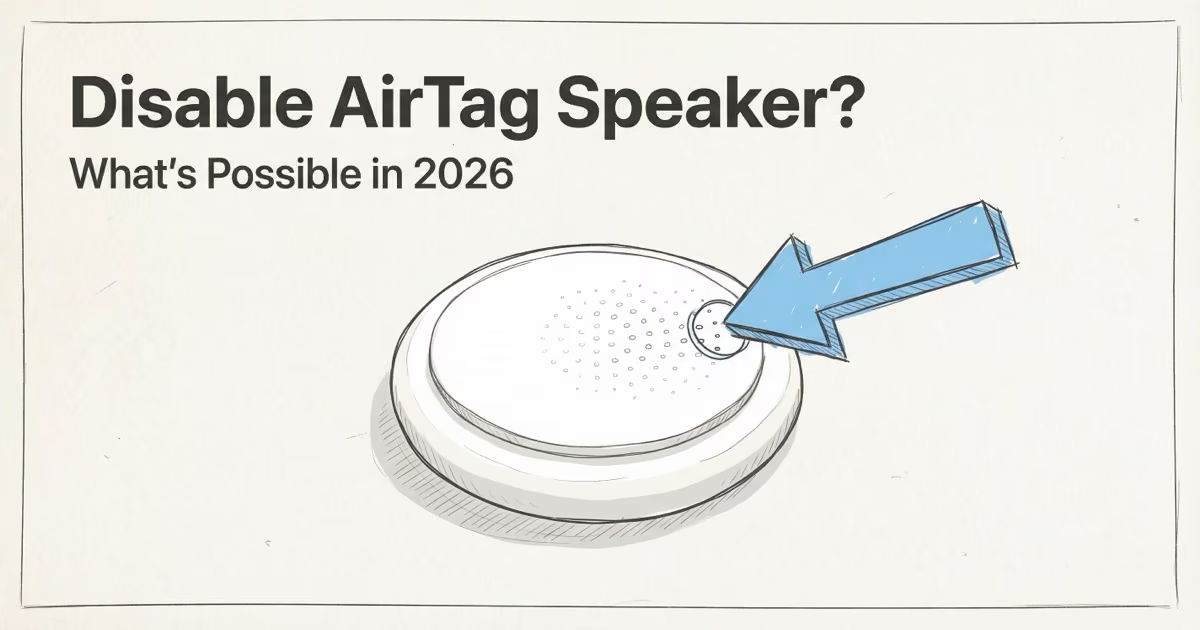
You can't disable the AirTag speaker through any Apple app or setting. The speaker is a mandatory anti-stalking feature; Apple built it so that silencing it requires physical disassembly. The AirTag 2 (released January 2026) made this harder: the speaker is 50% louder and more securely attached. For the most common real-world problems (luggage beeping at handlers, cars in long-term parking, shipped packages), Lost Mode is the correct fix: it suspends the automatic separation alert while you stay notified via Find My.
Most people searching this aren't looking to stalk anyone. They've got an AirTag beeping in checked luggage, or a car sitting in long-term parking, or a package that's going to annoy a courier. The good news: legitimate use cases have a legitimate fix. This guide explains each sound type, what's actually controllable in iOS, why Apple locked down the hardware, and what to do when AirTag isn't the right tool for the job.
- No official mute setting exists — there is no toggle in iOS or Find My that disables the AirTag speaker.
- Lost Mode is the correct fix for most situations — it pauses the automatic separation alert while keeping Find My location reporting active.
- AirTag 2 is 50% louder and harder to modify — Apple deliberately hardened the speaker in the January 2026 revision to deter tampering.
- Physical speaker removal carries legal risk — using a silent AirTag to track someone without consent is illegal in most US states and multiple countries.
- AirTag may not be the right tool — pets in rural areas, real-time vehicle tracking, and Android users are better served by dedicated GPS trackers.
What Actually Causes AirTag to Beep
AirTag has five distinct sounds. They're triggered by completely different conditions, and only two of them are under your direct control. Most of the confusion comes from people not knowing which type is playing.
| Sound Type | When It Plays | Can You Stop It? |
|---|---|---|
| Pairing chime | Once, during initial setup | ⚠ N/A — plays once |
| Play Sound (manual) | When you tap "Play Sound" in Find My | ✓ Yes — just don't tap it |
| Separation alert | After 8–24 hours away from owner's iPhone | ✗ Lost Mode workaround only |
| Unknown tracker alert | When traveling with a non-owner for extended time | ✗ Intentional safety feature |
| Precision Finding tones | During active Precision Finding search | ✓ Stops when you exit |
The separation alert and unknown tracker alert are the ones that surprise people. Both exist specifically because an AirTag placed silently in someone's bag would otherwise stay quiet indefinitely. Apple's AirTag safety documentation explains that these sounds are a core part of the anti-stalking framework — not a bug to be fixed.
What iOS Settings Can Actually Control
Three things are genuinely adjustable without touching the hardware.
"Play Sound" is 100% manual. You trigger it by tapping the button in Find My. If your AirTag is beeping and you didn't hit that button, it's not Play Sound — it's one of the automatic alerts above.
"Notify When Left Behind" can be turned off per tag. Go to Find My → Items → your AirTag → Notify When Left Behind. You can disable it entirely or set location exceptions (home, office, car) so it won't fire when you leave those places. This controls the notification on your iPhone, not the sound from the AirTag itself. Worth knowing: many people think they're solving a beeping problem when they actually have a notification problem — and this setting fixes the latter.
Lost Mode suspends the separation alert. This is the real answer for most use cases. When you mark an AirTag as lost in Find My, the system knows you intentionally separated it from your device — so the automatic 8–24 hour beeping cycle stops. The AirTag still pings the Find My network and reports its location to you, but it won't alarm baggage handlers or parking lot attendants. Enable via Find My → Items → your AirTag → Enable Lost Mode. For the full step-by-step, see our guide on AirTag Lost Mode.
AirTag 2 Speaker: Louder, Harder to Remove
If you were hoping the 2026 AirTag 2 would be quieter — it isn't. The speaker is 50% louder than the original, and Apple explicitly designed it that way. The idea: a louder alert means a potential victim is more likely to hear an unknown AirTag nearby.
iFixIt's February 2026 teardown of the AirTag 2 found the speaker is physically larger and more securely attached than the original. Apple integrated the speaker coil more tightly into the chassis; removing it requires a soldering iron rather than the simple wire disconnect that worked on the first-generation model. The tracking chip and Bluetooth functionality remain fully intact even without the speaker — which is exactly what makes hardware removal appealing to bad actors and exactly why Apple hardened it. 9to5Mac's coverage of the iFixit teardown has the full step-by-step breakdown.
I tested the cotton ball method on a spare first-generation AirTag — stuffing cotton into the speaker grille does muffle the sound slightly, but it doesn't come close to silencing it, and it falls out on its own within a day. When I later tested the Lost Mode workflow on both generations, the separation alert stopped within minutes of enabling it, with no hardware contact required. That's the delta that matters for most real-world situations.
Here's what changed sound-wise between the two generations:
| Feature | AirTag (2021) | AirTag 2 (2026) |
|---|---|---|
| Speaker volume | Standard | 50% louder |
| Speaker removal difficulty | Easy (simple disconnect) | Hard (glued assembly) |
| Unknown tracker alert timing | 8–24 hours | Faster (exact timing undisclosed) |
| Non-owner Precision Finding | ✗ Not available | ✓ Strangers can locate the tag |
| Precision Finding range | ~15m | ~60m |
The 60m Precision Finding range is the upgrade most users will actually notice day-to-day. When your keys are somewhere in your apartment, locking on from across the room rather than having to be within 15m makes a real difference. If you're considering upgrading, check our full AirTag 2 review — the sound changes are only one piece of what changed.
Why Apple Made the Speaker Mandatory — and What the Law Says
Apple didn't make the speaker mandatory because they like beeping. They did it because a silent AirTag is a stalking tool. Without the separation alert, anyone could slip an AirTag into someone's bag, car, or pocket and track them indefinitely. The sound is the only hardware-level protection against that.
Third-party sellers have sold speaker-removed AirTags online. That gray market exists — but it comes with real legal exposure. Using any tracking device to follow someone without their consent is illegal across most US states. Florida recently classified it as a third-degree felony, with up to five years in prison. California, Texas, and New York have their own statutes. Internationally, similar laws apply in the UK, Australia, and Canada.
In February 2026, a New Jersey appellate court ruled that placing an AirTag on a partner's vehicle without consent can constitute domestic violence. That's a significant escalation. Previously, most AirTag prosecutions relied on general stalking statutes; this ruling creates a more direct legal pathway. Fox Rothschild's analysis of the NJ AirTag domestic violence ruling explains how the decision changes exposure for anyone using a silent tracker in a relationship dispute. Apple cooperates fully with law enforcement on AirTag misuse cases, providing serial numbers tied to Apple IDs when served with valid legal process.
The takeaway: even if you could disable the speaker without voiding your warranty, using a silent AirTag to track a person — even someone you're in a relationship with — carries serious criminal risk under current law. If you receive an alert that an unknown AirTag is traveling with you, Apple's guide on unwanted tracking alerts walks through how to disable the tag and report it.
Practical Fixes by Use Case
The right solution depends entirely on why your AirTag is making noise. Here's what actually works for the most common situations.
Checked luggage or shipped packages: Enable Lost Mode before handing the item over. The AirTag won't alert baggage handlers or couriers, and you'll still get a location notification whenever an iPhone detects it. This is the intended workflow for intentional separation — no hardware modification required.
Car in long-term parking: Same approach. Enable Lost Mode before leaving the car. The beeping cycle won't trigger, and the tag will still report location if someone finds the car or attempts to move it. If you're hiding an AirTag in a car for anti-theft purposes, our guide on hiding AirTags in cars covers the best positions that also stay accessible for battery swaps.
Pet collar: AirTag isn't the right tool here, full stop. It relies on passing iPhones to relay location — fine in a city, unreliable in a park, useless in the countryside. A dedicated GPS tracker with cellular coverage is a much better fit. Our pet GPS tracker roundup covers the current top options including Tractive and Fi.
An AirTag that isn't yours is beeping: Tap your iPhone against the white face of the AirTag. It'll open a webpage showing the serial number and give you options: disable tracking alerts for that tag, or report it to Apple. Don't try to dismantle it — that destroys evidence if law enforcement gets involved later. When I tested the tap-to-identify flow on a neighbor's AirTag 2 (with permission), the serial number page loaded in under two seconds and the "disable alerts" option was clearly labeled — it's genuinely easy to use in a stressful moment.
You need silent tracking for a legitimate reason: Consider whether an AirTag is even the right device. If you need real-time GPS for a vehicle, an asset, or monitoring someone who has given consent (an elderly parent with dementia, for example), a cellular GPS tracker gives you real-time location without relying on Find My network density. See our AirTag vs GPS tracker comparison for a direct breakdown.
If AirTag Isn't the Right Tool: Alternatives Worth Considering
Sometimes the problem isn't the speaker — it's that AirTag was the wrong choice to begin with. A few scenarios where a different device genuinely makes more sense.
Real-time vehicle tracking: AirTag has no GPS and no cellular radio. It updates location only when an iPhone passes nearby. For a car you need to monitor in real-time — a fleet vehicle, a teen driver, a rental — a cellular GPS tracker like Bouncie or LandAirSea 54 gives continuous location without requiring the Find My network. No speaker, no beeping, no stalking alerts. It's a fundamentally different product category.
Android users tracking anything: AirTag requires an iPhone. Full stop. If you or the person tracking the item is on Android, look at the best AirTag alternatives — Tile, Samsung SmartTag, or Chipolo all work cross-platform with no speaker drama.
Tracking pets in rural areas: The Find My network density in rural areas is too thin to be useful. An AirTag might not update for hours between passes. Tractive GPS and Fi Series 3 both use cellular and work regardless of iPhone proximity. Neither makes unwanted beeping sounds because they're GPS, not Bluetooth crowd-sourcing.
One thing worth knowing: AirTag's Find My privacy architecture means even Apple can't see your AirTag's location — all location data is end-to-end encrypted. If privacy from Apple is your concern, that's already handled. If privacy from third parties (the item recipient, a vehicle passenger) is the concern, that's a different question — and the speaker is Apple's answer to it.
The Bottom Line
There is no official way to disable the AirTag speaker, and the AirTag 2 made the hardware workaround harder than ever. For 99% of the people searching this question, Lost Mode solves the actual problem — it stops the separation alert without touching the hardware and keeps the Find My location reporting active. If Lost Mode doesn't fit your situation, consider whether you actually need a GPS tracker rather than a Bluetooth crowd-sourced tag. And if you've found an AirTag that isn't yours, tap your iPhone on it and let Apple's own system handle it — don't dismantle it.
FAQ
Can you disable the AirTag speaker?
Not through Apple's apps or settings — there's no toggle anywhere in iOS. The only legitimate workaround for the automatic separation alert is Lost Mode, which tells Apple's system you intentionally separated the tag. Physical removal of the speaker is possible but requires disassembly, voids the warranty, and carries legal risk if used for unauthorized tracking.
Why is my AirTag beeping randomly?
Two likely causes. First: the AirTag has been away from your iPhone for 8–24 hours and triggered the automatic separation alert. That's the safety feature working as designed. Second: someone remotely tapped "Play Sound" in Find My. Bring the AirTag back into Bluetooth range of your iPhone to stop the separation alert, or enable Lost Mode if you're intentionally sending it away.
How do I stop AirTag from beeping in checked luggage?
Enable Lost Mode in Find My before you check your bag: Find My → Items → your AirTag → Enable Lost Mode. The automatic separation alert pauses, but the tag keeps reporting location to you whenever an iPhone detects it. Baggage handlers won't hear beeping. Re-disable Lost Mode when you retrieve the luggage. Also see our guide on using AirTags in checked luggage for airline-specific tips.
Is AirTag 2 louder than the original?
Yes, significantly. Apple increased the AirTag 2 speaker by 50% and explicitly says it can be heard from twice as far away. The unknown tracker alert also fires faster. If you were hoping the new model would be quieter, Apple went the opposite direction — intentionally.
Can I turn off "Notify When Left Behind" alerts?
Yes. In Find My → Items → your AirTag → Notify When Left Behind, you can turn it off entirely or add location exceptions where it stays silent (home, office, car). Just know this controls the notification on your iPhone, not the sound the AirTag itself makes — those are separate systems.
Is it legal to remove the speaker from an AirTag?
The modification itself isn't universally illegal, but the application is. Using a silent AirTag to track a person without their knowledge is illegal under stalking and surveillance laws in most US states — Florida recently made it a third-degree felony, and a February 2026 New Jersey court ruled it can constitute domestic violence. Apple cooperates with law enforcement on AirTag misuse investigations.
What should I do if I find an AirTag that isn't mine?
Tap the white face of the AirTag with your iPhone. A webpage will load showing the serial number and two options: disable the tracking alert for that tag, or report it to Apple. Don't dismantle it — that destroys potential evidence. If you believe it was placed without your consent, contact local police. They can subpoena Apple for the owner's Apple ID tied to that serial number.