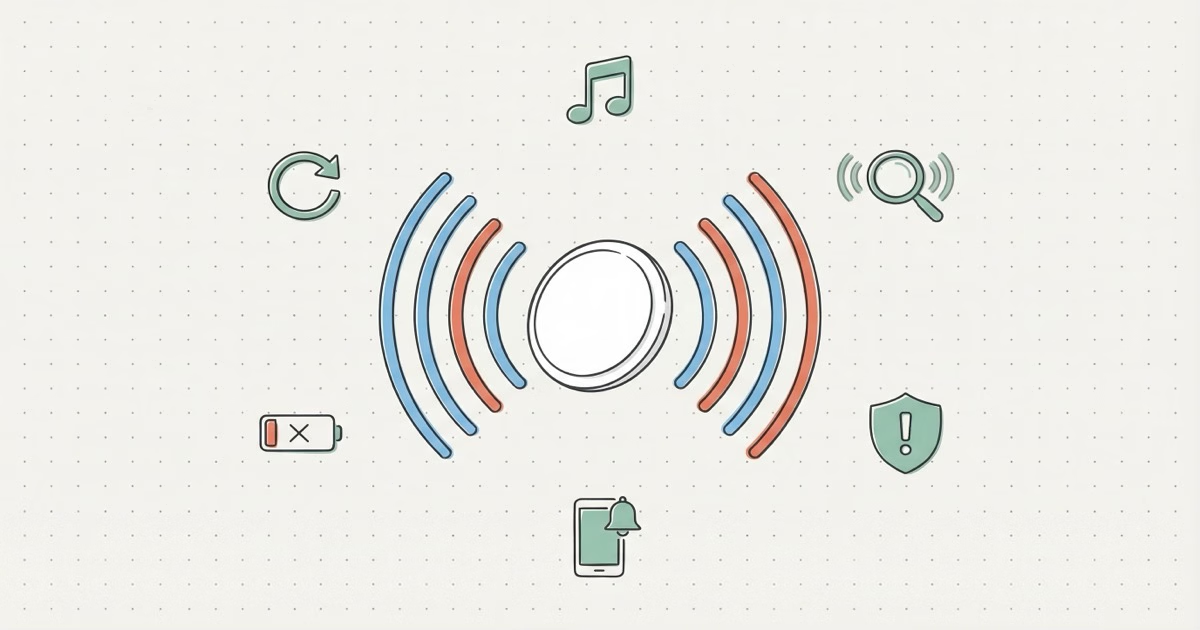
Yes, AirTags make noise in six different situations. The most common is the Play Sound chime you trigger through Find My to locate a lost item. AirTags also beep during initial setup, when separated from the owner for 8-24 hours (anti-stalking alert), when an unknown tracker is detected near you, when battery is critically low, and during a factory reset. You cannot permanently silence these sounds through settings.
That random beeping from your bag or coat pocket isn't a glitch. AirTags are designed to make noise. The problem? Six different triggers produce six different sounds, and most people only recognize one or two. AirTag 2's speaker is 50% louder than the original, too, so sounds that used to go unnoticed now wake the whole room.
Below, you'll find every AirTag sound, when it fires, who hears it, and what you can actually do about it. Trying to figure out why your AirTag won't stop beeping? Keep reading.
Every Sound an AirTag Can Make
AirTags produce sounds for safety, setup, and finding lost stuff. All six, in one table.
| Sound Trigger | What It Means | Who Hears It | Can You Stop It? |
|---|---|---|---|
| Setup chime | Confirms pairing with your Apple ID | Owner | ✗ No |
| Play Sound (Find My) | Helps locate a lost item | Anyone nearby | ✓ Yes |
| Anti-stalking alert | Unknown AirTag traveling with non-owner for 8-24 hrs | Person being tracked | ✗ No |
| Separation alert | Item left behind (owner-configured) | Owner's iPhone | ✓ Yes |
| Low battery beep | CR2032 battery critically low | Anyone nearby | ✗ No |
| Reset confirmation | Factory reset completed | Owner | ✗ No |
Most of these sounds can't be turned off. Apple did that on purpose. Frustrating if you just want quiet luggage? Sure. But it keeps people safe from covert tracking. If you're hearing unexpected beeps, the AirTag beeping troubleshooting guide walks you through what to do.
How Loud Is the AirTag 2 Speaker?
AirTag 2's speaker is 50% louder than the original. You'll notice. One reviewer measured the original at roughly 66 dB and the AirTag 2 at around 85 dB with a sound meter, per a TidBITS review from January 2026. That's the gap between normal conversation and a vacuum cleaner.
Apple says you can hear AirTag 2 from twice the distance. In a quiet living room, that holds up. You'll catch it from 30-40 feet away. Drop it in a noisy kitchen or a car on a busy street, though, and that range shrinks fast.
Play Sound Through Find My
Open Find My, tap Items, select your AirTag, hit "Play Sound." You get repeating beeps for about 60 seconds. Trigger it as many times as you want. Works from iPhone, iPad, Mac, or iCloud.com. Siri can find the item by name, too.
Not in Bluetooth range? The command gets queued. The sound plays the next time any iPhone in the Find My network passes near your AirTag. That's how lost item recovery works in practice. Someone walking past your lost bag at a coffee shop hears the beeping, checks the AirTag, and sees your contact info if you've turned on Lost Mode.
One heads-up: Play Sound drains extra battery. Hammering it daily for weeks will shorten that year-long CR2032 lifespan.
The New AirTag 2 Chime Sound
Apple redesigned the chime for AirTag 2. It sounds brighter and punches through walls and fabric better than the original's muffled tone. iFixit's teardown confirmed the speaker is physically larger, which explains a lot. If you've lost keys in couch cushions and barely heard the old AirTag chirping back at you, the upgrade is worth it.
The Anti-Stalking Sound: Apple's Safety Net
An AirTag separated from its owner for 8-24 hours while traveling with someone else starts beeping on its own. The timing is randomized inside that window so bad actors can't predict when the alert fires.
This is Apple's main defense against AirTag misuse. When the beep goes off, whoever's carrying the unknown AirTag can tap it with any iPhone or NFC-capable Android phone to see identifying info. iPhones running iOS 14.5 or later also get a push notification when an unknown tracker is detected nearby. Apple and Google built a cross-platform unwanted tracker detection standard that covers both iOS and Android.
The alert plays short bursts of beeps every few seconds. Not continuous. But in a quiet room or parked car, you'll hear it. Found an unknown AirTag? Our guide to finding hidden AirTags has step-by-step instructions.
Why 8-24 Hours Is a Problem for Some Users
The randomized delay creates real headaches for legitimate use. Parents who slip an AirTag into a child's backpack without mentioning it will trigger the alert. Same goes for lending a car with a hidden AirTag, or handing luggage to a pet sitter. The AirTag doesn't care about your intentions. It just knows it's away from its owner's iPhone and moving with someone else.
Apple Community forums are packed with complaints. A common one: a spouse carries a bag with the other partner's AirTag, and the anti-stalking alert goes off during a weekend trip because the owner's iPhone stayed home. Rental car companies that place AirTags in vehicles run into this too. Renters hear the beeping after day one.
The fix for family situations? Transparency. Give the person the AirTag openly and have them register it to their own Apple ID. At minimum, tell them it's there. Covert AirTags will always trigger this alert. That's the whole point.
What If You Find an Unknown AirTag?
Tap it with your phone to see owner details. Then twist the stainless steel back counterclockwise and pull the battery. If you think someone's tracking you, report it to local police. Every AirTag has a unique serial number, and law enforcement can request owner info from Apple with a valid legal order.
Separation Alerts: Your iPhone Does the Beeping
Separation alerts don't come from the AirTag itself. Your iPhone plays the sound and sends a notification when you walk away from a tagged item. People assume the AirTag is beeping. It's not. The phone is.
You set this up per-item in Find My. Tap an AirTag, scroll to "Notify When Left Behind," toggle it on. Handy for keys you leave at restaurants or wallets forgotten on desks. You can also set Safe Locations like your home or office so the alert stays quiet there. No more pinging every morning when you leave keys on the counter. Apple's separation alert documentation covers every setup option.
If your spouse's AirTag wallet keeps going off every time they leave the house, this is why. Ten-second fix: open Find My, tap the item, toggle off "Notify When Left Behind."
Can You Silence an AirTag?
No, not through any official Apple setting. The anti-stalking alert, low battery beep, setup chime, and reset sound are all hardcoded. Apple won't let you disable them. The only sound you control is Play Sound, which you trigger yourself and can cancel anytime.
The Speaker Removal Workaround (and Why Apple Doesn't Care Yet)
You can physically remove or disconnect the AirTag speaker. The original's speaker could be pulled out with tweezers after cracking the case open. An iFixit teardown of the AirTag 2 confirmed the new speaker can be disconnected by desoldering two wires with a $10 soldering iron. Five minutes. Basic tools. Done.
Apple didn't make the speaker tamper-resistant, even with the louder hardware. Critics call this a missed opportunity. There's speculation that a future firmware update could flag silent AirTags, but nothing's been announced.
Should you do it? No. Removing the speaker kills the anti-stalking protection that keeps other people safe. It likely violates Apple's terms of service, and it defeats the safety system entirely. If the sound annoys you for legitimate reasons, better options exist. Our AirTag speaker disable guide covers the risks and workarounds.
What About Third-Party Silencing Products?
Some Amazon sellers offer modified AirTag holders that muffle the sound. They don't fully silence the beep, but they cut the volume noticeably. Gray area. Tracking your own luggage with one? Probably fine. Muffling the anti-stalking alert so someone can't hear it? Not fine. Apple hasn't cracked down on these products yet, but they do undermine a safety feature.
Low Battery Beeps: The Sound Nobody Expects
When the CR2032 battery drops critically low, the AirTag starts beeping on its own. This catches people off guard because it happens at random, usually from a bag or coat pocket they haven't touched in months.
Find My warns you before the audible beep kicks in. You'll see a "Low Battery" indicator in the app and get a push notification. Swap the battery when the warning first appears, and you'll never hear the beep. A CR2032 costs about $2 and takes 30 seconds to replace.
AirTags hidden in cars or tucked deep into luggage are the worst offenders here. You hear a faint chirp every few minutes with no obvious source. Maddening. Check battery levels in Find My at least every six months if you have AirTags you don't interact with daily. The AirTag car tracking guide has tips on placement that keeps the AirTag reachable for battery swaps.
AirTag Sounds vs. Other Trackers
How does the AirTag stack up against competitors on sound? Quick comparison.
| Tracker | Speaker Volume | Anti-Stalking Sound | Ring From App |
|---|---|---|---|
| AirTag 2 | ✓ ~85 dB | ✓ 8-24 hrs | ✓ Yes |
| AirTag (1st gen) | ⚠ ~66 dB | ✓ 8-24 hrs | ✓ Yes |
| Tile Pro 2024 | ✓ Up to 90 dB | ✓ Yes | ✓ Yes |
| Samsung SmartTag 2 | ⚠ Moderate | ✓ Yes | ✓ Yes |
| Chipolo Pop | ✓ 120 dB | ✓ Yes | ✓ Yes |
The Chipolo Pop is the loudest tracker you can buy at 120 dB. If volume is your top priority and you're in the Apple ecosystem, it works with Find My natively. The AirTag vs Tile comparison digs into the sound differences.
For most people, AirTag 2 at 85 dB is the right call. Loud enough to locate under furniture. Not so loud the neighbors file a complaint. Our best key finder roundup ranks trackers by findability if volume is your deciding factor.
The Bottom Line
AirTags make noise on purpose. The six sounds cover finding lost keys, warning strangers about covert tracking, and everything in between. AirTag 2's louder speaker makes Play Sound actually useful in noisy rooms, but it also means the anti-stalking alert is harder to ignore. You can't silence these sounds in software. Physically removing the speaker defeats the whole safety system. If unexpected beeping is driving you nuts, open Find My and check for low battery warnings and separation alert settings first.
Frequently Asked Questions
Do AirTags beep on their own without you doing anything?
Yes, in three situations: the anti-stalking alert (8-24 hours away from its owner while near someone else), critically low battery, and factory reset. Day-to-day use with your own AirTag on your keys or bag? Silent, unless you hit Play Sound. Random beeps out of nowhere usually mean low battery.
How far away can you hear an AirTag 2?
About 30-40 feet in a quiet room. Outdoors with ambient noise, closer to 10-15 feet. The original AirTag at 66 dB was barely audible past 15 feet. AirTag 2 at 85 dB roughly doubles that.
Why is my AirTag beeping when it's right next to my iPhone?
Probably a low battery alert or a queued Play Sound command that finally executed. Open Find My and check the battery indicator first. If battery looks fine, someone in your household may have tapped Play Sound by accident, or the AirTag received a delayed command from an earlier session. Pull the battery and put it back in to clear any queued commands.
Can I make my AirTag louder?
No. Volume is baked into the hardware with no software adjustment. Your options: upgrade to AirTag 2 for a 50% volume boost, or go with the Chipolo Pop (120 dB) if sheer loudness is what you need. Placing the AirTag on a hard surface instead of burying it in fabric also helps the sound carry.
Will an AirTag beep in checked luggage on a flight?
Almost never. Your bag is on the same plane, so the AirTag stays within the Find My network. The anti-stalking timer won't kick in unless separation goes past 8 hours. A long layover or misrouted bag could trigger it, but that's rare. Our checked luggage guide has the full breakdown.
Does the anti-stalking sound play on Android phones too?
The AirTag beeps no matter what phone is nearby. Everyone hears the physical sound. What differs is the digital side: iPhones running iOS 14.5+ get an automatic push alert, while Android users rely on the Tracker Detect app or the newer cross-platform detection Apple and Google shipped together. The speaker itself doesn't care about your phone. No app needed to hear it. That's why Apple made the AirTag 2 speaker louder.
What does the AirTag setup sound mean?
Two chimes. The first plays when the AirTag is ready to pair (right after you pull the battery tab). The second confirms pairing with your Apple ID. You'll also hear that first chime whenever you swap in a fresh battery. Nothing to worry about.