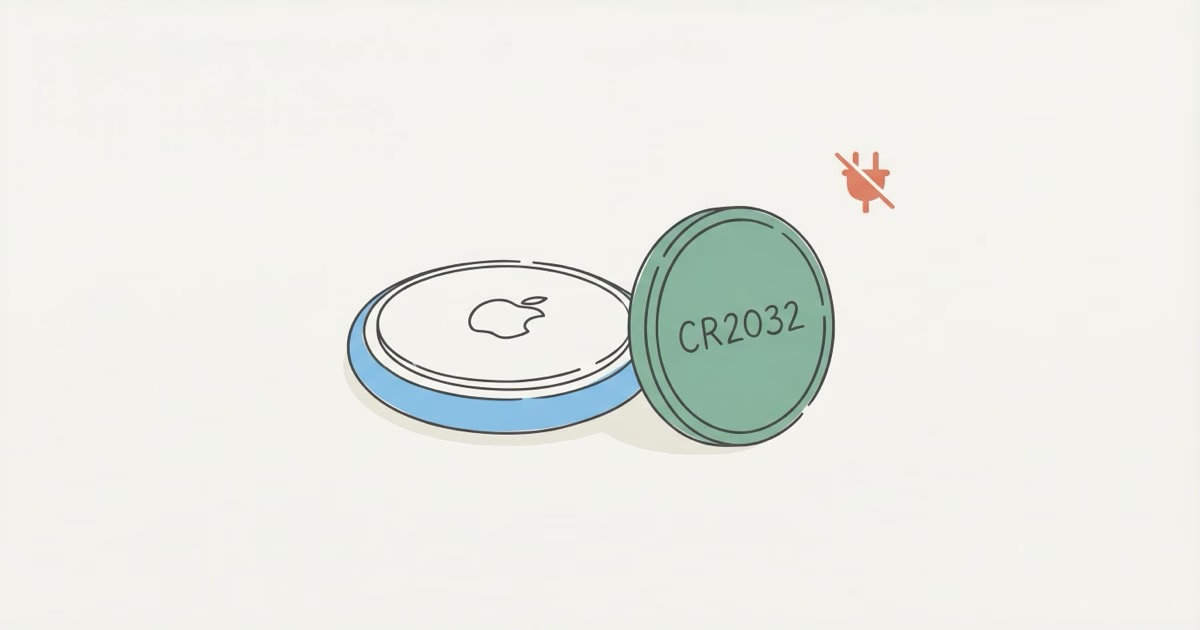
It's a fair question. Every other gadget you own charges overnight. Your phone, your watch, your earbuds, even your toothbrush. So when you pick up a small Apple tracker for your keys, the natural instinct is to look for a cable or a charging pad. You won't find one. AirTags run on a tiny disposable battery, and Apple stuck with that same approach when they launched AirTag 2 in January 2026.
Below, I'll cover how AirTags are powered, when to replace the battery, and why Apple chose this route over rechargeable.
Why Apple Chose a Replaceable Battery Over Charging
Size and water resistance drove the decision. A rechargeable battery needs either a USB-C port or a wireless charging coil. Both add bulk. A USB-C port also punches a hole in the enclosure, which kills water resistance. The CR2032 approach keeps the AirTag at just 31.9 mm wide and 8 mm thin with an IP67 rating. That means it survives sitting in up to 1 meter of water for 30 minutes.
The math works too. A CR2032 holds around 220-235 mAh, and a Bluetooth Low Energy chip pinging every few seconds barely sips power. That's a full year on one cell. A rechargeable lithium battery this small would degrade after a few dozen charge cycles and leave you worse off.
The no-charge design also means zero maintenance for months. Clip the AirTag to your keys, toss it in a bag, or stick it in a holder. Then forget about it. No weekly charging ritual. No dead tracker because you forgot to plug it in on Sunday night. Think about how often your earbuds die mid-commute because you skipped charging the case. An AirTag doesn't have that problem, and that's the entire point of a Bluetooth tracker.
What Battery Does an AirTag Use?
CR2032. Standard lithium 3V coin cell, roughly the size of a quarter. You've seen them in watches and car key fobs. Any pharmacy or gas station carries them for $1-3 each.
Both the original AirTag and AirTag 2 use the exact same battery. Apple didn't change the type, size, or orientation between generations. All the AirTag 2 upgrades, the U2 ultra-wideband chip, the 50% louder speaker, better Precision Finding range, still run on one CR2032. The AirTag 2 review covers the full list of changes if you want the details.
One thing worth knowing: Apple's support page recommends bitterant-coated CR2032 batteries. These have a bitter taste that discourages kids from swallowing them. Duracell sells them labeled "Compatible with Apple AirTag." The coating has no effect on performance.
How to Check Your AirTag Battery Level
Open Find My on your iPhone. Tap the Items tab. Select the AirTag you want to check. The battery indicator appears right below the item name.
The annoying part: Apple removed the percentage readout in a recent iOS update. Now you only see one of three labels: Full, Low, or Very Low. That's it. No way to tell if you're at 60% or 30%. It's vague, but at least you'll know when it's time to swap.
You'll also get a push notification when the battery drops to Low. That typically gives you a few weeks of warning before the AirTag goes silent. Don't ignore it. A dead AirTag clipped to your luggage is worthless, and you won't realize it's dead until you're standing at baggage claim trying to locate a missing suitcase. If your tracker stops responding entirely, the AirTag not working troubleshooting guide walks through the fixes.
How to Replace the Battery (30-Second Swap)
No tools needed. Here's the process:
- Press down on the polished stainless steel back cover
- Rotate counterclockwise until it stops (about a quarter turn)
- Lift off the back cover (it pops right off)
- Remove the old CR2032 battery
- Drop in a new CR2032 with the positive (+) side facing up
- Replace the cover, align the three tabs, and twist clockwise to lock
You'll hear a chime confirming the new battery is recognized. No chime? The battery is probably upside down. Flip it so the + side faces up. If it still won't chime, wipe the battery contacts with a dry cloth and try again.
One thing that trips people up: some AirTags are really hard to open. Older units that have spent time in humid pockets or bags get stuck. The stainless steel back just won't budge. Grab a rubber jar gripper for traction. Don't reach for pliers. You'll scratch the steel and risk cracking the plastic underneath.
Replacing the battery won't reset anything. Your AirTag stays paired to your Apple ID, and the name, emoji, and settings all carry over. No setup needed. The full AirTag battery replacement guide has more troubleshooting tips if you run into problems.
Which CR2032 Brand Should You Buy?
Panasonic, Energizer, or Duracell. All three are solid. In AirPinpoint's 2026 battery longevity tests, Panasonic CR2032s lasted the longest in AirTags at 12+ months. Maxell came close and costs less. Any of these brands will get you through a full year.
Skip the no-name batteries from random Amazon sellers. Some have a plastic film on the positive terminal that blocks contact with the AirTag's internal connectors. Users on the Apple Community forums complain about this constantly. Saving 50 cents isn't worth ending up with a dead tracker in your luggage.
A 5-pack of name-brand CR2032s runs $6-10. That covers four AirTags for over a year.
AirTag 2 Battery: What Changed?
The battery itself? Nothing. Same CR2032. Same orientation. Same twist-off replacement method.
What did change is how much power the new hardware draws. According to Apple's AirTag 2 specifications, the tracker has a new U2 ultra-wideband chip and a speaker that's 50% louder than the original. That louder speaker pulls more current every time you hit "Play Sound" in Find My. If you're mashing that button multiple times a day, expect the battery to drain a bit faster than the first-generation AirTag.
For most people, battery life still lands at roughly one year. Tom's Guide's AirTag 2 review expects the same lifespan, and early real-world reports back that up.
AirTag vs. Rechargeable Trackers
AirTags aren't the only trackers using coin cells. Here's how the major options compare:
| Tracker | Battery Type | User-Replaceable? | Battery Life |
|---|---|---|---|
| AirTag 2 | CR2032 | Yes | ~1 year |
| Tile Pro (2024) | CR2032 | Yes | ~1 year |
| Tile Mate (2024) | Built-in | No | ~3 years, then replace tracker |
| Samsung SmartTag 2 | CR2032 | Yes | ~500 days |
| Chipolo ONE Point | CR2032 | Yes | ~1 year |
Look at that table. No major Bluetooth tracker uses a rechargeable battery. The physics won't allow it. These trackers need to be small, inexpensive, and last months without any attention from you. Rechargeables add weight and cost, plus a charging routine that defeats the purpose of a "forget about it" tracker.
The Tile Mate goes a different direction with a sealed, non-replaceable battery rated for 3 years. When it dies, you throw the whole Tile away and buy a new one. The AirTag vs. Tile breakdown digs deeper into how the two platforms compare.
For iPhone users, I'd go with AirTag 2. A zero monthly fee, Apple's billion-device Find My network, and $2/year in battery costs make it the cheapest tracker to own over time. You can grab the AirTag 2 single pack or the AirTag 2 4-pack to cover your keys, wallet, bag, and car.
Signs Your AirTag Battery Is Dying
The Find My low-battery notification is the obvious sign. But your AirTag starts acting differently before that official warning hits:
- Location updates slow down. Instead of refreshing every few minutes in busy areas, you'll see gaps of several hours. The AirTag is conserving power by pinging less often.
- Play Sound gets quieter. Speaker volume drops as the voltage falls. If you can barely hear it from across the room, the battery is on its way out.
- Precision Finding becomes unreliable. The UWB chip is power-hungry. Low voltage can stop it from activating or cause inaccurate directional arrows.
Don't wait for "Very Low" to appear in Find My. Once you notice any of these signs, just swap the battery. A CR2032 costs less than a coffee. That's a lot cheaper than losing your keys at the airport because you procrastinated on a $2 battery change. The best uses for AirTag guide has placement tips that also help stretch battery life further.
The Bottom Line
AirTags don't charge, and that's by design. One CR2032 coin cell gives you a full year of tracking. No cables, no charging pads, no nightly routines. When the battery dies, a 30-second swap and $2 gets you another year. Keep a spare CR2032 in a drawer and check your battery level in Find My every few months. You don't want a dead tracker the one time you actually need it.
Frequently Asked Questions
Do AirTags need to be charged?
No. AirTags have no charging port and no wireless charging hardware. They run on a CR2032 coin cell battery that you replace roughly once a year. The swap takes 30 seconds, costs about $2, and requires zero tools. This applies to both the original AirTag and AirTag 2.
Can you charge an AirTag with a wireless charger?
No. AirTags have no Qi coil, no MagSafe magnet, and no inductive charging hardware. Putting one on a wireless charger does nothing. No tracker on the market today uses rechargeable batteries. They all run on disposable coin cells.
How long does an AirTag battery last?
About one year under normal use. Most people get 10-14 months before seeing a low battery warning in Find My. Heavy "Play Sound" usage can shorten this. Extreme cold temperatures also drain CR2032 cells faster, so AirTags left in unheated cars during winter may need earlier replacement.
What happens when the AirTag battery dies?
It goes completely silent. No Bluetooth signal, no Find My location, no Play Sound, no Precision Finding. The AirTag basically vanishes from the network. Your settings and Apple ID pairing aren't lost, though. Pop in a fresh CR2032 and everything picks right back up.
How do I know when my AirTag battery is low?
Open Find My, tap your AirTag, and look for the battery label: Full, Low, or Very Low. You'll also get a push notification when the level drops. Plenty of warning before it actually dies.
Does replacing the battery erase my AirTag?
No. The pairing, name, emoji, and all settings are stored on Apple's servers, not on the battery. Removing and replacing the CR2032 is like changing batteries in a TV remote. Everything works the same afterward.
Why doesn't Apple make AirTags rechargeable?
A USB-C port would compromise water resistance and add size. A wireless charging coil would add thickness and cost. Neither option makes sense for a tracker this small. The CR2032 keeps the AirTag thin, IP67 waterproof, and cheap to maintain. At $2 per year, the tradeoff beats nightly charging.
Are some CR2032 batteries incompatible with AirTags?
Yes. Some off-brand CR2032 cells have a plastic film or coating on the positive terminal that blocks contact with AirTag's internal connectors. Stick with Energizer, Panasonic, or Duracell. If a new battery doesn't trigger the startup chime, wipe both sides with a dry cloth and try again. Residue from packaging is sometimes the culprit.