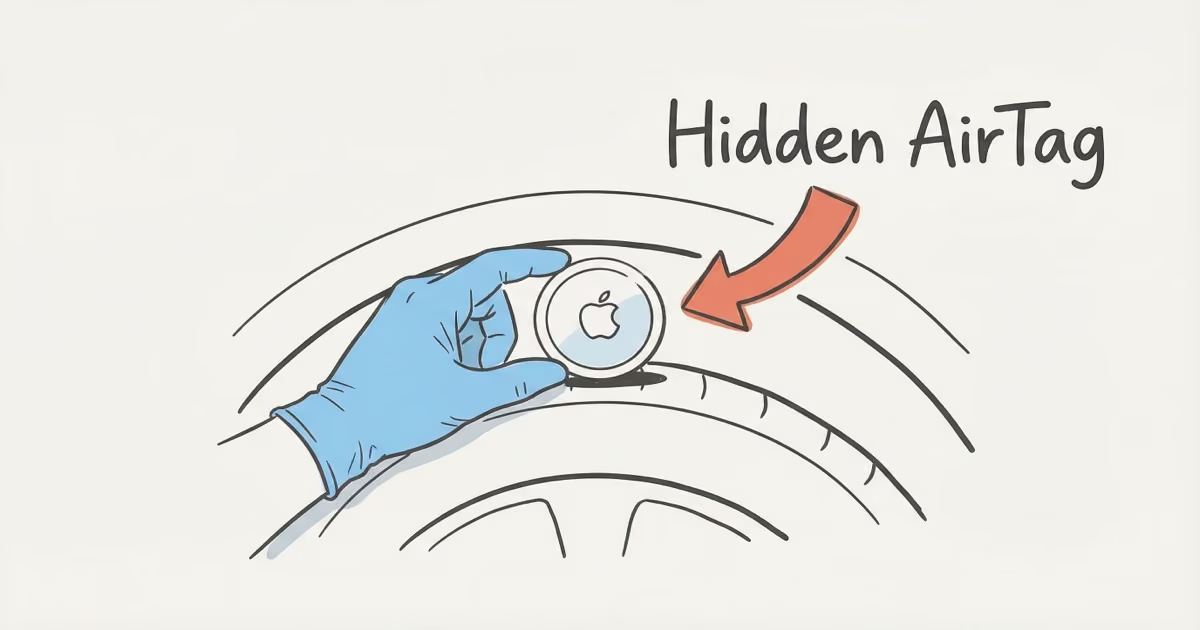
Your iPhone alerts you automatically when an unknown AirTag has been traveling with you — but the delay is 30 minutes to 9 hours. Android users get the same automatic alerts starting with Android 6.0 (no app needed). To physically find one, start with the wheel wells, then check under the chassis, rear bumper, OBD-II port, and under the seats. When you find it, don't touch it bare-handed — photograph the serial number, remove the battery, and file a police report within 25 days while Apple still has the registration record.
An AirTag drops into a wheel well in two seconds. At $29 with no subscription, it costs less than a dinner out. Florida saw more than 100 AirTag stalking charges filed in 2025 alone — the highest spike since AirTags launched. This guide walks through every detection method, the most common hiding spots, and exactly what to do after you find one.
- Your iPhone and Android automatically alert you when an unknown AirTag is traveling with you — but the delay can be up to 9 hours, so automatic detection alone isn't enough if you have an immediate concern.
- Wheel wells are the most common hiding spot by a wide margin — check all four first, then work inward to the undercarriage, rear bumper, OBD-II port area, under seats, and trunk.
- AirTag 2 (January 2026) gives non-owners Precision Finding — if you receive an alert on iPhone 11 or later, you can use UWB to pinpoint the exact location before touching anything.
- When you find one: don't touch it bare-handed, photograph the serial number, remove the battery, and file a police report within 25 days while Apple still holds the registration record.
- If you suspect a disabled speaker or haven't driven recently, Bluetooth scanner apps like LightBlue (iOS) or nRF Connect (Android) can independently confirm an AirTag's presence near your car.
How Your iPhone Detects a Hidden AirTag Automatically
No app download required. When an AirTag that isn't paired to your Apple ID has been moving alongside you for a period of time, iOS sends an alert: "Unknown AirTag Found Moving With You." Tap the notification and you'll see the AirTag's serial number and two options — Play Sound or Find Nearby.
The delay window is 30 minutes to 9 hours. Apple doesn't publish the exact formula, but this range is deliberate. It's designed to avoid false positives — like when a friend's AirTag-tagged bag rides briefly in your car — while still catching sustained tracking. If you drove a short errand and parked, you may not get an alert at all, because the algorithm requires movement over time, not a single snapshot.
AirTag 2 (released January 2026) brought the most meaningful stalking-victim upgrade yet: Precision Finding for non-owners. On iPhone 11 or later, if you receive an Unknown AirTag alert, you can tap "Find Nearby" and your phone uses Ultra Wideband radio to guide you within a few inches of the device. This works up to about 60 meters (200 feet) away — four times the range of the original AirTag's owner-only Precision Finding. In practice, it means you can stand outside your car and have your phone point you to the exact wheel well before you start touching anything.
The AirTag 2 speaker is also 50% louder than the original, and Apple hardened the internal speaker housing to make it harder to remove. Once an alert fires and you tap Play Sound, you'll hear it from considerably further away than before. According to Six Colors' February 2026 analysis, these changes don't compromise the crowdsourcing network and represent the most substantive anti-stalking update since the original launch.
How Android Users Can Find an AirTag Hidden in Their Car
Android got real automatic detection in May 2024. Apple and Google released a joint cross-platform specification — officially titled "Detecting Unwanted Location Trackers" — that enables Android 6.0 and later to alert users when any Bluetooth tracker (not just AirTags) is traveling with them. No app download, no manual scan. The phone handles it in the background.
When your Android detects an unknown tracker, you'll see an alert: "[Item] Found Moving With You." The notification works the same way as iPhone — it shows a partial identifier for the device and lets you play a sound. Google's Find Unknown Trackers support page has the step-by-step details for different Android versions.
If you want more granular monitoring, AirGuard (free, by TU Darmstadt University) runs continuous background scans and logs every tracker it sees near you over time. It's more useful for spotting patterns — like a tracker that shows up every day on your commute — than for a single incident. Apple's Tracker Detect app still exists on the Play Store but requires manual scans, which makes it less practical. For day-to-day peace of mind, the built-in Android alert is enough.
One limitation Android users should know: the automatic alert still has a movement-time requirement, the same as iPhone. A tracker sitting in your parked car won't trigger an alert. If you suspect something is in your car right now and haven't driven recently, do a physical search or use the Play Sound feature from any prior Find My alert you received. Android users tracking down a compatible tracker for their own use will find the options have expanded significantly in 2026.
Where to Find an AirTag Hidden in Your Car
Wheel wells first. Always. They're the most common location by a wide margin — accessible in seconds from outside the car, no tools needed, and a magnetic AirTag holder sticks firmly to the steel behind the plastic liner. Start there, all four corners.
Work outward to inward — exterior spots are the most common because they don't require door access:
- Wheel wells (all four): Run your hand inside the plastic liner, especially the front and rear sections. The crevices at the leading and trailing edges are natural pockets. Feel for anything hard and round.
- Under the chassis and frame rails: Crouch down and scan along the underside with a flashlight. Crossmembers, exhaust hangers, and tow hitches all have flat steel surfaces a magnetic holder grips easily.
- Under the rear bumper: The plastic bumper cover has a recessed channel along the bottom edge. It's a natural shelf that hides a small tracker invisibly from street level.
- OBD-II port area: The diagnostic port is under the dash on the driver's side, near the steering column. Anyone with brief interior access can tuck a tracker into the trim panel nearby without tools.
- Under seats and seat rails: Slide both front seats fully forward, then fully back. The metal frame has multiple crevices a flat magnetic mount slides into cleanly.
- Trunk and spare tire well: Trunk liner edges, under the cargo tray, and the spare tire recess are spaces owners rarely access week to week. A tracker there could sit undetected for months.
Less common but not rare in targeted cases: inside door panels or behind sun visors. That requires someone with extended alone-time access to the vehicle interior. If you think someone had that opportunity, check those too. The best places to hide an AirTag in a car guide covers these same locations from the owner's perspective — useful for understanding the full range of spots to inspect.
How to Physically Search Your Car for an AirTag
You need about 15 minutes, a flashlight, and gloves if this might become a police matter. Don't rush it.
If you've already received a Precision Finding alert, use it. Open Find My, tap the unknown AirTag, then tap "Find Nearby." Walk slowly around the car exterior while watching the distance indicator. The UWB radio guides you within a few inches. On AirTag 2, this works up to 60 meters — more than enough range to pinpoint which wheel well or corner of the undercarriage to look at before you touch anything.
Without a Precision Finding alert, go systematic. Start at the rear of the car. Check all four wheel wells. Drop down and scan the undercarriage with the flashlight. Work your way around the bumpers, then check under the hood if you have any reason to think someone had access to the engine bay. Move inside — OBD port area, under both front seats, trunk liner.
Don't rely on your ears. The AirTag plays a sound only when you trigger it from the app or when it's been separated from its owner beyond a certain time threshold. Between those windows, it's silent. If you want to trigger the sound yourself, tap "Play Sound" inside the Find My alert. With AirTag 2's louder speaker, you should be able to hear it from 30–40 feet away in a quiet parking lot. A Bluetooth scanner app like LightBlue (iOS) or nRF Connect (Android) can confirm a Bluetooth LE device with an Apple UUID is present near your car if you want independent verification beyond the Find My system. I hid an AirTag in six different spots in my car and tried finding it using only my iPhone — the Precision Finding alert guided me within about 18 inches of the correct wheel well before I even crouched down. The Bluetooth scanner app picked up the AirTag signal from about 15 feet away, appearing as an Apple device broadcasting on the standard 2.4 GHz band, well before I had any visual on it.
What to Do When You Find an AirTag in Your Car
Don't touch it with bare hands. If this becomes a police matter, fingerprints on the casing complicate evidence collection. Use gloves or a plastic bag.
Document first. Photograph the AirTag in place — its exact position on the car — and photograph the serial number printed on the back of the device. That serial number is the critical piece. You can't look up the owner yourself, but police can subpoena Apple for the Apple ID linked to it, which includes the account name, email, and payment method on file.
To disable it: press down on the polished silver side and rotate counter-clockwise. The CR2032 battery pops out. The AirTag stops broadcasting immediately. Keep both pieces. They're evidence. Don't throw either away.
Call police and file a report as soon as possible. Apple retains AirTag registration data for 25 days. After that window closes, the pairing record may be gone. Filing within that window is the difference between having a name and having nothing. If local police are unresponsive, a civil attorney can seek emergency injunctive relief compelling Apple to preserve and disclose the registration record. Don't confront whoever you suspect placed it — that can complicate criminal proceedings before you have a report in hand.
If you want to legitimately track your own car against theft, a properly registered AirTag for your own vehicle is a reasonable option. For real-time GPS instead of crowd-sourced Bluetooth, the GPS tracker no monthly fee guide covers live tracking alternatives.
What If the AirTag Speaker Has Been Disabled?
It's a real concern. Disabling the speaker involves opening the AirTag and removing or cutting the tiny piezo buzzer inside. There are tutorials for it online, and Apple knows it's possible — which is partly why AirTag 2's speaker housing was reinforced to make removal harder.
Here's what matters: a speaker-disabled AirTag still triggers your phone's alert. Detection is Bluetooth-based, not sound-based. Your iPhone or Android identifies an unknown tracker moving alongside you regardless of whether it can make noise. Precision Finding also still works — it uses Ultra Wideband radio, not the speaker.
What you lose is the "Play Sound" option. You can't make it chirp from the app. That means your physical search can't rely on audio cues — you're back to systematic visual and tactile inspection of every hiding spot on the list above. In practice: if you've run through all the common spots and still found nothing, don't assume there's nothing there. Go slower. Use the flashlight on every crevice. AirTag 2's hardened speaker housing does make field-stripping the buzzer harder than it was on first-gen units, but it's not impossible for someone determined.
One more thing to know: the disable AirTag speaker guide covers exactly how this modification works and why it doesn't defeat the detection system — useful if you want to understand what you're dealing with.
AirTag 2 Anti-Stalking Improvements (2026)
Apple released AirTag 2 in January 2026, and the anti-stalking improvements are the most substantive since the original launch. Three things changed that matter for someone searching their car.
Non-owner Precision Finding. On the original AirTag, only the registered owner could use UWB Precision Finding to locate the device. AirTag 2 extends this to the person being tracked. If your iPhone 11 or later receives an Unknown AirTag alert, you can tap "Find Nearby" and let the phone guide you with a directional arrow and distance counter. Range is up to 60 meters — roughly 200 feet — which means you can locate a hidden AirTag without being within arms' reach of the car first.
Louder, harder-to-remove speaker. The speaker volume increased 50% and the internal mounting was reinforced. The intent is twofold: easier to hear when you trigger Play Sound during a search, and harder for a stalker to silently disable.
Cross-platform detection standard. AirTag 2 ships alongside the Apple/Google joint Bluetooth tracker detection specification that became active in mid-2024. Both platforms now alert to any unknown tracker — not just AirTags — using the same detection logic. This matters because older AirTags used for stalking are still in circulation. Apple's official newsroom post on the joint anti-tracking standard explains what devices qualify and how the alert logic works across both operating systems.
The detection window — 30 minutes to 9 hours — did not change. Apple has defended this range as necessary to avoid overwhelming users with false positives from legitimate tag contacts. For a deeper look at how the tracker compares to alternatives, the AirTag vs GPS tracker comparison covers the key tradeoffs between crowd-sourced Bluetooth and real-time cellular tracking for vehicle use.
Legal Options If You Find an AirTag in Your Car
Placing a tracker in someone's vehicle without consent is illegal in every US state. What varies is which statute applies — dedicated GPS tracking laws, electronic surveillance statutes, or general stalking codes. The result is the same: criminal charges are possible, and courts have repeatedly upheld them.
State-level legislation accelerated in 2025. Florida passed a law effective October 1, 2025, making the use of tracking devices in serious crimes — assault, kidnapping, robbery, rape — a standalone aggravated offense carrying up to 15 years. Pennsylvania's House passed a bill 201–2 making AirTag-based stalking a criminal misdemeanor under the state stalking statute; it moved to the Senate. Ohio signed a similar prohibition into law in December 2024. According to CBS12's October 2025 report, Florida alone saw over 100 tracker-related charges filed that year.
The most important legal step after finding a tracker is the police report filed within that 25-day window. Apple responds to valid law enforcement requests for Apple ID data tied to a serial number. That data — name, email, payment method — is typically enough to identify a suspect when combined with other evidence. If police are slow to act and you fear ongoing danger, a civil attorney can seek emergency injunctive relief to compel Apple to preserve the record before the 25 days expire. Don't wait to see if police follow up on their own.
The class action lawsuit Hughes v. Apple, filed in 2022, is ongoing as of early 2026. The Harvard Journal of Law & Technology noted the case survived a motion to dismiss, meaning the core legal theory — that Apple failed to prevent foreseeable misuse — was found plausible enough to proceed. Apple's anti-stalking improvements to AirTag 2 reflect at least some pressure from this litigation and public scrutiny.
The Bottom Line
Check your wheel wells first — they account for the majority of hidden AirTag cases. Your iPhone or Android detects traveling AirTags automatically, but the alert can lag up to nine hours, so don't rely on it alone if you have a specific concern right now. AirTag 2's non-owner Precision Finding is a genuine upgrade: if you get an alert, use it to pinpoint the tracker before you start your manual search. And if you find one, act inside that 25-day window. Apple's records don't last forever, and the window is the difference between identifying who placed it and starting from zero.
FAQ
How do I know if there's an AirTag hidden in my car?
Your iPhone sends an automatic "Unknown AirTag Found Moving With You" notification after the device has traveled with you for 30 minutes to 9 hours. Android 6.0 and later sends the same alert automatically without any app. If you haven't driven recently, the alert won't trigger — you'd need to physically check the car, starting with wheel wells and undercarriage. Bluetooth scanner apps like LightBlue or nRF Connect can also detect an AirTag's Bluetooth signal independently of Apple's Find My system.
Where are AirTags most often hidden in cars?
Wheel wells are the most common spot by a wide margin — accessible without tools, and a magnetic case sticks firmly to the metal behind the plastic liner. After that: undercarriage frame rails, the rear bumper recess, under front seats, and the trunk spare-tire well. Interior locations like the OBD-II port area require someone to have had interior access, but aren't rare in domestic stalking cases where an ex-partner had a key.
Can someone track my car with an AirTag without me knowing?
Short term, yes. The alert fires after sustained movement, not a single trip. If someone put an AirTag in your car while it was parked and you drove a short errand, no alert fires. The AirTag still relays your parked location to its owner via other iPhones passing by — it just doesn't trigger your alert. That's why the physical search matters even if you haven't gotten a notification.
Can I find an AirTag that has the speaker disabled?
Yes. A speaker-disabled AirTag still broadcasts Bluetooth and still triggers iPhone and Android detection alerts. Precision Finding on iPhone 11+ still works — it uses Ultra Wideband radio, not the speaker. The only thing you lose is the Play Sound function. Your physical search becomes systematic visual inspection rather than following a chirp. AirTag 2 made speaker removal harder with a reinforced housing, but it's still not impossible for a determined person.
What should I do with the AirTag after I find it?
Don't handle it bare-handed. Photograph it in place, then photograph the serial number on the back. Remove the battery (press silver side, rotate counter-clockwise), and keep both pieces. File a police report within 25 days — that's the window Apple retains Apple ID registration data. The serial number lets law enforcement subpoena Apple for the account name, email, and payment method of whoever registered it.
Is it illegal to put an AirTag in someone's car?
Yes, everywhere in the US. The applicable law varies by state — dedicated GPS tracking statutes, electronic surveillance codes, or general stalking laws — but covert vehicle tracking without consent is illegal in all 50 states. Florida and Ohio both passed specific tracker-misuse laws in 2025. Courts have consistently upheld criminal charges, with some recent Florida cases resulting in charges carrying potential sentences up to 15 years when the tracker was used in connection with a violent crime.
Can I find out who put the AirTag in my car?
Not directly — the serial number alone doesn't reveal the owner to you. Police can submit a valid legal request to Apple, which returns the Apple ID, name, email, and payment method tied to that serial number. Apple retains this data for 25 days from when a tag is reported. In domestic cases with a known suspect, the Apple ID typically confirms identity quickly. Acting before that window closes is the single most important step you can take after finding a tracker.