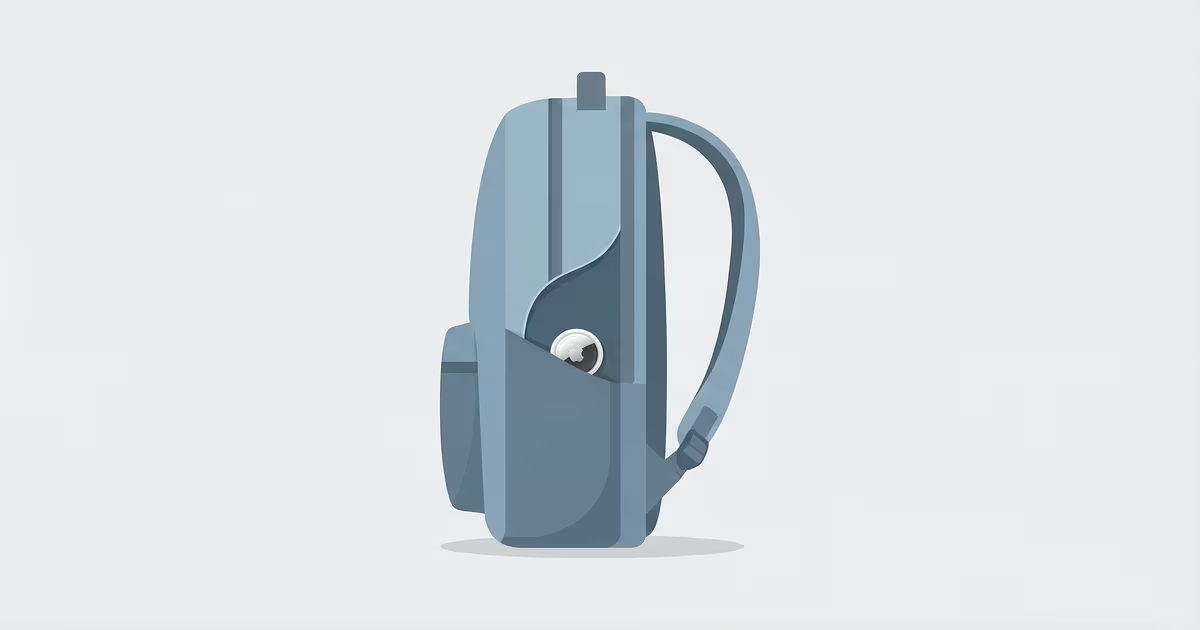
A 31.9mm AirTag weighs 11 grams. It's thinner than a stack of five quarters. Hidden correctly in a backpack, it's effectively invisible, and it keeps working even if the bag is tossed in a car trunk, buried under a pile of jackets, or carried by someone who'd rather you couldn't find it.
This guide covers the five best hiding spots, rated by concealment and signal quality. It also answers the two questions most guides skip: will it beep at the wrong moment, and can a thief find it with a phone scan?
Before You Hide It — What You Need to Know
Two things about AirTags that change how you should hide them:
The AirTag doesn't beep right away. Apple's anti-stalking system waits 8–24 hours after the AirTag is separated from its owner's iPhone before playing any sound. Apple randomizes the exact timing to prevent bad actors from figuring out the window. For theft protection, this is good news: a thief who grabs your bag and searches it within a few hours won't hear anything.
Your iPhone won't alert you about your own AirTag. The stalking alerts only fire on other people's iPhones (ones not paired to the AirTag's owner). Here's how that plays out:
- Your devices: Your iPhone and any device in your Apple Family Sharing group will recognize the AirTag as "friendly" — no alerts, ever.
- Your child's phone: If they're on your Family Sharing plan, same thing. The AirTag can ride in their bag all day without triggering any notification on their device.
- Strangers: An unknown iPhone that's been near the AirTag for the full 8–24 hour window may get a notification. For a typical school day or workday, this is a non-issue.
On dimensions: both AirTag generations are 31.9mm wide and 8mm thick — about the size of a large coat button. Both are IP67 rated (water and dust resistant up to 1 meter for 30 minutes). Any pocket or seam that can hold a large button can hold an AirTag.
Signal-wise: Bluetooth passes through fabric, leather, and backpack padding with minimal loss. Placement orientation doesn't matter. The only thing that can reduce range is direct contact with a large metal surface, which is rare in a normal backpack. For the full technical breakdown, see our AirTag review.
5 Best Spots to Hide an AirTag in a Backpack
Each spot is rated on concealment and signal quality. Setup time is included so you can pick what fits your situation.
| Hiding Spot | Concealment | Signal | Setup | Best For |
|---|---|---|---|---|
| 1. Sewn Into Lining | ★★★★★ | ★★★★☆ | 15 min | Anti-theft |
| 2. Hidden Interior Pocket | ★★★★☆ | ★★★★★ | 30 sec | Everyday, child tracking |
| 3. Behind Laptop Sleeve | ★★★☆☆ | ★★★★☆ | 30 sec | Commuter bags |
| 4. Adhered to Inner Panel | ★★★★☆ | ★★★★★ | 5 min | Long-term install |
| 5. D-Ring with Silicone Case | ★★☆☆☆ | ★★★★★ | 10 sec | Convenience |
1. Sewn Into the Lining
Find a seam at the base of the bag's interior lining and carefully open a 35mm gap with a seam ripper or small scissors. Slide the AirTag in flat against the inner wall, then hand-stitch the seam closed. Done correctly, there's no visible bump from the outside and nothing to find without cutting the lining.
Signal drops slightly through thick padding, but "slightly" here means going from 100 feet to 80 feet of detection range, which is negligible for real-world tracking. This is the right choice if theft protection is the primary goal.
2. Hidden Interior Pocket
Most backpacks have a thin interior zip pocket behind the main compartment, often used for passports or cards. The AirTag fits flat without creating a visible lump. The pocket is findable if someone empties the bag completely, but it won't be the first place anyone looks.
For everyday use, kids' backpacks, or travel bags, this is the easiest option. No tools, no modification, and perfect signal since nothing is between the AirTag and the air. This is one of the most consistently practical spots on the full list of AirTag uses.
3. Behind the Laptop Sleeve
Laptop sleeves have a padded pocket that the AirTag can slip behind, flush with the interior panel. It won't be visible unless the sleeve is completely emptied, which a casual bag search won't include. The laptop itself doesn't block Bluetooth in any meaningful way; only thick metal enclosures create real interference.
Best for: commuter packs where you want the AirTag to stay put long-term without modification.
4. Adhered to Inner Panel (Elevation Lab TagVault Surface)
The Elevation Lab TagVault Surface ($14.95) is an adhesive mount that sticks flat to any smooth interior surface. Attach it to the inner back panel, press in the AirTag, and it sits flush. It's designed to be near-invisible even if someone looks directly at the panel; the low-profile housing reads as part of the bag if you don't know what you're looking at.
The adhesive pad is replaceable, so you can move it between bags. More options in our best AirTag holders guide.
5. D-Ring with Silicone Case
Clip a silicone AirTag loop to any interior D-ring or attachment point. Fast, easy, and zero signal issues, but it's visible to anyone who opens the bag. Better than nothing for casual anti-loss use, not a serious theft deterrent. The AirTag is the first thing anyone will notice when they open the bag.
Use this when you're less concerned about concealment and more focused on quick access and easy swapping between bags.
Tracking a Child's Backpack
The most common parent concern: will the AirTag alert my child, or will it alert the school?
Neither, as long as the AirTag is on your Apple ID. Your iPhone manages the AirTag. It knows you own it, so it never triggers a stalking alert on your devices. Your child's phone, if they have one and it's signed into the same Apple ID (or your Family Sharing group where you manage the AirTag), also won't alert.
Find My updates the AirTag's location whenever any iPhone passes within Bluetooth range (roughly 100 feet). In a school or on public transit, there are usually enough iPhones nearby to keep location current throughout the day. For more on how location history works, see our AirTag location history guide.
For parents tracking young children who don't have their own phones, an interior pocket is the practical choice — it's invisible without opening the bag, and the AirTag runs about a year before needing a battery swap.
Will a Thief Find Your AirTag?
A well-hidden AirTag in a backpack is surprisingly hard to find, but it's worth knowing the real risks.
Casual thieves: Won't find it. Most bag grabs are fast. A thief who dumps the contents of a backpack might spot an AirTag in the main compartment, but one sewn into the lining or behind a laptop sleeve is invisible to a quick search.
Experienced thieves: Some now scan stolen bags with AirTag detection apps or Android's built-in Unknown Tracker Alerts. Google rolled out automatic AirTag detection for Android in 2023, so any Android phone near the stolen bag will eventually flag an unknown tracker after the 8–24 hour timer. By that point, you'll have the location data you need.
The practical counter-strategy: put the AirTag somewhere requiring deliberate effort to find (lining, or behind the laptop sleeve), not the inner mesh pocket that gets emptied first. If the bag is high-value, consider two AirTags: one in an obvious-ish spot a scanner would find, and one sewn into the lining. AirTags are $29 each; the second one is cheap insurance.
For context on how AirTag's anti-stalking system works from the other direction, our full guide on AirTag privacy and stalking covers what alerts look like and how to respond to them.
AirTag Holders Worth Using in a Backpack
If you're not sewing anything, these are the most useful options:
- AirTag 2 (1-pack) — $29. The tracker itself, no case. Works with any holder below.
- Silicone loop cases ($8–12) — Dozens of options on Amazon. Clip to D-rings or carabiners. Easy to move between bags.
- Elevation Lab TagVault Surface — $14.95. Adhesive mount. Best for semi-permanent installation on an interior panel.
Frequently Asked Questions
Will a hidden AirTag in my child's backpack alert them?
No. As long as the AirTag is registered to your Apple ID, no alert fires on your devices or your child's. The stalking alerts are designed for strangers who don't own the AirTag. Your child can carry it all day without seeing any notification.
How do I stop an AirTag from beeping when it's in a backpack?
If it's your own AirTag, it won't beep until it's been separated from your iPhone for 8–24 hours. That separation timer is what makes AirTag useful for tracking things you lose. There's no "silent mode" for legitimate use, nor does one need to exist: the AirTag stays quiet as long as the owner's iPhone is nearby.
Can airport security detect an AirTag in a backpack?
X-ray scanners will show the circular outline of the AirTag, but TSA doesn't confiscate them. AirTags are permitted on flights in both carry-on and checked bags. Multiple major airlines including Delta and American have confirmed AirTags are allowed in checked luggage; it's a common use case for finding lost bags.
How long does an AirTag battery last in a backpack?
Approximately one year for both generations (CR2032 battery). The AirTag only transmits when another iPhone passes within range, so battery life isn't meaningfully affected by how often you use the backpack. Find My shows a low-battery warning in advance.
Does an AirTag need line-of-sight to track my backpack?
No. Bluetooth passes through fabric, leather, and most non-metallic materials with minimal signal loss. A standard nylon or canvas backpack creates no meaningful interference. The AirTag can track your bag through car trunks, luggage carousels, and storage rooms, wherever another iPhone passes within range.
Can Android users detect a hidden AirTag?
Yes. Google added automatic AirTag detection to Android in 2023. An Android phone that's been near an unknown AirTag for the separation window (8–24 hours) will receive an alert. If someone takes your bag and they have an Android phone, they may eventually get a notification, but by then your AirTag's location history should already show you where the bag is.
How small is the AirTag — will it create a visible lump?
At 31.9mm wide and 8mm thick, it's about the size of a large coat button. In a padded interior pocket or sewn into thick lining fabric, there's no visible impression. In a very thin outer mesh pocket, you might see a faint circular outline, which is why the interior placements are preferable if concealment matters.