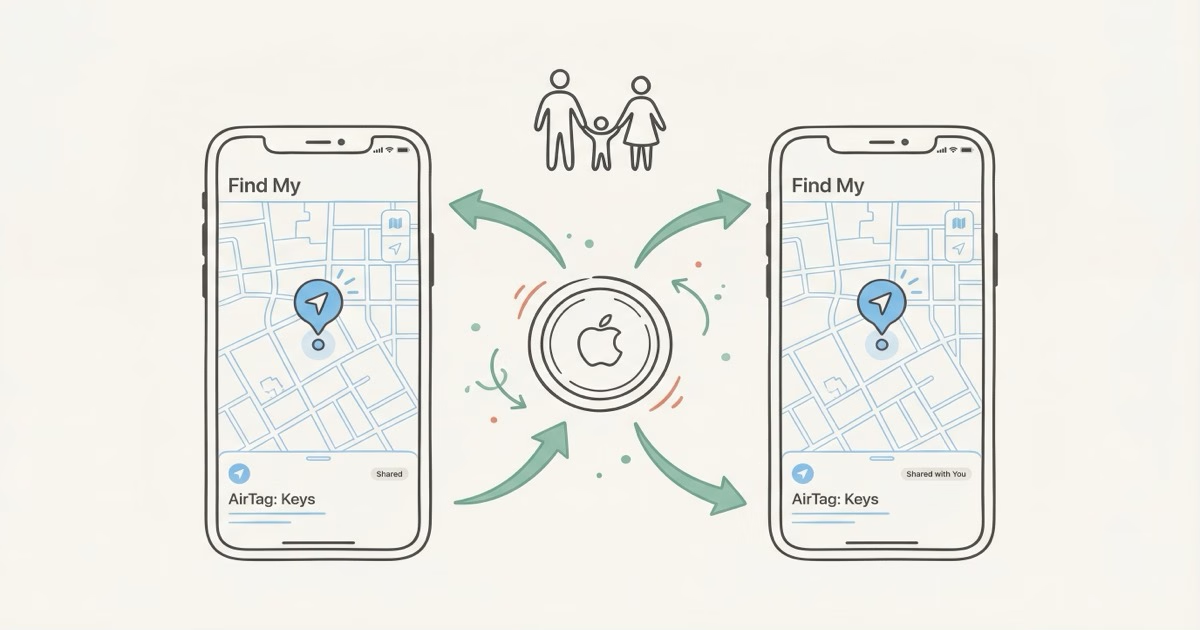
Yes, you can share an AirTag with up to 5 family members. Apple added the Share Item feature in iOS 17, letting the owner invite borrowers who can see the AirTag's location, play a sound, and use Precision Finding. Open Find My, tap your AirTag, tap Add Person under "Share This AirTag," and enter their Apple Account info.
Before iOS 17, AirTag sharing didn't exist. You'd stick an AirTag on the family car keys, and only one person could see where they were. Everyone else in the house was out of luck. Apple finally added a proper sharing feature in September 2023, and it works the way you'd expect it to. Setup takes about two minutes. There are a few gotchas, though, so read on before you start.
How to Share an AirTag With Family in Find My
Sharing takes about 90 seconds once both devices meet the requirements. Here's how to do it.
Step-by-Step Sharing Process
Open the Find My app on your iPhone. Tap the Items tab at the bottom, find the AirTag you want to share, and tap its name. Scroll down to "Share This AirTag" and tap Add Person.
Type in the Apple Account email or phone number of the person you're sharing with. Their name should pop up from your contacts. Tap it, then tap their Apple Account. Need to add more people? Hit the + button and repeat. When you're done, tap Share in the top-right corner.
The other person gets a notification. They tap "Accept," and the shared AirTag shows up in their Find My app under Items. That's it. Two minutes if you're both in the same room. A few minutes longer if you're doing it remotely, since the borrower has to accept before anything appears on their end.
Requirements Before You Start
Both devices need iOS 17 or later, two-factor authentication, and iCloud Keychain turned on. The borrower also needs a full Apple Account (not a child account) signed into iCloud. Miss any of these and the Add Person button simply won't show up.
What Shared Users Can and Cannot Do
Borrowers get most of the tracking features, but the owner stays in charge. Here's what each person can do.
| Feature | Owner | Borrower |
|---|---|---|
| See AirTag location on map | ✓ Yes | ✓ Yes |
| Play sound to find AirTag | ✓ Yes | ✓ Yes |
| Use Precision Finding (UWB) | ✓ Yes | ✓ Yes |
| Mark as Lost | ✓ Yes | ✗ No |
| Notify When Left Behind | ✓ Yes | ✗ No |
| Remove/unpair AirTag | ✓ Yes | ✗ No |
| Add or remove borrowers | ✓ Yes | ✗ No |
| Tracking notifications suppressed | N/A | ✓ Yes |
Pay attention to the "Notify When Left Behind" row. Borrowers don't get separation alerts. So if your spouse grabs the family car keys with the shared AirTag and leaves them at a coffee shop, they won't get a ping. Only the owner does. That's a real problem for families who count on those alerts.
On the flip side, borrowers don't receive unwanted tracking notifications when the shared AirTag moves with them. Without sharing, if someone else's AirTag traveled with you regularly, your iPhone would flag it as a potential tracker. Sharing turns off that warning, which you'd want for family items that naturally move between people all day.
Limitations and Common Problems
Five borrowers maximum. Each AirTag supports up to 5 shared users plus the owner, so 6 people total. That's plenty for most families. If you've got a big extended family sharing vacation cabin keys, though, you could run out of slots fast.
The Child Account Problem
Apple flat-out blocks AirTag sharing with child accounts. If your 12-year-old has an Apple Account managed through Apple's Family Sharing, you can't share an AirTag with them. Most parents just work around it: register the AirTag to your own account and tuck it into the kid's backpack or lunchbox. You see the location. The kid doesn't need to.
Older teens with their own full Apple Account (not a child account) can be added as borrowers like anyone else.
Sharing Failures and Bugs
People on MacRumors forums and Apple Community keep reporting the same sharing bugs. The usual symptoms: a shared AirTag shows "No location found" or the serial number reads "Not Available" on the borrower's device. These fixes tend to work:
- Make sure both devices run the same iOS version (or at least both on iOS 17+)
- Toggle iCloud Keychain off and back on, on both devices
- Reset Network Settings on the borrower's phone (Settings > General > Transfer or Reset > Reset Network Settings)
- Remove the share invitation and resend it
Yeah, that network settings reset wipes all your saved Wi-Fi passwords. Annoying. But it's the nuclear option that clears most stubborn sharing bugs. If nothing else works, remove the AirTag from your account entirely (Find My > Items > AirTag > Remove Item), re-pair it, and set up sharing fresh. Takes a few extra minutes but forces Apple's servers to start clean.
Best Family AirTag Setups for Common Scenarios
Sharing changes how you should set up AirTags for your family. These are the configurations that actually work well.
Family Car Keys
Clip one AirTag to the car keys. Register it to whichever parent drives most, then share it with the other parent and any teenage drivers. Everyone can find the keys through Find My. Before iOS 17, you'd have needed two AirTags on the same keyring. Now one does the job.
Kids' Backpacks and Lunchboxes
Register the AirTag to a parent's Apple Account and drop it into the kid's bag. Share with the other parent. Now both adults see where the bag is. The child doesn't need an iPhone, an Apple Account, or any involvement. The AirTag just needs to pass near any iPhone in Apple's billion-device Find My network to update its location. Our AirTag uses guide has more creative placement ideas for kids' stuff.
Quick reality check: AirTag shows where the bag is, not where your child is. If the kid leaves the backpack at school, you'll see the school's location. For tracking the child themselves, Share My Location on their iPhone (if they have one) is what you want.
Shared Luggage for Travel
Heading on a family trip? Toss an AirTag in each checked bag and share them with everyone traveling. The whole group can track every bag through the airport and at baggage claim. Really handy when one person checks bags while another heads off to grab the rental car. Apple's AirTag sharing guide confirms shared users see the same real-time location data as the owner. For more on flying with AirTags, check our checked luggage guide.
Elderly Family Members' Belongings
If you're helping care for an elderly parent who keeps misplacing their wallet, purse, or medication bag, AirTag sharing is a lifesaver. Register the AirTag to the primary caregiver's account and share with siblings or other family members helping out. That way, whoever's closest can help find the item. Our AirTag elderly guide goes deeper into this use case, including the important line between tracking items and tracking people.
How to Stop Sharing or Remove a Borrower
Only the owner can stop sharing. Borrowers can't remove themselves or revoke their own access.
Open Find My, tap Items, and select the shared AirTag. Scroll down to the list of people you're sharing with. Tap the person's name, then tap Stop Sharing. Confirm it. Want to remove everyone? You'll need to do this one person at a time. There's no "remove all" button.
Here's a privacy wrinkle people miss: Apple's personal safety documentation explains that once you remove a borrower, they may start receiving tracking notifications if the AirTag keeps traveling with them. That's the anti-stalking system switching back on. So if you stop sharing an AirTag on a keyring your ex still carries, they'll get an "AirTag Found Moving With You" alert. Either physically remove the AirTag from the item or have the former borrower dismiss the notification.
AirTag Sharing vs. Share My Location
They sound similar but do completely different things. AirTag sharing tracks an item. Share My Location tracks a person's iPhone.
| Feature | Share AirTag | Share My Location |
|---|---|---|
| What it tracks | An item (keys, bag, wallet) | A person's iPhone |
| Location accuracy | Depends on nearby iPhones | Real-time GPS |
| Requires the other person's iPhone | ✗ No | ✓ Yes |
| Works for kids without iPhones | ✓ Yes (item only) | ✗ No |
| Updates when iPhone nearby | Crowd-sourced, can lag | Continuous, near real-time |
If your family members all have iPhones, Share My Location wins for tracking people. It's real-time, precise, and doesn't depend on nearby devices. Use AirTag sharing for things, not people. To understand why AirTag location updates sometimes lag, check our AirTag accuracy guide.
The Bottom Line
AirTag sharing works, and it works well for families. One AirTag on the family car keys, shared with both parents and the teenage driver, costs $29 with no monthly fee. Two minutes to set up. The gotchas are real but manageable: no child account support, no "left behind" alerts for borrowers, and everyone needs iOS 17 or later. If your household runs iPhones, this feature alone makes buying an AirTag 4-pack and sharing the communal ones a no-brainer.
Frequently Asked Questions
Can you share an AirTag with family members?
Yes, since iOS 17. The owner invites up to 5 borrowers through Find My, and each person sees the AirTag's location on their own device.
Why can't I share my AirTag with my child's account?
Apple blocks it for managed child accounts, probably because of privacy rules around tracking minors. The workaround: register the AirTag to your own Apple Account and attach it to the child's stuff. You track the item directly. Teens with a full (non-child) Apple Account can be added as borrowers without issues.
Can borrowers set up Notify When Left Behind?
No, only the owner can. If your spouse has a shared AirTag on keys and leaves them at a restaurant, only you (the owner) get the alert. The borrower gets nothing. Apple hasn't said why this limitation exists, but it's held through iOS 17 and iOS 18. Frustrating, but that's how it works right now.
What happens when I stop sharing an AirTag?
The borrower loses access to the AirTag's location in Find My right away. If the AirTag keeps traveling with them after that, their iPhone may start sending "unknown AirTag" tracking alerts. That's Apple's anti-stalking protection kicking back in once sharing ends.
Do I need to be in the same Family Sharing group to share an AirTag?
Nope. AirTag sharing and Apple's Family Sharing are totally separate. You can share an AirTag with anyone who has an Apple Account and iOS 17: your Family Sharing group, a friend, a roommate, a coworker. All they need is a valid, non-child Apple Account.
Can someone with an Android phone see a shared AirTag?
No. Find My only runs on Apple devices, so Android users can't be added as borrowers. They can detect an unknown AirTag traveling with them (through Apple's cross-platform tracker detection), but that's about it. If your family is split between iPhone and Android, look at a cross-platform tracker like the Chipolo Pop or Pebblebee Clip 5 instead.
How many AirTags can I share in total?
There's no published account-wide limit. Each AirTag supports up to 5 borrowers, and you can share all 16 of your registered AirTags if you want. The cap is per-AirTag, not per-account.