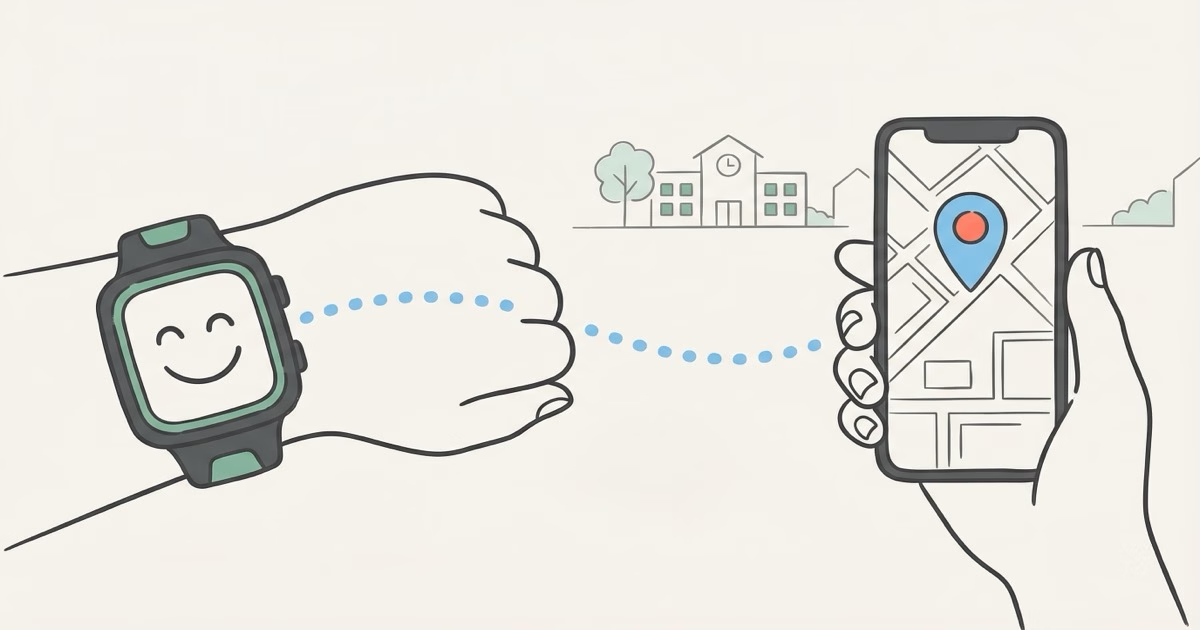
The TickTalk 4 is a reliable GPS smartwatch for kids aged 5-12, with two-way calling, real-time location tracking, and an SOS button that all work as advertised. The $9.99/month cellular plan keeps costs predictable. If you're buying new today, the TickTalk 5 ($159.99) offers a better display and eSIM support, but the TickTalk 4 remains a solid budget pick if you find it discounted below $100.
Most parents hit the same wall around age 7 or 8. Your kid starts walking to school alone, riding a bike to a friend's place, staying late for soccer practice. You want to know where they are without handing them a full smartphone loaded with YouTube, TikTok, and group chats full of strangers. A dedicated kids' GPS smartwatch fills that gap: location tracking, calls to approved contacts, nothing else. This TickTalk 4 review covers whether this watch actually delivers on that promise, where it falls short, and whether it's still worth the money now that the TickTalk 5 is out.
TickTalk 4 Review: Key Specs and What's in the Box
| Spec | TickTalk 4 |
|---|---|
| Display | 1.52" TFT color touchscreen |
| Dimensions | 47 x 45 x 16mm |
| Weight | ~53g (watch only) |
| Water Resistance | IP67 (rain, splashes, brief submersion) |
| Battery | 770mAh lithium-ion |
| Cellular | 4G LTE (AT&T and T-Mobile bands) |
| SIM | Included free (TickTalk Wireless) |
| GPS | GPS + WiFi + cellular triangulation |
| Cameras | Dual 5MP (front + rear) |
| Storage | 1GB RAM / 8GB internal |
| Monthly Plan | $9.99/mo (no contract, cancel anytime) |
Inside the box: the watch, a magnetic charging base, a pre-installed SIM card, and a quick-start guide. TickTalk bundles the SIM so you don't need to hunt for a compatible carrier plan on your own. That single detail removes one of the biggest hassles parents run into with competing watches that make you source your own nano-SIM.
GPS Tracking: Reliable Outdoors, Weak Indoors
GPS accuracy is what parents care about most, and outdoors, the TickTalk 4 does its job. Walking to school, biking through the neighborhood, hanging out at a park: location updates land within 10-30 meters in open-sky conditions. The watch pulls from GPS satellites, WiFi positioning, and cell tower triangulation to get a fix. Same triple-source approach as most kids' smartwatches at this price.
Indoors is rougher. Inside a multi-story school building, your kid's pin can drift a block or more from reality. The app sometimes just shows the last outdoor position until the watch picks up signal again. Every kids' watch has this problem. But you should know about it before spending money.
The parent app shows a map with the child's current pin, plus a route history so you can trace where they've been throughout the day. Geofencing works as expected: draw a boundary around school or home, and you'll get a push notification when your kid crosses it. According to SafeWise's hands-on review, the TickTalk 4's location reporting got noticeably better compared to the TickTalk 3, using all three positioning methods more effectively.
Parents who want tighter location data, especially indoors, should look at dedicated GPS trackers like the Jiobit. These use multi-technology positioning that outperforms any smartwatch. Our AirTag vs GPS tracker comparison explains the core technology differences.
Calling, Messaging, and the Contact Whitelist
Two-way calling is the TickTalk 4's best feature. It just works.
Parents add approved contacts through the TickTalk app, and the watch can only call or receive calls from people on that list. No random numbers. No strangers calling in. Your kid taps a contact, the call connects over 4G LTE, and audio quality is clear enough for a quick "I'm at Sarah's house, come get me at 5." Video calling works too, using the front-facing 5MP camera. The quality looks about what you'd expect from a watch-sized lens: good enough, not pretty.
Messaging supports text, voice messages, emojis, and photos to approved contacts. Kids can use voice-to-text dictation instead of pecking at the tiny screen, which is a relief because typing on a 1.52-inch display is miserable. One annoyance flagged by The Quality Edit's review: setting up video-calling permissions with grandparents requires them to physically scan a QR code on the watch. If grandma lives three states away, good luck with that.
School Mode Blocks Everything Except Emergencies
Parents define school hours in the app, and during that window the watch blocks all incoming calls, messages, and notifications except from designated emergency contacts. The SOS button still works during school mode. Always. A long press on the SOS button dials the first emergency contact, then cycles through the list if nobody picks up. That's exactly the right call for something a kid wears in a classroom.
SOS Button
Hold the side button for 3 seconds. The watch calls your first emergency contact and sends a location ping to the parent app. No menus, no passwords. A panicked 7-year-old can figure it out.
Build Quality and Battery Life
The TickTalk 4 is chunky. At 16mm thick, it sits more than half an inch off a child's wrist. Android Central's review called it "bulky" and noted that some kids found it uncomfortable during sports. On a 10-year-old with average-sized wrists, it's noticeable but fine. On a 5 or 6-year-old, it looks like a cartoon prop.
IP67 water resistance covers rain, hand-washing, and splashes. TickTalk rates it for brief submersion up to 1 meter for 30 minutes. Don't let your kid swim laps with it on.
Both 5MP cameras produce grainy photos in anything less than bright outdoor light. Not a deal-breaker for most parents since the cameras are a bonus, not the reason you're buying this watch. But kids who've used a modern smartphone camera will be disappointed.
Battery life is the weakest link in daily use. The 770mAh cell gets through a school day with moderate use, roughly 8-12 hours with GPS active and occasional calls. Pile on frequent calls, video chat, or continuous GPS polling and it drains faster. TickTalk's official spec page claims up to 100 hours of standby, which is technically true if your child never touches the watch. In practice, charge it every night. The magnetic base makes this easy to fold into a bedtime routine.
- Reliable two-way voice and video calling
- GPS + WiFi + cell triangulation for outdoor accuracy
- Contact whitelist blocks strangers completely
- SOS button works even during school mode
- Free SIM card included, $9.99/mo plan with no contract
- IP67 water resistance for everyday kid abuse
- iHeartRadio Family streaming included free
- Bulky 16mm thickness uncomfortable for smaller wrists
- GPS unreliable indoors and in dense buildings
- Battery lasts 8-12 hours with active use, needs nightly charging
- Camera quality is grainy in anything but bright light
- App interface is functional but not polished
- Proprietary charging base (lose it and you're stuck)
The Monthly Plan: $9.99 and What You Get
Every TickTalk 4 needs a cellular plan. No way around it. The watch uses 4G LTE for calls, messages, and GPS reporting. TickTalk's own wireless service costs $9.99/month with no contract, no activation fee, and no cancellation penalty. You can pause or cancel anytime through the app.
Over 12 months, that's $119.88 on top of the hardware. Over two years, $239.76. Add the watch itself (street price roughly $100-150 depending on promotions), and your total two-year cost runs $340-390. Comparable to adding a line on a family cell plan, minus the smartphone's app store, social media, and open browser. If the monthly cost bothers you, our no monthly fee GPS tracker guide covers alternatives with no recurring charges.
The plan rides on AT&T or T-Mobile's network depending on your area. Coverage is fine in metro areas and suburbs. Rural? It varies. Weak T-Mobile or AT&T signal in your area means the watch will hit the same dead zones as any other device on those networks. Check TickTalk's official wireless page to verify coverage before you commit.
TickTalk 4 vs TickTalk 5: Is the Upgrade Worth It?
| Feature | TickTalk 4 | TickTalk 5 |
|---|---|---|
| Display | 1.52" TFT LCD | Larger AMOLED |
| SIM | Physical SIM (included) | eSIM + physical SIM |
| GPS Accuracy | Standard GPS/WiFi/cell | Improved GNSS |
| Camera | 5MP dual | Higher resolution |
| Battery | 770mAh (8-12 hrs active) | 770mAh (optimized, longer runtime) |
| Video Call Setup | Requires QR code scan | Remote setup |
| Price (device) | ~$100-130 (discounted) | $159.99 |
| Monthly Plan | $9.99/mo | $9.99/mo |
If you're buying new, get the TickTalk 5. The AMOLED display, eSIM support, and remote video-call setup fix the TickTalk 4's three biggest annoyances. The $30-60 price gap is worth it for hardware you'll use every day for two-plus years.
The TickTalk 4 only makes sense at a discount. Under $100, the hardware holds up fine and the monthly plan cost is identical. If a neighbor's kid outgrew theirs and offers it to you for $50, take it without thinking twice.
TickTalk 4 vs Competitors: Gabb, Xplora, and AirTag
Vs Gabb Watch: Simpler, Cheaper, Less Capable
Gabb strips everything down to GPS, calling, and texting. No camera, no video calls, no games. If your school bans camera-equipped smartwatches, Gabb gets through the door where TickTalk doesn't. Gabb wins on simplicity; TickTalk 4 wins on features.
Vs Xplora X6 Play: More Games, Similar GPS
Xplora leans into the kid-entertainment angle with games, step-count rewards, and a slightly more polished interface. GPS and calling work about the same as the TickTalk 4. Where Xplora pulls ahead: better battery life (claimed 24 hours) and native geofencing support. If your kid wants a watch that feels fun rather than purely functional, Xplora is more appealing. TickTalk 4 counters with dual 5MP cameras and video calling, which Xplora doesn't have.
Vs Just Using an AirTag
An AirTag costs $29 once with no monthly fee. Drop it in a backpack, check Find My whenever you want. But it can't call, text, send an SOS, or let your child reach you. It doesn't show real-time movement either. Updates depend on nearby iPhones passing by, so in a rural area or empty parking lot, you might get nothing for hours.
Here's the core difference: an AirTag tells you where something was. A GPS watch tells you where someone is, and lets them talk to you.
If your child walks to school through a busy city neighborhood packed with iPhones, an AirTag in the backpack gives surprisingly decent passive tracking for free. But when they need to reach you during an emergency, only a watch does that. Plenty of parents run both: watch on the wrist, AirTag clipped inside the backpack as a silent $29 backup. Our AirTag vs GPS tracker guide breaks down the tradeoffs in detail, and our AirTag accuracy guide covers real-world tracking limitations.
Who Should Buy the TickTalk 4
Get the TickTalk 4 if you find it discounted and your child is between 7 and 12. It nails the core job: GPS that's accurate outdoors, two-way calling locked to approved contacts, a working SOS button, and school mode that shuts down distractions during class. The $9.99/month plan has no contract, no activation fee, and no cancellation fee. Cancel from the app when your kid outgrows it.
Skip it at full price. The TickTalk 5 on Amazon runs $159.99 with real hardware upgrades including eSIM and a bigger display. Also skip it for kids under 6 or teenagers.
And if you only need to know where your kid's backpack is without two-way communication, an Apple AirTag at $29 with zero monthly fees handles that. No screen, no charging, no plan. Our best uses for AirTag guide covers how parents use them for kid tracking alongside dedicated GPS watches.
The Bottom Line
The TickTalk 4 does what it promises: GPS tracking, two-way calling, and parental controls that actually work. It's chunky, the cameras are mediocre, and the battery needs nightly charging. But for a previous-generation kids' smartwatch at a budget price, it's a legitimate pick. Buy the TickTalk 5 if you're purchasing new. Grab the TickTalk 4 if you find it under $100. And if your child doesn't need to call you, just toss an AirTag or item tracker in their bag and save yourself $120 a year in subscription fees.
Frequently Asked Questions
Is the TickTalk 4 worth buying in 2026?
Only at a discount. The TickTalk 5 has replaced it as the current model, bringing a better AMOLED display, eSIM support, and tighter GPS accuracy. At full retail, the TickTalk 5 is the smarter buy. But a TickTalk 4 under $100 still handles calling, GPS, and school mode without any issues.
What age range works best for the TickTalk 4?
Ages 7-11 in practice. TickTalk markets it for 5-12, but kids under 7 struggle with the interface, and the 16mm thickness is too bulky for very small wrists. Most families use it from second or third grade through elementary school, then switch to a phone.
Does the TickTalk 4 work with both iPhone and Android?
Yes. The parent app runs on iOS and Android. Mixed-OS households are fine.
How long does the TickTalk 4 battery actually last?
Count on 8-12 hours with GPS on and occasional calls. TickTalk claims 100+ hours of standby, which is technically accurate if the watch sits untouched. In the real world, you're charging every night. The magnetic base makes this painless once you work it into a bedtime routine.
Can I use my own SIM card instead of TickTalk's plan?
The watch ships with a pre-installed SIM on TickTalk's wireless service. Some parents have had luck swapping in third-party SIMs from AT&T or T-Mobile, but TickTalk doesn't officially support this. The parent app's full feature set may break without their service, so I'd stick with the bundled plan unless you're comfortable troubleshooting.
Is the TickTalk 4 waterproof enough for swimming?
No. IP67 means it survives rain and hand-washing, not pool sessions. Take it off before swimming, water parks, or beach trips.
How does TickTalk 4 compare to tracking my kid with an AirTag?
Completely different tools. An AirTag gives you location only: no calling, messaging, or SOS. It costs $29 once with no monthly fee, which makes it dramatically cheaper. But updates happen passively through Apple's Find My network, not through real-time GPS. If your child needs to call you in an emergency, the watch wins. If you just want to know which building they're in, an AirTag tucked in their backpack costs less and requires zero setup on the child's end. A lot of parents do both: watch on the wrist for communication, AirTag in the bag as a cheap silent backup.