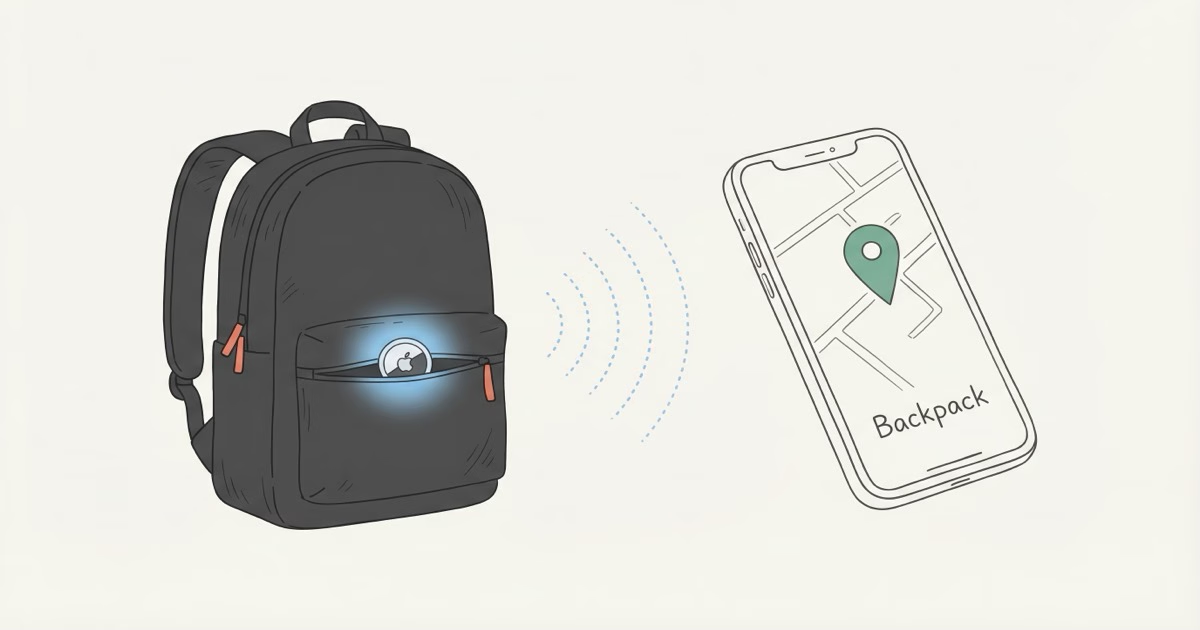
Backpacks vanish constantly. You set yours down at a coffee shop, leave it wedged under an airport seat, or your kid walks off the school bus without it. Lost-and-found bins are a graveyard of good intentions. An AirTag in the right pocket changes the math completely: your phone buzzes before you even make it out the door. Below, I'll walk through setup, the best hiding spots inside a bag, and what actually happens when your backpack disappears into the wild.
Setup: Pairing and Naming Your AirTag
About 90 seconds, start to finish. Pull the plastic battery tab, hold the AirTag near your iPhone, and a setup card appears on screen. Tap Connect, pick "Backpack" from the list (or type something custom like "School Bag"), and you're done.
Make sure Bluetooth is on and Location Services are enabled before you start. The original AirTag needs iOS 14.5 or later. The AirTag 2 requires iOS 26.2.1 or later, so update first if you haven't already. Apple's official setup guide walks through edge cases, but most people won't need it.
One tip: name it something specific. If you're tracking three bags all called "Backpack," Find My becomes useless. I label mine by color or purpose ("Gray Commuter," "Travel Osprey").
Best Placement Inside a Backpack
Put the AirTag in a zippered inner pocket. Not the main compartment floor, not clipped to the outside. Most backpacks have a small key pocket or organizer pouch inside the main compartment. That's your spot. It stays hidden if someone opens the bag for a quick look, it won't rattle around under books and laptops, and nylon does nothing to block Bluetooth.
Placement Options Ranked
Inner zippered pocket (best): Hidden, secure, good signal transmission. Most laptop backpacks have one. The AirTag sits flat and doesn't move.
Clipped to an internal D-ring: Use an AirTag carabiner holder to hook it to the key loop inside the main compartment. Accessible for battery replacement but slightly more visible if someone digs through the bag.
Sewn into the shoulder strap: Some travelers stitch a small fabric sleeve into the padded shoulder strap. Extremely hard to find. Overkill for a daily commuter bag, but worth considering for international travel.
Bottom of the main compartment (avoid): The AirTag slides around, gets buried under textbooks, and a thief dumping contents onto a table will spot it immediately.
Quick Signal Test
After placing the AirTag, open Find My, tap your backpack's AirTag, and hit Play Sound. If you can hear the chirp from outside the closed bag, the Bluetooth signal is transmitting fine. If the sound is barely audible, try moving the AirTag closer to the outer wall of the pocket.
Setting Up Separation Alerts
Notify When Left Behind is the reason to put an AirTag in a backpack. It pushes a notification to your iPhone when you walk away from your bag. Left it at the coffee shop? Your phone buzzes before you reach the car.
To set it up:
- Open Find My and tap Items
- Select your backpack's AirTag
- Tap Notify When Left Behind and toggle it on
- Add trusted locations where you intentionally leave the bag (home, office, school)
Your home address gets added as a trusted location automatically if it's saved in your Contacts card. You can also adjust the geofence size to Small, Medium, or Large for each spot, depending on how far you normally walk from the bag. Apple's support page for separation alerts has the full details.
The alert isn't instant. Expect it within 1-2 minutes of walking away. Bluetooth needs a moment to confirm the AirTag is actually out of range, so if you bolt from a restaurant, you might be half a block away before the buzz hits your phone. Fast enough to double back, though.
What to Do When Your Backpack Goes Missing
Turn on Lost Mode right away. Every minute you wait is a minute the Find My network isn't actively scanning for your bag.
The recovery process looks like this:
- Check Find My. The map shows the last detected location. If it was 5 minutes ago in a crowded area, the location is probably accurate to within a block.
- Turn on Lost Mode. This tells every iPhone in Apple's network to watch for your AirTag and report its location back to you. You'll also get a notification the instant someone's phone detects it.
- Watch for movement. If the location updates show the bag moving to new spots, someone has it. Screenshot every location update for police.
- Use Play Sound when you're close. The AirTag 2's speaker is 50% louder than the original, audible from across a room even inside a zipped bag.
- Don't confront anyone yourself. Share the location data with police. In Charlotte, NC, officers used AirTag location data to arrest a serial thief who had stolen a backpack with a tracker inside.
If Find My shows "Not Reachable," don't panic. It just means no iPhone has walked past the AirTag recently, which is common in rural areas or empty buildings. The AirTag itself is fine. Our Not Reachable troubleshooting guide covers what to try next.
Use Cases: School, Travel, and Commute
Kids' School Bags
Register the AirTag to a parent's Apple ID, not the child's. Drop it in the inner pocket and add the school as a trusted location. That way, alerts won't fire every school day. But if the bag leaves campus at a weird time or your kid forgets it on the bus, your phone lights up.
Anti-stalking protections won't be a problem. The AirTag belongs to the parent's account and stays with the child's belongings, so no unwanted tracking alerts pop up on the kid's device. Want real-time location of the child? That's Find My People or Family Sharing. AirTag is for the bag, not the person.
Check the battery every August before school starts. A dead AirTag in February means four months of zero tracking and you won't know until it's too late. The CR2032 swap takes 30 seconds.
Travel Backpacks
Travelers on the Rick Steves forum report tucking AirTags into zippered shoulder strap pockets for checked bags and day packs. The AirTag won't update in an airplane cargo hold (no iPhones nearby at 35,000 feet), but it starts pinging the moment the plane lands and phones reconnect. For travel, the AirTag 2 4-pack covers a carry-on, checked bag, day pack, and a camera bag for $99 total.
Daily Commuter Bags
Add home and your office as trusted locations, and the AirTag stays quiet until you leave your bag somewhere you shouldn't. Commuters on crowded trains and buses actually get the best accuracy because dozens of iPhones are pinging nearby at all times. The best uses for AirTag page has more everyday scenarios worth browsing.
AirTag 2 Upgrades That Matter for Backpacks
Apple shipped the AirTag 2 in January 2026, and three changes actually matter if you're putting one in a backpack:
Louder speaker. The new AirTag is 50% louder, audible from 2x the distance. If your backpack is wedged under a cafe booth or sitting in a lost-and-found bin, you'll actually hear the chirp through the fabric. Apple also hardened the speaker against tampering, so a thief can't just pry it out to silence it. Apple's announcement confirmed these hardware changes.
Extended Precision Finding range. The new UWB chip stretches Precision Finding from about 15 meters to roughly 60 meters. That directional arrow on your iPhone now works from across a parking lot. Searching a school campus or an airport terminal feels completely different with 4x the range.
Apple Watch support. You can now run Precision Finding on an Apple Watch Series 9 or later. Tap your wrist, follow the arrow, grab the bag. Parents doing school pickup will appreciate not fumbling with a phone while juggling a coffee and a toddler.
The price didn't change. Still $29 for one, $99 for four. Same CR2032 battery, same roughly one-year battery life. If you're buying new, get the AirTag 2. If you already own the original, it still works fine for backpack tracking.
Limitations You Should Know
AirTag is not GPS. No cellular radio, no SIM card, no satellite antenna. It sends out a Bluetooth ping, and nearby iPhones relay that signal anonymously to Apple's servers. No iPhone nearby means no location update. Simple as that.
In Manhattan, updates arrive every few minutes. On a rural highway at midnight? You might wait hours between pings. That's not a flaw. If you need real-time tracking with 15-second updates, you need a GPS tracker with a monthly subscription. AirTag costs about $2 per year for a replacement battery and nothing else.
A few more things to keep in mind:
- Android users can't set up AirTag. You need an iPhone. Android phones participate in the Find My network passively, but you can't register or manage an AirTag from Android.
- Anti-stalking alerts. If you place an AirTag in someone else's bag without their knowledge, their iPhone will notify them within 8-24 hours. That's intentional on Apple's part.
- No geofencing. AirTag can't alert you when it enters or leaves a specific area. Separation alerts only work based on distance from your iPhone, not geographic boundaries.
Our guide to hiding AirTags goes deeper on how Bluetooth signals behave through metal, leather, and other materials if you're curious about signal range specifics.
Best AirTag Holders for Backpacks
Honestly? You don't need a holder. A bare AirTag in a zippered pocket works perfectly. But if you want to clip it to a strap or D-ring, here's what I'd consider:
Belkin Secure Holder with Carabiner (~$13). The go-to option. The carabiner hooks onto internal D-rings or zipper pulls, the AirTag clicks in tight, and it doesn't add noticeable bulk. Our AirTag holders and accessories guide ranks it as a top pick for good reason.
Silicone keychain holders ($5-10). They work, but the silicone stretches out after 6-8 months. Fine for a school bag that'll get replaced next year anyway.
No holder (free). My preferred setup for travel. Drop the bare AirTag into a tight inner pocket. The stainless steel and plastic body won't scratch anything, it stays put in a snug space, and nobody rummaging through the bag will notice it. Concealment beats convenience when you're on the road.
The Bottom Line
Drop an AirTag in your backpack's inner pocket, turn on Notify When Left Behind, and stop thinking about it. The AirTag 2 costs $29 with no monthly fee, runs about a year on one battery, and gives you separation alerts plus a last-known location when the bag goes missing. It's not a GPS tracker. But for the question most people actually have ("where did I leave my bag?"), nothing else touches it at this price.
Frequently Asked Questions
Where is the best place to put an AirTag in a backpack?
A zippered inner pocket in the main compartment. Hidden from thieves, won't shift around, and nylon doesn't block Bluetooth at all. Avoid the bottom of the main compartment where the AirTag slides under books. If someone dumps the bag out, it's the first thing they'll see.
Can AirTag track a backpack in real time?
No. AirTag shows the last location where an iPhone detected the signal, not live movement. In crowded places like airports and shopping malls, updates come every few minutes because iPhones are everywhere. In a quiet suburb at 2 AM, you might wait hours between updates. For most forgotten-bag scenarios, the last-known location is enough to recover it.
Will AirTag work inside a waterproof backpack?
Yes. Bluetooth passes through nylon, polyester, and PVC without any real loss. Metal-lined laptop compartments can shave some range, but a standard waterproof daypack from Osprey or Fjallraven won't cause problems. Do a quick Play Sound test after placing the AirTag just to be safe.
Is it legal to put an AirTag in my kid's school bag?
Yes, in all US states. You're tracking your own child's property. Register the AirTag to your Apple ID and put it in their bag. Apple's anti-stalking protections target adults being tracked without consent, not parents keeping tabs on a kid's backpack. Worth checking your school's electronics policy, though, since some have blanket rules about devices in bags.
How long does the AirTag battery last in a backpack?
About one year with typical use. The CR2032 coin battery costs around $2 to replace. Separation alerts and frequent Play Sound pings can drain it slightly faster, but most users get 10-12 months before the low battery warning appears in Find My. Our battery replacement guide shows the 30-second swap process.
What happens if a thief removes the AirTag from my backpack?
You keep the last-known location from before they spotted it. The thief's own iPhone will eventually warn them about the unknown AirTag, and the AirTag 2's speaker is harder to disable than the original. Screenshot everything and share the location history with police.
Does AirTag work on Android phones?
You can't set up or manage an AirTag from Android. You need an iPhone for setup, naming, and Lost Mode. However, Android phones running the Find My Device network do help relay AirTag locations since Apple and Google enabled cross-platform tracker detection in 2024. So even in areas with few iPhones, some Android phones contribute to finding your bag.
Should I get AirTag or a GPS tracker for my backpack?
AirTag, unless you need live tracking. $29 once, no subscription, and it covers the scenario most people actually face: "I left my bag somewhere." GPS trackers like Tracki or LandAirSea update every 15-60 seconds, but they cost $8-20 per month forever. Only worth it for high-value equipment or international shipments where real-time matters.